
介绍

Fabric API is required. Mod Menu and Cloth Config API are optional.
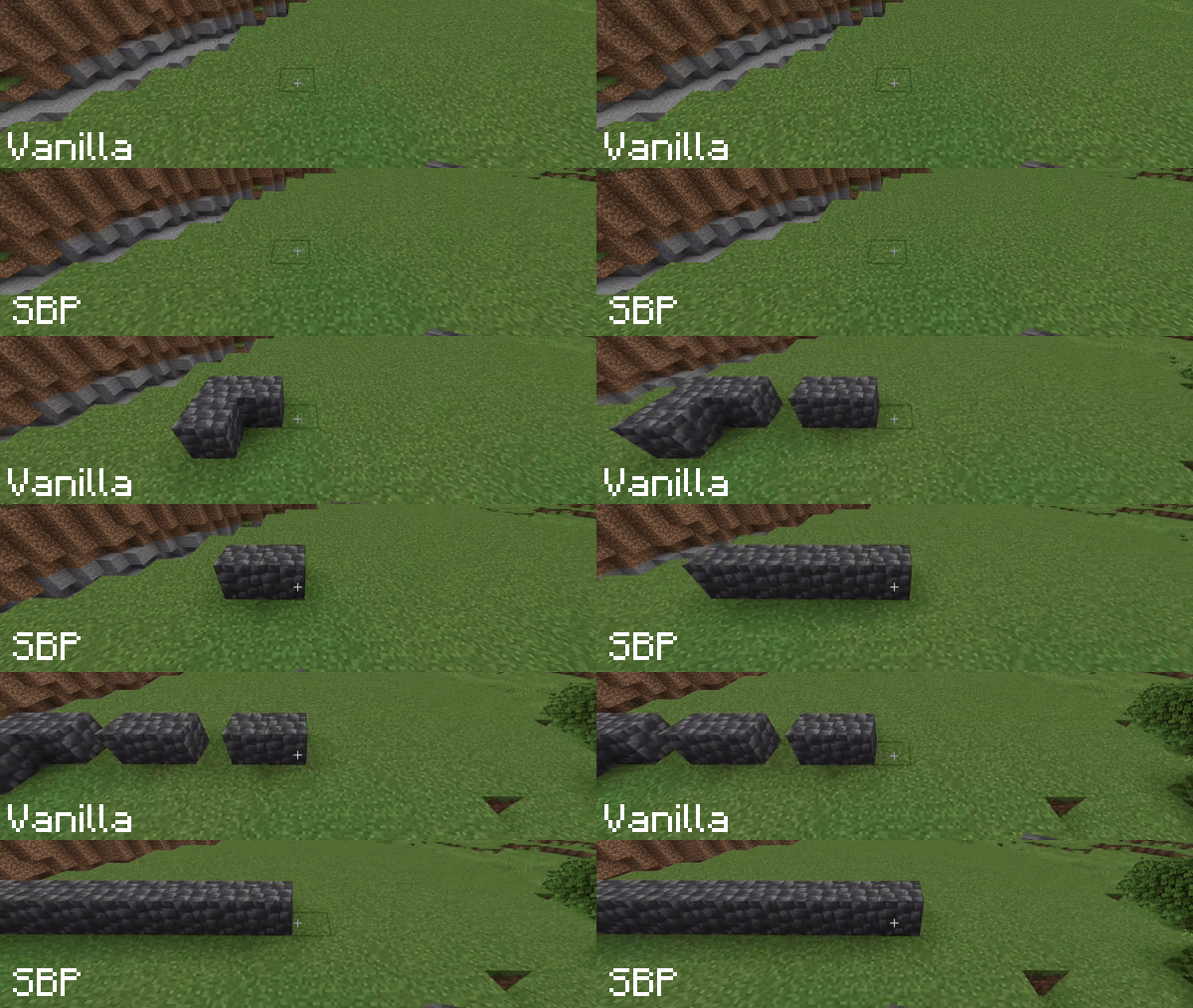
In vanilla Minecraft, holding the right mouse button to place blocks results in a slow placement speed due to animation delays. Smart Block Placement solves this problem.\ With this mod, you can not only place blocks rapidly but also streamline your interactions by removing unnecessary delays.
Key Features:
- Fast Building – Place blocks as fast as you can click, bypassing the vanilla placement delay. Perfect for rapid construction and editing.
- Creative Mode Only – Toggle this option if you want to use the mod exclusively in Creative mode, ensuring fair play on Survival servers.
- Customizable Usage Delay – Control the vanilla delay for interacting with blocks and using items (levers, doors, food, etc.).
[WARNING] On multiplayer servers, some Anti-Cheat plugins may flag rapid block placement or reduced usage delays as suspicious. Use with caution and respect server rules.
P.S. If the mod doesn’t seem to be working, please check your Controls settings to ensure the “Enable Smart Placement” key is bound.
常见问题
SmartBlockPlacement 支持哪些 Minecraft 版本?
SmartBlockPlacement 支持 Minecraft Java 版 1.20.6–26.3,共 18 个版本,可用的加载器:Fabric。下载时注意选择和你游戏版本一致的文件。
SmartBlockPlacement 怎么安装?
先用 PCL2 或 HMCL 启动器安装对应版本的 Fabric,再把下载的 .jar 文件放进游戏目录的 mods 文件夹,重新启动游戏即可。开启了版本隔离的,mods 文件夹在 versions/版本名 下面。
Ender_Fake 的其他作品
查看全部 →
Smart Block Placement
快速、智能地放置方块。

Physics Swapping
Bouncy jump physics when moving items in your inventory

Smooth Mount
This mod adds smooth animations for mounting horses, camels, and other riding creatures.

Craftmine Translate Rus
Перевод первоапрельского обновление Craftmine на русский
评论
登录后评论和评分