
Smart Item Highlight
A client-side Minecraft mod that highlights matching items in open container screens.
截图
介绍
Smart Item Highlight
Smart Item Highlight is a lightweight client-side Fabric mod that makes finding matching items inside storage screens easier.
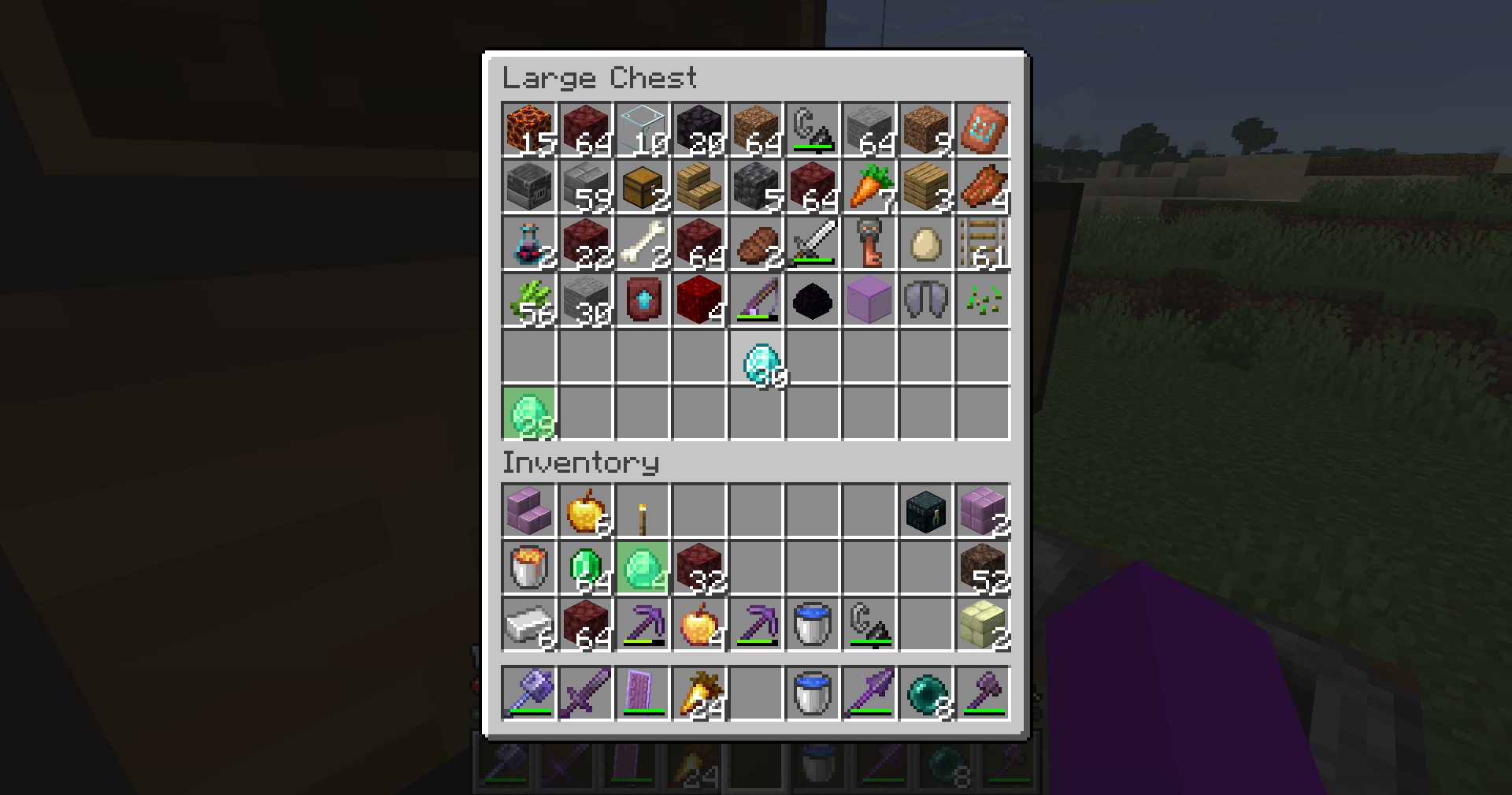
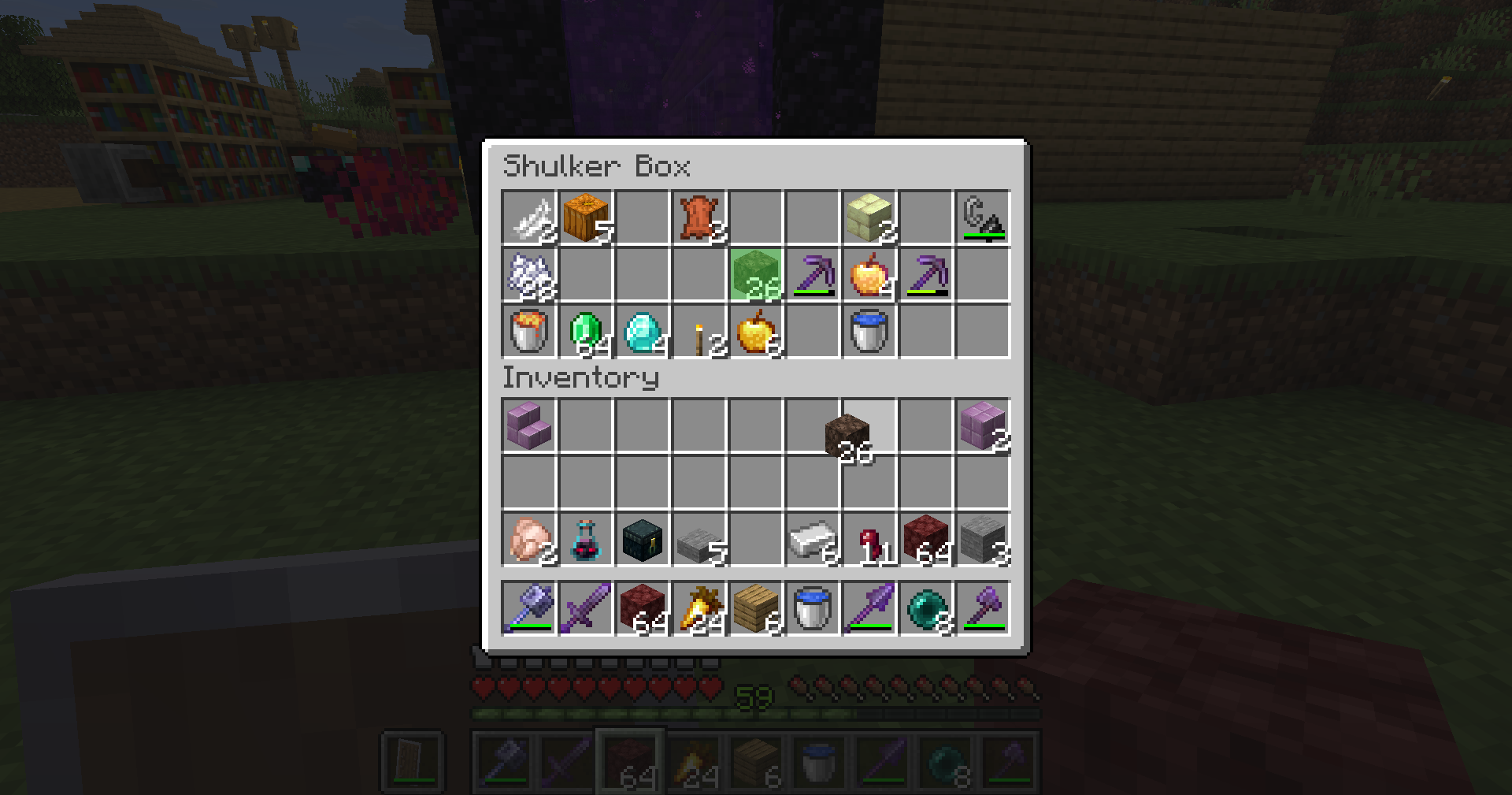
When you pick up an item with your cursor, every other occurrence of that item is covered with a translucent light-green overlay. Matching items are highlighted in both the open container and your own inventory.
Features
- Highlights every matching occurrence of the held item
- Highlights items in both the container and player inventory
- Works with the hotbar
- Activates automatically when an item is attached to the cursor
- Uses a subtle translucent light-green overlay
- Matches items by item type
- Fully client-side
- No commands, configuration or keybinds required
Supported Screens
Smart Item Highlight works with standard Minecraft container screens, including:
- Chests
- Double chests
- Barrels
- Shulker boxes
- Hoppers
- Dispensers
- Droppers
- Other standard inventory-based container screens
Support for modded storage screens may depend on how those screens are implemented.
Requirements
- Minecraft 26.2
- Fabric Loader
- Fabric API
The mod only needs to be installed on the player’s client. It does not need to be installed on the server.
Installation
- Install Fabric Loader for Minecraft 26.2.
- Download and install Fabric API.
- Download the latest Smart Item Highlight
.jarfile. - Place the
.jarfile inside your Minecraftmodsfolder. - Launch Minecraft using the Fabric profile.
On Windows, the default Minecraft mods folder is usually:
%appdata%\.minecraft\modsUsage
- Open a supported container.
- Pick up an item so it is attached to your cursor.
- Every other slot containing the same item will be highlighted.
- Place the item back into a slot to remove the highlights.
No setup is required.
Item Matching
Items are matched by their item type.
This means the mod currently ignores differences such as:
- Stack size
- Durability
- Custom names
- Enchantments
- Other item data
For example, holding one diamond pickaxe will highlight other diamond pickaxes, even when they have different durability or enchantments.
Building from source
More information on how to build the “.jar“ file from source can be found on the github repository here.
Licence
This project is distributed under the licence included in the LICENSE file.
Credits
Smart Item Highlight was developed by @haittorrs (Github) with the assistance of AI tools.
常见问题
Smart Item Highlight 支持哪些 Minecraft 版本?
Smart Item Highlight 支持 Minecraft Java 版 1.21.11–26.2,共 5 个版本,可用的加载器:Fabric。下载时注意选择和你游戏版本一致的文件。
Smart Item Highlight 怎么安装?
先用 PCL2 或 HMCL 启动器安装对应版本的 Fabric,再把下载的 .jar 文件放进游戏目录的 mods 文件夹,重新启动游戏即可。开启了版本隔离的,mods 文件夹在 versions/版本名 下面。运行环境:仅客户端。
评论
登录后评论和评分