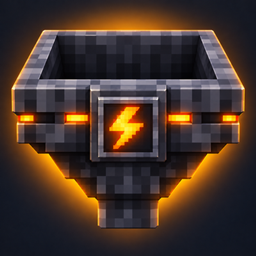
Smart Hopper
Adds two custom hopper blocks to Minecraft 26.3: a Filter Hopper for sorting matching items and a Fast Hopper that transfers up to 8 items per tick.
介绍
Smart Hoppers
Smarter sorting. Faster item transport.
Smart Hoppers adds two specialized hopper blocks to Minecraft: the Filter Hopper and the Fast Hopper.
Build reliable sorting lines, send selected items to storage below, or move items faster than with a vanilla hopper. Both blocks keep familiar hopper behavior, including directional placement, redstone locking, and comparator support.
📦 Features
-
2 Hopper Types: Filter Hopper and Fast Hopper.
-
Automatic Sorting: Pull matching items from a hopper line and send them to a container below.
-
Item Filtering: Use a real item as the filter template; it is never consumed.
-
Fast Item Transfer: Move up to 8 items per tick with the Fast Hopper by default.
-
Configurable Transfer Rates: Adjust hopper timing and filtering behavior.
-
Automation Support: Works with vanilla containers and compatible modded inventories.
-
Compact Item Models: Custom item views for the hand, inventory, and dropped items.
-
Custom Designs: Dark metallic hopper bodies, colored lights, and distinct filter and lightning emblems.
-
Vanilla Hopper Controls: Directional placement, redstone locking, and comparator output.
-
English and German language support.
🔍 Filter Hopper
Use the Filter Hopper to sort items from a horizontal hopper line.
Place it beneath the transport line and put the item you want to sort into its dedicated filter slot. Matching items are collected by the Filter Hopper and can be routed to a container directly below. Other items continue along the line.
The Filter Hopper has five transport slots and a separate filter slot. Hopper automation can access the transport slots, but cannot move or consume the filter template.
By default, the Filter Hopper checks the line every tick and handles up to one item per tick. Slower intervals can be selected in the configuration, but may cause matching items to pass by.
⚡ Fast Hopper
The Fast Hopper moves up to 8 items per tick by default, making it useful for faster item transport.
Its transfer interval is configurable. At the default 1-tick interval, it can move up to 8 items per tick in either direction. It has five regular inventory slots and works with compatible hopper and container automation.
❗ For sorting systems, place a regular hopper or a Smart Hopper above the Fast Hopper. Otherwise, the Smart Hopper beneath the Fast Hopper may fail to register items because they move too quickly.
🧰 Hopper Comparison
| Hopper | Main purpose | Default transfer rate |
|---|---|---|
| Filter Hopper | Sort matching items from a transport line | Up to 1 item per tick |
| Fast Hopper | Move items through a line faster | Up to 8 items per tick |
| Vanilla Hopper | Standard item transport | 1 item every 8 ticks |
Actual transfer speed depends on available items, destination space, redstone power, and server tick rate.
🔨 Crafting
Both hoppers are crafted using a regular Minecraft Hopper.
Filter Hopper
Use 1 Hopper, 4 Redstone Dust, and 1 Iron Ingot.
Place the Hopper in the center, Redstone Dust above and on both sides, and the Iron Ingot below.
Fast Hopper
Use 1 Hopper, 4 Gold Ingots, and 1 Redstone Dust.
Place the Hopper in the center, Gold Ingots above and on both sides, and Redstone Dust below.
Both blocks are also available in the Redstone creative inventory tab.
⚙️ Configuration
Smart Hoppers includes settings for transfer timing and filter behavior. Configure them through Mod Menu or in:
config/smarthoppers.json
Available options include:
-
Fast Hopper interval: Set the time between transfer bursts.
-
Filter Hopper interval: Control how often the filter checks the transport line.
-
Prefer inventory below: Let an inventory directly below the Filter Hopper take priority over its side output.
-
Match item components: Match only the item type or also compare data such as names and enchantments.
-
Empty filter behavior: Choose whether an empty Filter Hopper accepts all items.
Mod Menu is optional. On a dedicated multiplayer server, the server’s configuration controls hopper behavior.
🛠️ Requirements
Minecraft: 26.3
Mod Loader: Fabric
Java: 25 or newer
Fabric API: Required
Mod Menu: Optional, for in-game configuration
JEI: Shows crafting recipes
For multiplayer, install Smart Hoppers and Fabric API on both the server and the client.
❤️ About Smart Hoppers
Smart Hoppers adds practical sorting and item transport tools while keeping the familiar feel of Minecraft’s vanilla hoppers.
Build cleaner sorting systems, route matching items into storage, and speed up item movement with a hopper designed for the job.
Sort smarter. Move items faster.
常见问题
Smart Hopper 支持哪些 Minecraft 版本?
Smart Hopper 支持 Minecraft Java 版 26.3,可用的加载器:Fabric。下载时注意选择和你游戏版本一致的文件。
Smart Hopper 怎么安装?
先用 PCL2 或 HMCL 启动器安装对应版本的 Fabric,再把下载的 .jar 文件放进游戏目录的 mods 文件夹,重新启动游戏即可。开启了版本隔离的,mods 文件夹在 versions/版本名 下面。
Krxmo 的其他作品
查看全部 →
Ascended Storage
Upgrade your storage with Ascended Storage! Discover five tiers of chests, barrels, and shulker boxes, featuring increased capacity, customizable colors, and seamless double chests.
Hammerhart
Hammerhart is just another Hammer mod. Expect if u use the mod together with the mod Enchanting Infuser, you can dig with a max reach of 100 block. In a 3x3 of Course :).
Chunk Loader: Interactive
Selectable chunk loading with six tiers up to 25×25 chunks, remote controls, groups, overlap detection and live simulation status.
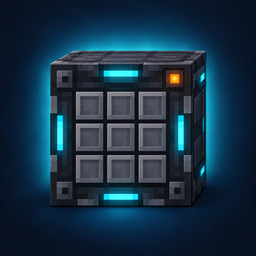
Krxmo’s Smart Crafter
❗ Smart Crafter automates crafting-table recipes. Choose a recipe from the searchable catalog, feed ingredients with hoppers, and craft continuously or one batch per redstone pulse.
评论
登录后评论和评分