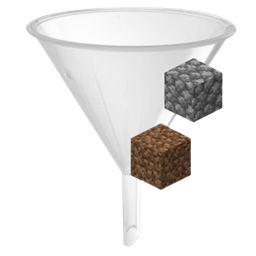
Smart Filter
Take control of your inventory! Smart Filter lets you filter which items you want to pick up. Avoid inventory clutter by whitelisting ores or blacklisting junk like
介绍
📦 Smart Filter
The ultimate inventory management utility for organized adventurers.

Tired of your inventory filling up with cobblestone, dirt, seeds, and junk while mining or farming?
Smart Filter is a lightweight, high-performance utility mod for NeoForge 1.21.1 that gives you full control over what items you pick up.
With the Smart Filter item, you decide exactly what enters your inventory — no more manual cleanup.
✨ FEATURES
-
Visual GUI Interface
Clean and intuitive Simple Chest–style interface with a 9-slot filter bar. -
Ghost Slot System
Configure your filter without consuming items. Click an item into the GUI and the filter remembers it — the item stays in your hand. -
Whitelist & Blacklist Modes
Instantly switch between:
• Whitelist (Green): pick up ONLY selected items
• Blacklist (Red): pick up EVERYTHING except selected items -
High Performance & Lightweight
Built using Minecraft 1.21 Data Components and NeoForge TriState logic.
Zero lag, even in large modpacks. -
Multiple Filters Support
Carry multiple Smart Filters at once:
• One for mining
• One for farming
• One for building
All active simultaneously. -
Duplicate Protection
The filter automatically prevents duplicate entries and keeps everything organized.
🎮 HOW TO USE
Opening & Configuring:
- Hold the Smart Filter and Right-Click while standing.
- Add items: Click an item into one of the 9 slots.
- Remove items: Click the slot with an empty hand.
- Items are registered visually only — nothing is consumed.
Switching Modes:
- Hold the filter and Shift + Right-Click.
- Whitelist Mode: pick up ONLY listed items.
- Blacklist Mode: pick up everything EXCEPT listed items.
Automatic Filtering:
- Keep the Smart Filter anywhere in your inventory.
- Allowed items are picked up automatically.
- Blocked items stay on the ground.
💡 PRO TIP
You can quick-configure items directly in the world:
Hold the filter and Shift + Right-Click on a block to add or remove it from the filter instantly — no GUI needed.
常见问题
Smart Filter 支持哪些 Minecraft 版本?
Smart Filter 支持 Minecraft Java 版 1.20–1.21.11,共 19 个版本,可用的加载器:Forge / NeoForge。下载时注意选择和你游戏版本一致的文件。
Smart Filter 怎么安装?
先用 PCL2 或 HMCL 启动器安装对应版本的 Forge / NeoForge,再把下载的 .jar 文件放进游戏目录的 mods 文件夹,重新启动游戏即可。开启了版本隔离的,mods 文件夹在 versions/版本名 下面。
Martinfer22 的其他作品
查看全部 →
Zombie Hardcore [Forge/Neo]
准备好迎战嗜血僵尸吧!它们会打碎所有方块来找你,真的会!

First Join Control
Take total control over the player's first join: Custom spawns, starter gear, status effects, and immersive visual/audio welcomes.
Power Axes
Unleash the power of the axes! ⚡🪓

Solar Hardcore
A hardcore mod that makes the world unstable on sunny days ☀.
评论
登录后评论和评分