
截图
介绍
Slo: Server Loader
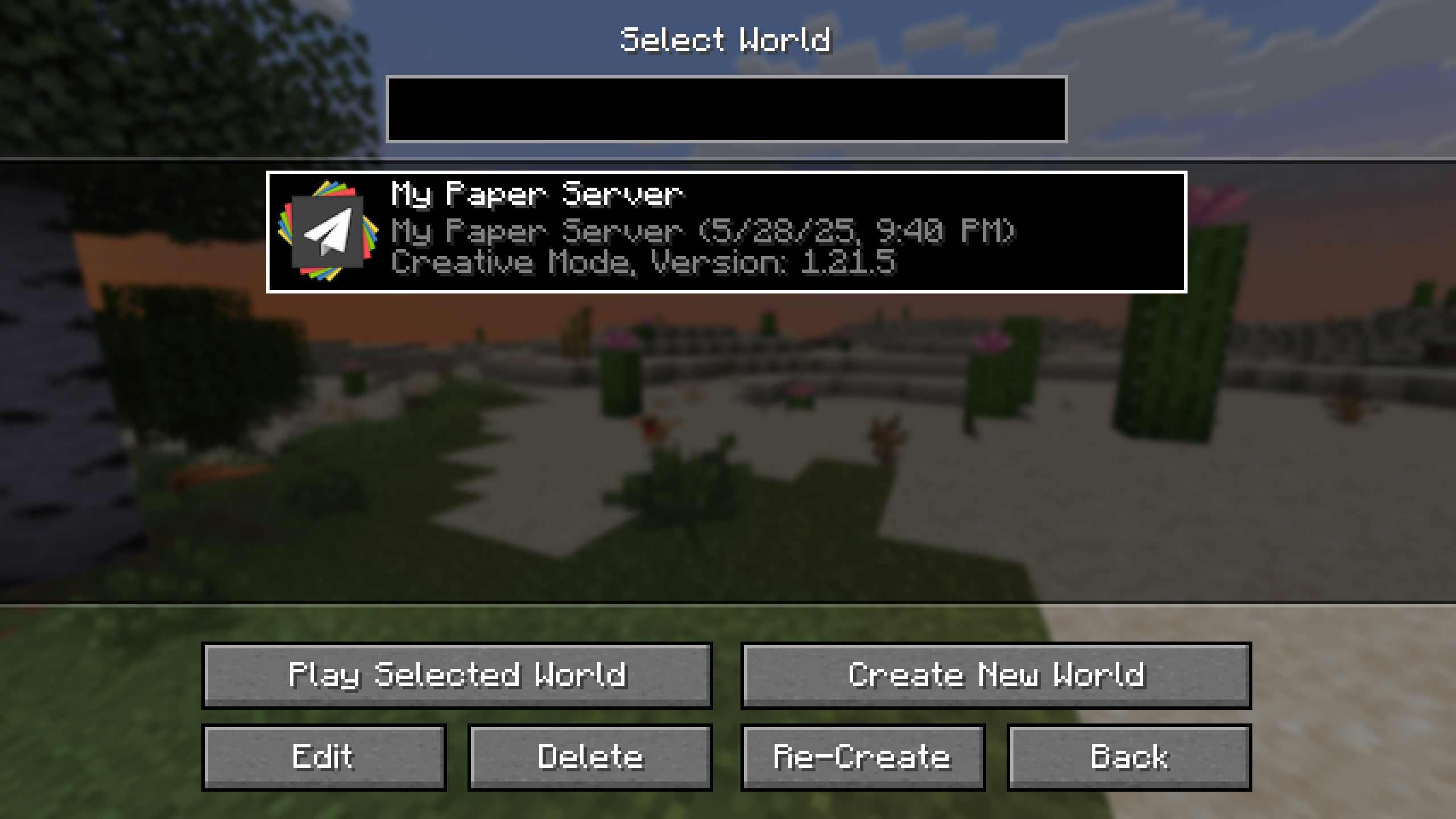
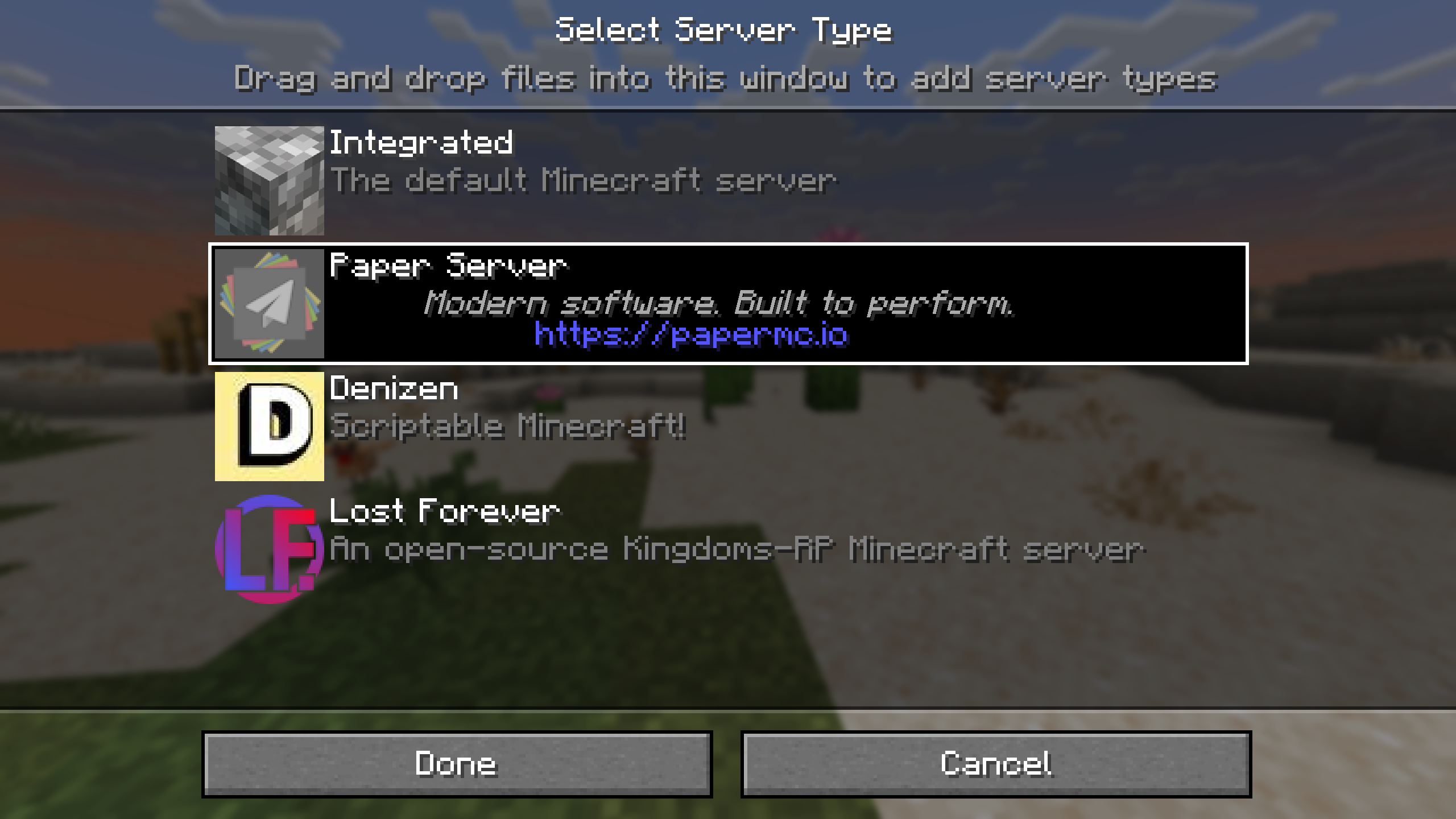
With Slo installed, Minecraft servers in your saves directory will be available during world selection. With the right configuration, you can even choose the server type when creating a world!
Additional Features
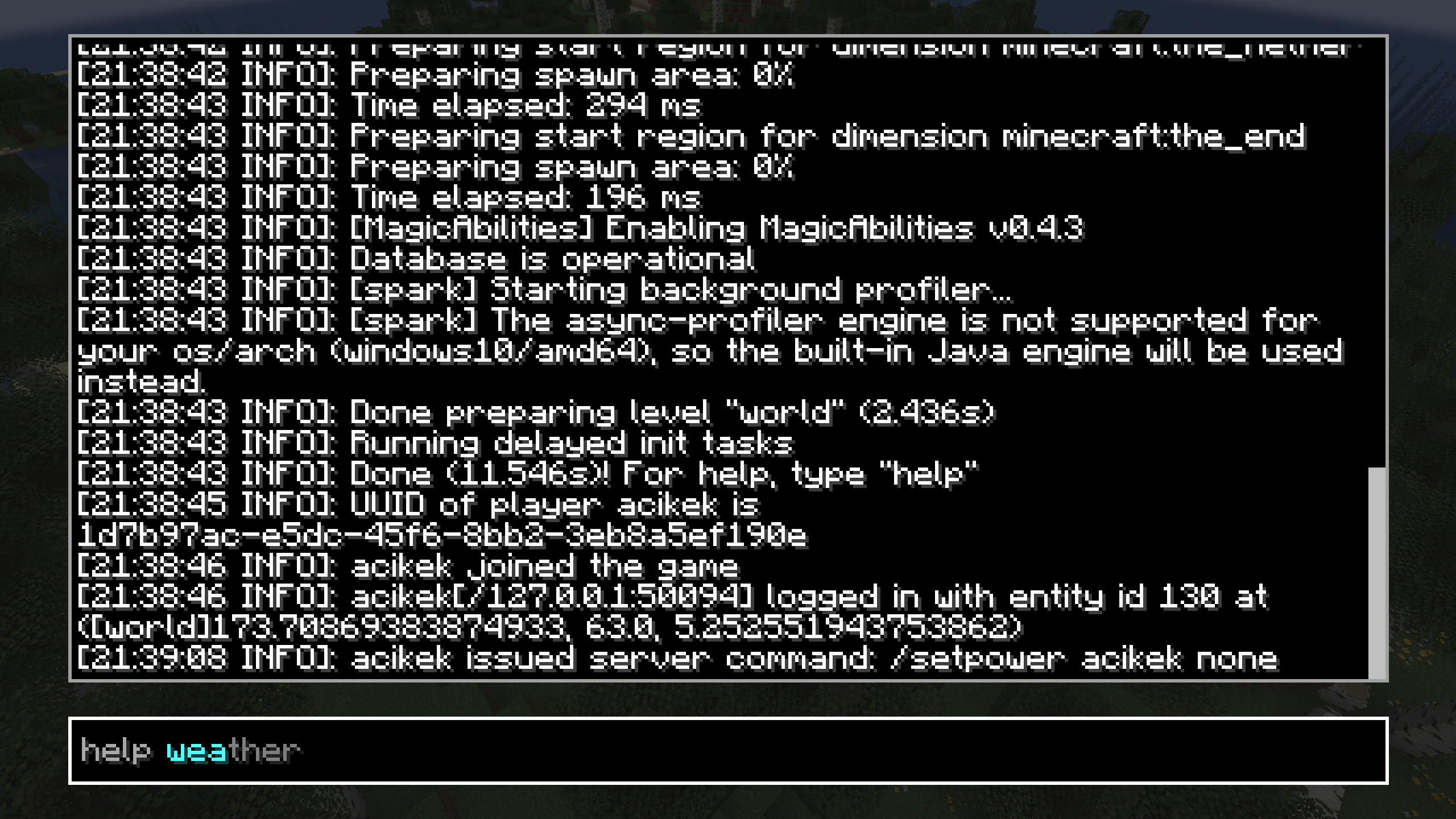
- Open the server console in-game (
`by default) - Autodetect server JAR files, auto-accept EULA
- Seamless integration with Minecraft’s UI
How It Works
When developing a Minecraft server, it’s good practice to run it on your machine and connect to it locally. Slo automates this process: given a server world, the mod starts the server JAR, listens to its output, and connects to localhost when ready. If anything goes wrong, or if the player disconnects, the server process exits gracefully.
Slo is a client-side mod—it integrates local server processes into Minecraft’s UI. However, the mod may require you to be connected to the internet; server software usually downloads Minecraft’s files on first launch.
Configuration
Slo supports server presets—templates for a server save—that users can choose from when creating a world. The mod loads these presets from the configuration directory; alternatively, users can drag and drop presets into the selection screen. To learn how to create these presets, visit the wiki.
License
MIT © 2025 Skye Prince
Note: by running this mod, you agree to Minecraft’s End User License Agreement (EULA).
常见问题
Slo 支持哪些 Minecraft 版本?
Slo 支持 Minecraft Java 版 1.20.1–1.21.5,共 3 个版本,可用的加载器:Fabric。下载时注意选择和你游戏版本一致的文件。
Slo 怎么安装?
先用 PCL2 或 HMCL 启动器安装对应版本的 Fabric,再把下载的 .jar 文件放进游戏目录的 mods 文件夹,重新启动游戏即可。开启了版本隔离的,mods 文件夹在 versions/版本名 下面。运行环境:仅客户端。
acikek 的其他作品
查看全部 →
The Printer
Duplicate items at the cost of experience and time

Purpeille
Endgame resource expansion; ancient technology; a journey of allegiance

Ochetgenyo
Decorate your walls with an ancient language

Void Crafting
Adds a void crafting recipe type
评论
登录后评论和评分