
Sleepy Screens
Sleepy Screens is a lightweight client-side mod that displays a relaxing idle screen whenever the player is AFK. It adds a subtle, immersive touch to downtime in Minecraft, while being fully compatible with other modpacks.
介绍
🌙 Sleepy Screens
Tired of staring at the same menus when you go AFK?
Sleepy Screens replaces idle menus and in-game pauses with a beautiful slideshow screen, giving your Minecraft a calmer and more immersive feel.
✨ Features
🖼️ AFK Slideshow Screen
Whenever you’re idle for a while, Sleepy Screens automatically fades into a full-screen slideshow of relaxing images.
-
Works both in the main menu (title screen, world selection, settings, etc.)
-
Works inside the game pause menu and in-game GUIs
-
Fully immersive with fade-in and fade-out effects
🎨 Smooth Transitions
-
1.5 second fade-in when the AFK screen appears
-
1.5 second fade-out when you return
-
Ensures a seamless, professional look
🖱️ Smart AFK Detection
Sleepy Screens doesn’t just check if you pressed a key. It listens for all types of activity, including:
-
Keyboard input
-
Mouse clicks
-
Mouse scrolling
-
Mouse movement
If you’re still active, the AFK screen won’t interrupt you.
🛡️ GUI Safety
We know there are times when you’re reading or typing and don’t want the AFK screen to pop up. Sleepy Screens uses a blacklist system to prevent interruptions in important screens like:
-
Chat
-
Books (reading or editing)
-
Sign editing
-
Command blocks
-
Anvils, Lecterns, and more
This way, you’ll never lose focus while working with text or complex GUIs.
🌍 Compatible with Menus and Worlds
-
Works in the main menu (before you enter a world or server)
-
Works in the pause menu, settings and in-world while in-game
-
In singleplayer or multiplayer, Sleepy Screens always keeps your game looking alive, even when you’re away
Let me know if any issues are caused by this mod while playing
This mod can be used in any modpack. Just let me know, where you are adding it.
常见问题
Sleepy Screens 支持哪些 Minecraft 版本?
Sleepy Screens 支持 Minecraft Java 版 1.20.4,可用的加载器:Forge。下载时注意选择和你游戏版本一致的文件。
Sleepy Screens 怎么安装?
先用 PCL2 或 HMCL 启动器安装对应版本的 Forge,再把下载的 .jar 文件放进游戏目录的 mods 文件夹,重新启动游戏即可。开启了版本隔离的,mods 文件夹在 versions/版本名 下面。
herofahad777 的其他作品
查看全部 →
DJ music
目前已添加 98 首歌曲,太棒了!请分享给更多人。

All EMC
This Modpack addes every item has EMC

DJ Music – Alan Walker playlist
Playlist for DJ music
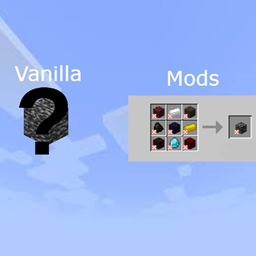
Uncraftable items Craftable
now you can craft all the items in vanilla minecraft
评论
登录后评论和评分