
截图
介绍
⏰ SleepTimer
🌟 Main features
📊 Instant information (H key)
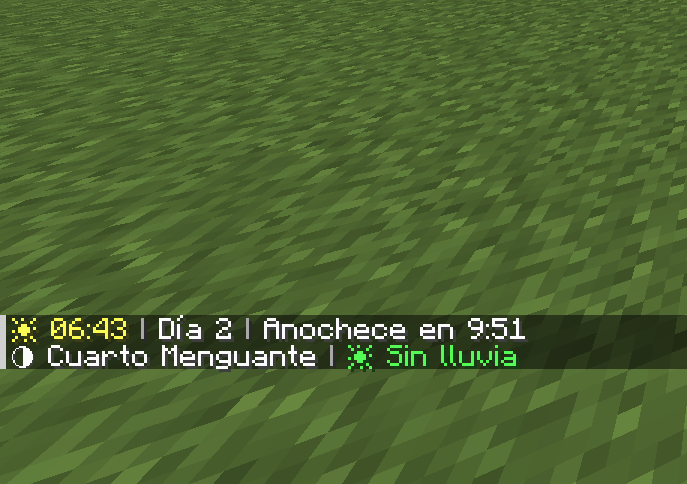
Press H at any time to see:
- ⏰ Current time in 24-hour format (e.g., 2:30 p.m.)
- 📅 Day of the world (e.g., Day 5)
- 🌅 Time until sunset/sunrise (e.g., Sunset in 3:42)
- 🌙 Current moon phase (Full Moon, First Quarter, New Moon, etc.)
- 💧 Rain/storm duration (e.g., Raining for 2:15)
🛏️ Smart bed timer
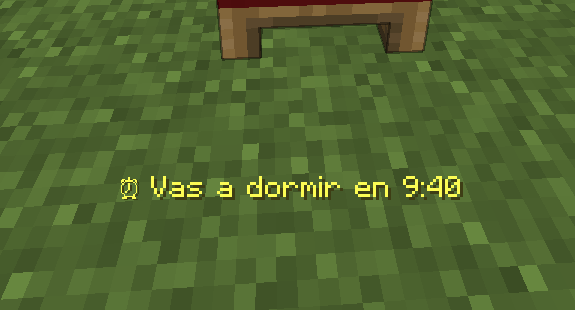
When you click on a bed during the day, a message appears indicating
exactly how long it will be before you can sleep (e.g., “⏰ You can sleep in 4:23”)
⚠️ Automatic alerts
- Nightfall: Alert 1 minute before nightfall
- Sunrise: Notification when it is safe to go out
- Optional sounds: Bells accompanying alerts
✏️ 100% customizable messages
Don’t like the default messages? Change them!
- Write your own texts for each alert
- Use color codes (§e=yellow, §a=green, §c=red, §b=blue, §6=orange)
- Use %s to insert the time wherever you want
Examples:
§e⏰ You can sleep in %s→ “⏰ You can sleep in 3:42”§cGo to bed in %s!→ “Go to bed in 3:42!”§b%s left to dream→ “3:42 left to dream”
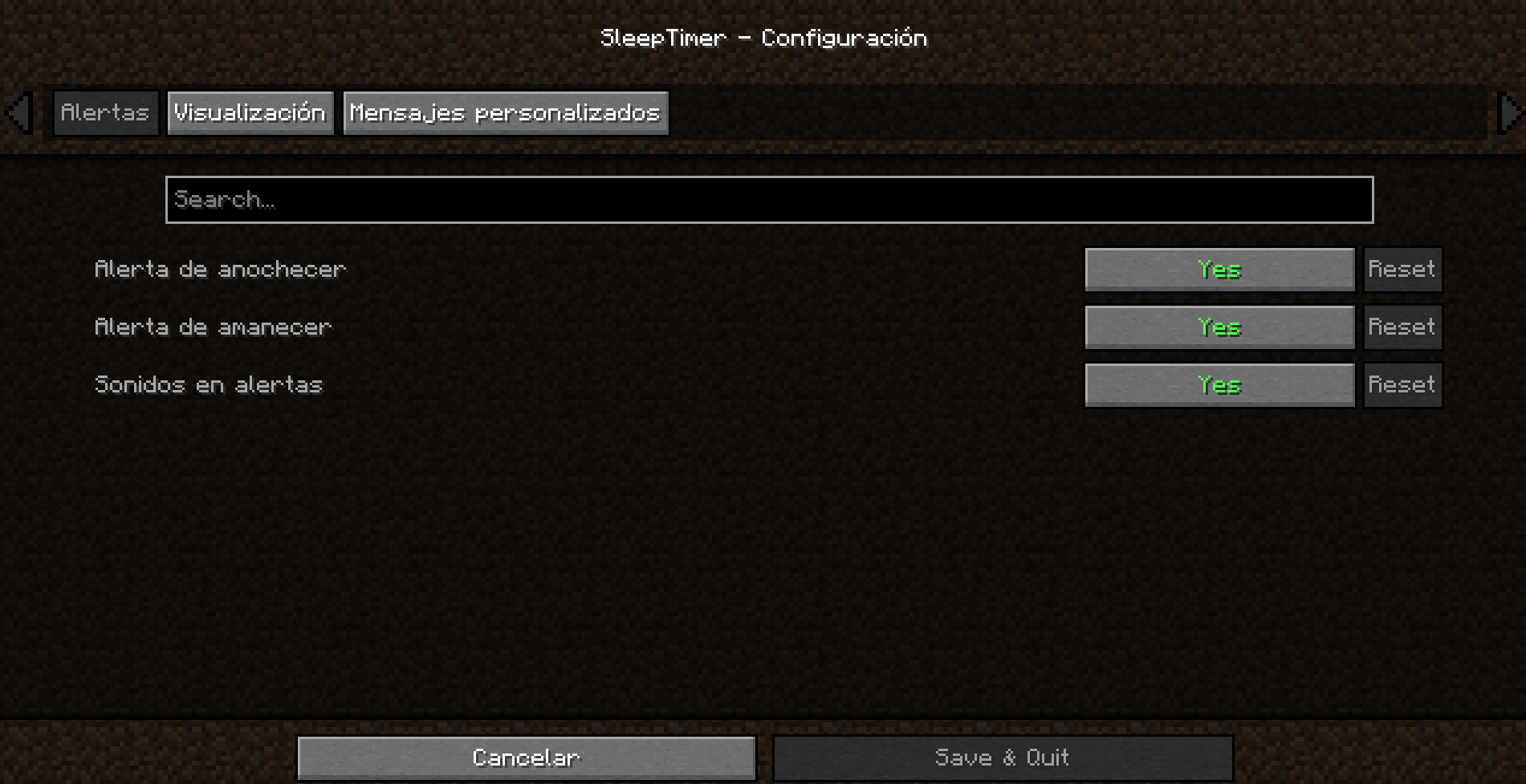
⚙️ Fully configurable
Open the configuration menu from:
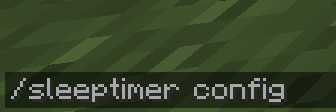
- Command:
/sleeptimer config - Mods menu: Mods → SleepTimer → ⚙️ Config
Category: Alerts
| Option | Description |
|——–|————-|
| Sunset alert | Notification 1 minute before sunset |
| Sunrise alert | Notification at sunrise |
| Alert sounds | Play sound with alerts |
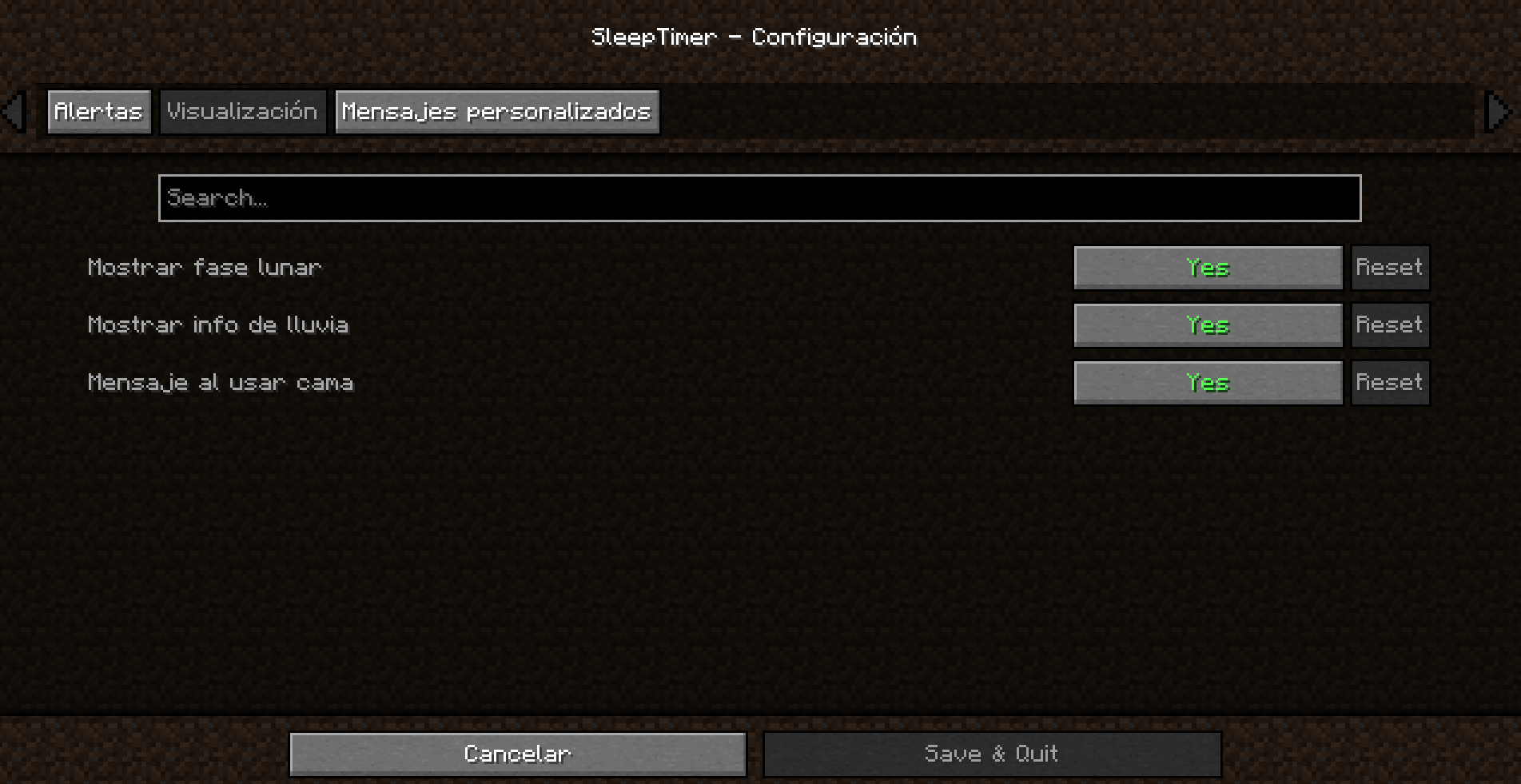
Category: Display
| Option | Description |
|——–|————-|
| Show moon phase | View moon phase when pressing H |
| Show rain info | View rain time when pressing H |
| Message when using bed | Show sleep time when clicking on bed |
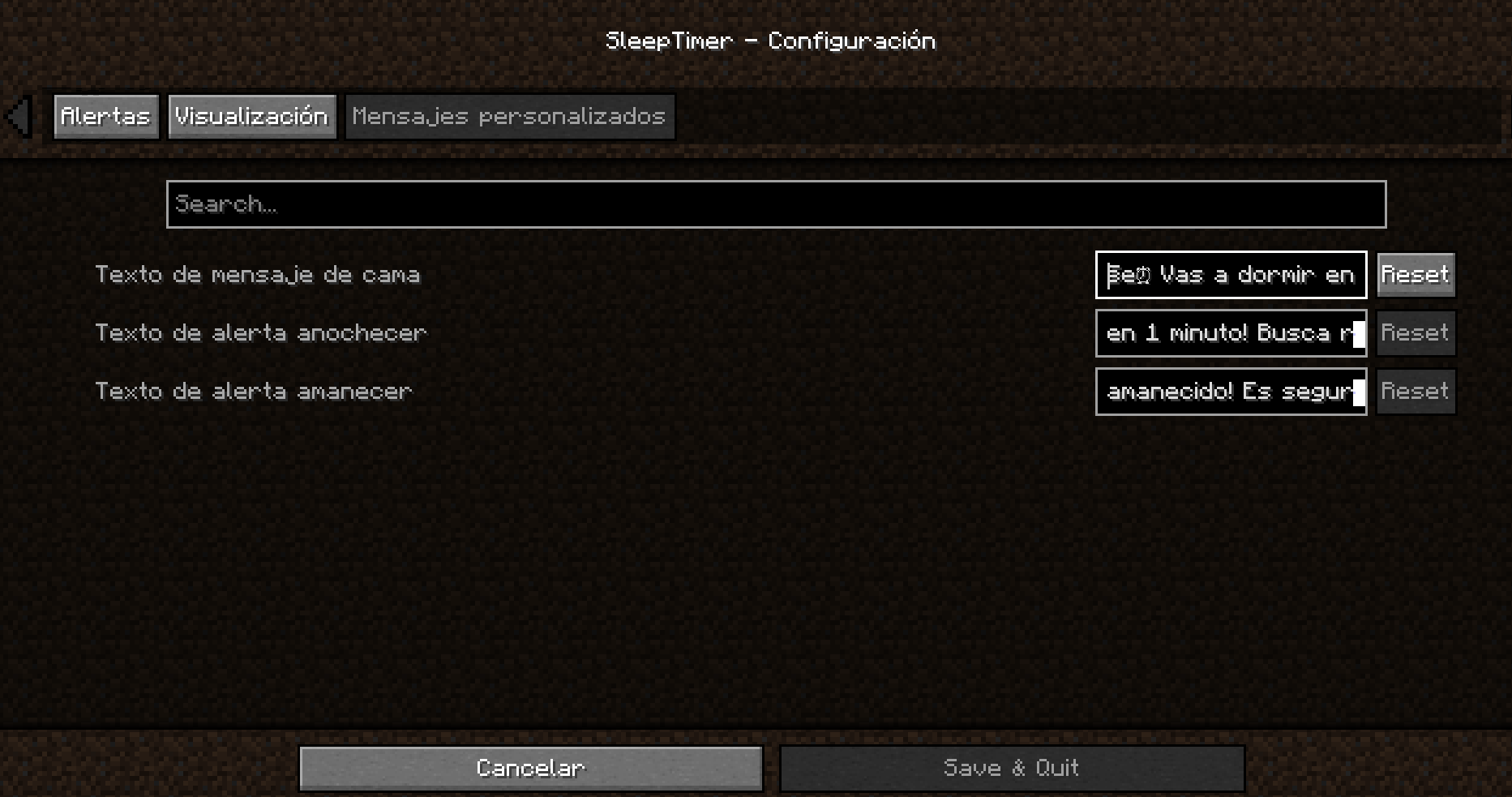
Category: Custom messages
| Option | Description |
|——–|————-|
| Bed message text | Customize the message when using the bed (use %s for the time) |
| Sunset alert text | Customize the sunset alert |
| Sunrise alert text | Customize the sunrise alert |
⌨️ Customizable key
Don’t like the H key? Change it easily:
- Go to Options → Controls
- Find the “SleepTimer” category
- Click on the current key
- Press the new key you prefer
🌍 Multilingual
Fully translated into 13 languages:
| Language | Code |
|———-|——|
| 🇪🇸 Spanish | es_es |
| 🇬🇧 English | en_us |
| 🇫🇷 French | fr_fr |
| 🇩🇪 German | de_de |
| 🇵🇹 Portuguese (Brazil) | pt_br |
| 🇮🇹 Italian | it_it |
| 🇯🇵 Japanese | ja_jp |
| 🇷🇺 Russian | ru_ru |
| 🇨🇳 Chinese (Simplified) | zh_cn |
| 🇰🇷 Korean | ko_kr |
| 🇵🇱 Polish | pl_pl |
| 🇹🇷 Turkish | tr_tr |
| 🇳🇱 Dutch | nl_nl |
The mod automatically detects your Minecraft language.
📦 Installation
- Install Fabric Loader
- Download Fabric API
- Download SleepTimer
- Place both mods in the
.minecraft/modsfolder - Enjoy!
ℹ️ Note: Cloth Config API is included in the mod, you don’t need to download it separately.
🎮 Requirements
| Requirement | Version |
|———–|———|
| Minecraft | 1.20.1-1.20.6 |
| Fabric Loader | 0.18.4+ |
| Fabric API | Latest version |
🎨 Available color codes
For use in your custom messages:
| Code | Color |
|——–|——-|
| §0 | Black |
| §1 | Dark blue |
| §2 | Dark green |
| §3 | Cyan |
| §4 | Dark red |
| §5 | Purple |
| §6 | Orange |
| §7 | Gray |
| §8 | Dark gray |
| §9 | Blue |
| §a | Green |
| §b | Light blue |
| §c | Red |
| §d | Pink |
| §e | Yellow |
| §f | White |
Formats:
| Code | Effect |
|——–|——–|
| §l | Bold |
| §o | Italic |
| §n | Underline |
| §m | Strikethrough |
| §r | Reset format |
📸 Screenshots
Information when pressing H

Bedtime message

Settings menu


🐛 Report bugs
Found a problem?
- Write to me on Discord: Tracats787
- Describe the problem and how to reproduce it
📜 License
This mod is open source under the CC0-1.0 license.
🙏 Credits
- Developer: Tracats787
- Configuration API: Cloth Config by shedaniel
❤️ Do you like the mod?
- 💚 Like it on Modrinth/CurseForge
- 📢 Share it with your friends!
常见问题
SleepTimer 支持哪些 Minecraft 版本?
SleepTimer 支持 Minecraft Java 版 1.20.1–1.21.11,共 14 个版本,可用的加载器:Fabric。下载时注意选择和你游戏版本一致的文件。
SleepTimer 怎么安装?
先用 PCL2 或 HMCL 启动器安装对应版本的 Fabric,再把下载的 .jar 文件放进游戏目录的 mods 文件夹,重新启动游戏即可。开启了版本隔离的,mods 文件夹在 versions/版本名 下面。运行环境:仅客户端。
Tracats787 的其他作品
查看全部 →
Double Doors [Fabric] – Lightweight
Automatically opens and closes double doors together when you interact with one.

Double Doors [Fabric] – Lightweight
Automatically opens and closes double doors together when you interact with one.

Advanced Explosions
Adds powerful explosives like Nuclear, Napalm, and Implosion TNT with visual effects, realistic physics, and unique destruction patterns.

One Click Harvest [Fabric]
Harvest and replant crops instantly with a simple right-click. A lightweight Fabric mod with no dependencies.
评论
登录后评论和评分