
SlashBlade:ColseWeaponInSystem
Five legendary tactical blades from Muv-Luv, reimagined as SlashBlades—ready to carve your path through the battlefield!
截图
介绍
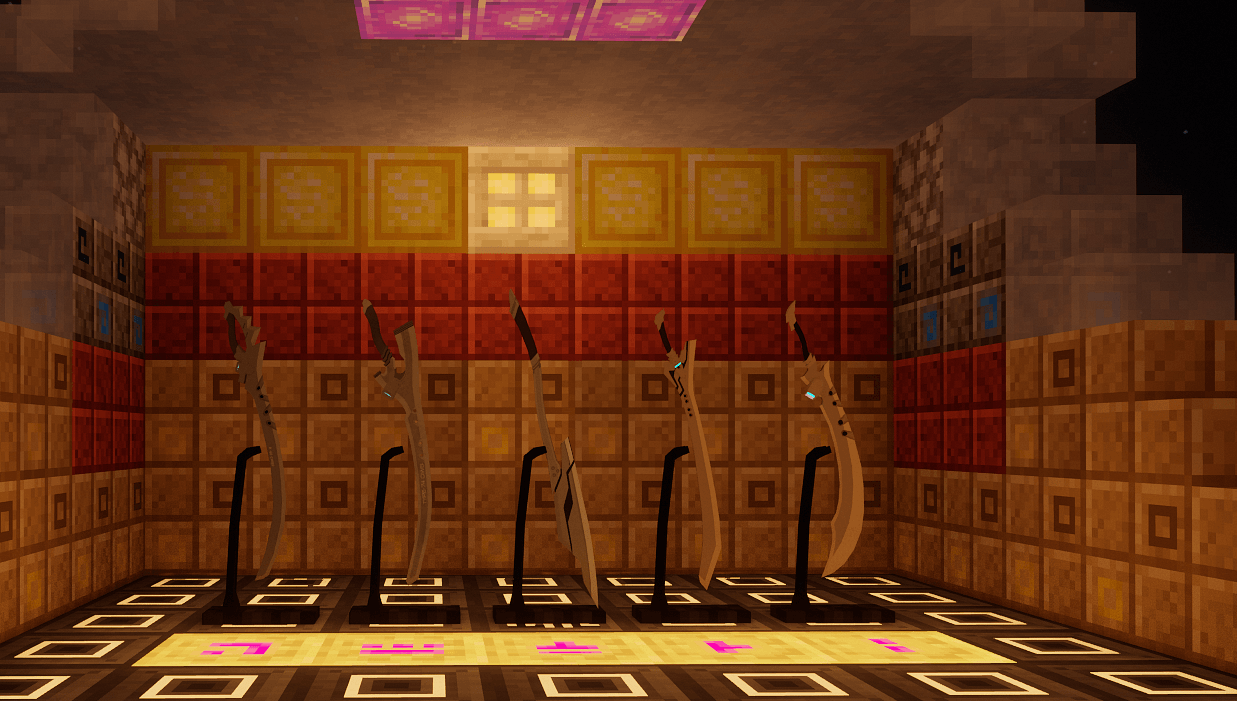
SlashBlade: ColseWeaponInSystem is an add-on mod that brings the iconic close-combat weapons of tactical fighters from the classic sci-fi series Muv-Luv into the SlashBlade system of Minecraft. Five representative blades, each bearing the weight of humanity’s desperate struggle against the BETA in the original story, have been meticulously recreated as SlashBlades, ready to be wielded in your hands.
Weapon List:
-
BWS-5 Halberd Long Sword: A primary polearm for tactical fighters, excelling in both slashing and thrusting, with an extended blade ideal for mid-range suppression.
-
Type-60 Close Combat Knife: The standard melee weapon of early tactical fighters, lightweight and agile, suited for swift close-quarters combat.
-
Type-74 Close Combat Long Sword: A well-balanced main blade widely adopted by various nations’ tactical forces.
-
Type-77 Close Combat Long Sword: An improved model optimized for advanced tactical fighters, featuring enhanced blade strength and sharpness.
-
Type-96 Close Combat Long Sword: The newest cutting-edge melee weapon, embodying the pinnacle of humanity’s anti-BETA technology, with devastating power.
Each blade faithfully reproduces the industrial design aesthetics of the original series in its model, while the swinging feel and particle effects have been finely tuned to deliver an immersive experience. Wielding these swords, you’ll feel like a tactical pilot engaging in life-or-death battles against alien foes. Whether for collection or combat, these five blades will shine as brilliant additions to your SlashBlade arsenal.
常见问题
SlashBlade:ColseWeaponInSystem 支持哪些 Minecraft 版本?
SlashBlade:ColseWeaponInSystem 支持 Minecraft Java 版 1.20.1–1.21.1,共 2 个版本,可用的加载器:Forge / NeoForge。下载时注意选择和你游戏版本一致的文件。
SlashBlade:ColseWeaponInSystem 怎么安装?
先用 PCL2 或 HMCL 启动器安装对应版本的 Forge / NeoForge,再把下载的 .jar 文件放进游戏目录的 mods 文件夹,重新启动游戏即可。开启了版本隔离的,mods 文件夹在 versions/版本名 下面。
dinzeer 的其他作品
查看全部 →
CialloBlade
为游戏添加了一把以千恋*万花为主题的武器。

LegendRelicLib
这个前置库提供了一系列方法,旨在省去重复操作。功能更多。

slashbalde useful addon
为拔刀剑添加全新特性,赋予其无与伦比的力量!

Fabrica Resonantis:Shelomoh
为游戏添加一条武器路线:Shelomoh。
评论
登录后评论和评分