
截图
介绍
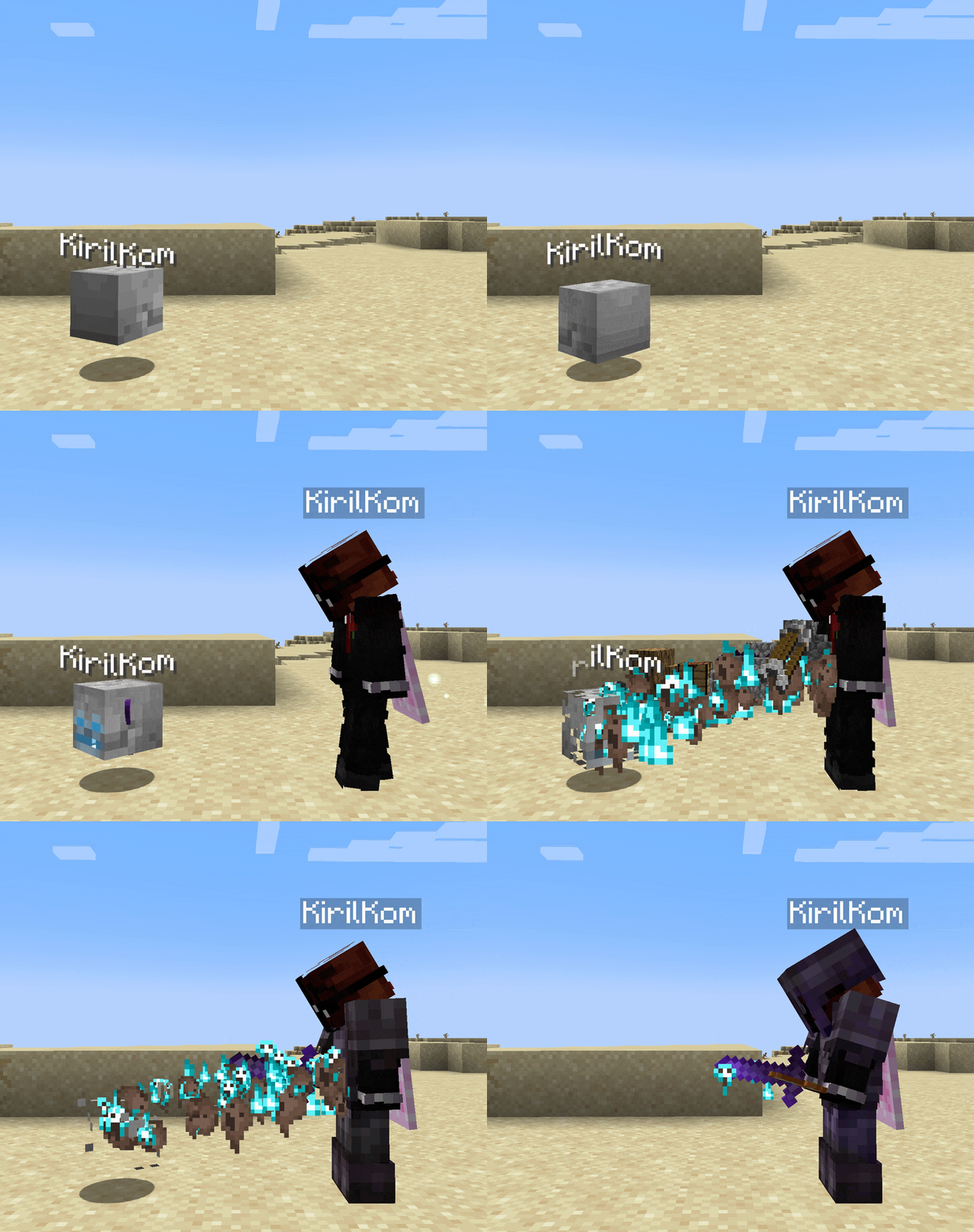
When you die, Skull Graves leaves behind a floating skull holding everything you lost. It obeys physics – it falls, drifts, bobs to the surface of lava, and can be fished out or knocked by wind charges. It’s not a block, so there is no risk of you losing your items.
Right-click your own skull and your items spiral back to you one by one. Your XP comes back too – all of it.
Someone else’s skull?
Smash it. Skulls take damage from player attacks – destroy it and it cracks open, scattering all loot for anyone to grab.
Will I ever lose my items?
Nope.
- Graves never despawn. Your items wait as long as it takes.
- Void deaths are safe – your grave will settle at the bottom of the world instead of falling out of it.
- Graves won’t burn in lava, they float up to the surface, so just fish yours out!
- Plays nice with everything and is fully compatible with Curios: your extra slots are safe!
- There’s no limit to how many graves you can have. …unless you’re a server admin. See below 👇
For server admins
Everything above is the default. You can edit who can collect whose grave and when, grave caps per player with overflow rules, despawn timers, skull health and regen, per-dimension disabling, and more in the server and client configs.
The /skullgraves command is available to admins.
Graves live in world storage and not in the entity. Commands work on graves in unloaded chunks.
However, in case they don’t, DM me on Discord: @kirilkom
常见问题
Skull Graves 支持哪些 Minecraft 版本?
Skull Graves 支持 Minecraft Java 版 1.21.1–26.3,共 2 个版本,可用的加载器:Fabric / NeoForge。下载时注意选择和你游戏版本一致的文件。
Skull Graves 怎么安装?
先用 PCL2 或 HMCL 启动器安装对应版本的 Fabric / NeoForge,再把下载的 .jar 文件放进游戏目录的 mods 文件夹,重新启动游戏即可。开启了版本隔离的,mods 文件夹在 versions/版本名 下面。运行环境:客户端和服务端都要装。
评论
登录后评论和评分