
Skull Beacon
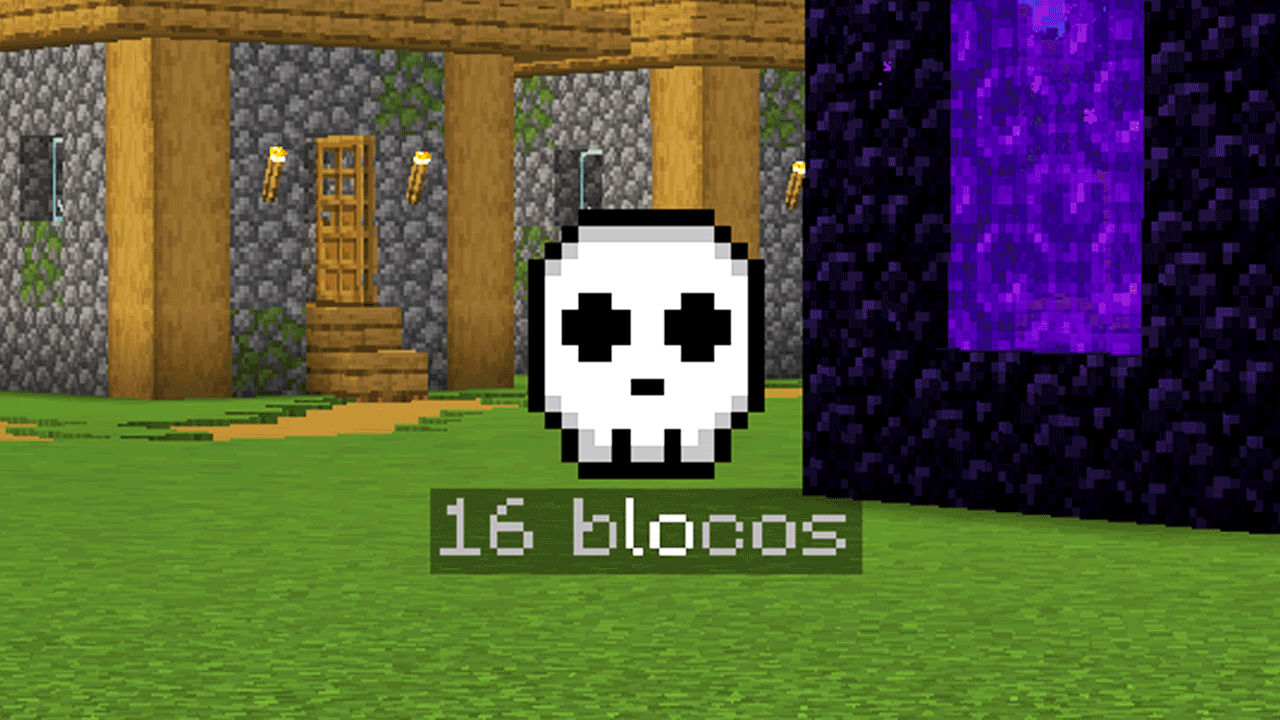
Marks your death spot with a floating, see-through-walls skull that shows the distance, plus the coordinates and dimension in chat.
截图
介绍
Never lose your items after dying
Skull Beacon marks the exact spot where you died with a floating skull that you can see through walls and blocks, and tells you how far away it is, so getting your items back is quick and painless.
Features
- Floating skull marker: a 2D skull icon always faces you at your death location (with optional gentle bobbing).
- See-through-walls: the skull stays visible behind terrain, caves and buildings (can be turned off).
- Self-glowing: it stays bright even in dark caves and at night.
- Distance display: shows how many blocks away your skull is, on your screen by default or right next to the skull.
- Auto-hide: the skull disappears when you get close to it (3 blocks by default, configurable).
- Death coordinates in chat: the message shows the dimension (Overworld, Nether, End) and the exact X, Y, Z.
- Click-to-teleport in Creative: if you die in Creative mode, the chat message becomes clickable and runs
/tp @s X Y Z. - Persistent: the skull is saved per world/server, so it is still there after you restart the game.
- Configurable: a settings screen lets you tune almost everything.
- Multilingual: English, Portuguese (Brazil) and Spanish.
- Lightweight: no extra items or blocks, just a small client-side overlay.
How it works
- Survival: the skull appears and the chat message is informational only. No teleport, even for OPs.
- Creative: the chat message is a clickable teleport link.
- The skull marks your most recent death and is shown only in the dimension where you died. If you are in another dimension, the screen text tells you where the skull is.
Settings
You can open the settings screen in two ways:
- Mod Menu (optional): click the settings button next to Skull Beacon in the mod list.
- Controls menu: go to Options → Controls → Key Binds → Skull Beacon and set a key for “Open Skull Beacon settings”.
Options: Enabled, Death message, Distance text (off / on screen / on skull), See through walls, Skull bobbing, Skull size (50-200%) and Hide distance (1-20 blocks).
Settings are stored in config/skullbeacon.json and the saved skulls in config/skullbeacon-skulls.json.
Compatibility
- Minecraft: 1.21.1
- Loader: Fabric (requires Fabric API)
- Optional: Mod Menu, for the settings button
- Side: client-side only. Works on servers without installing anything on the server.
- The teleport link only works if the server lets you use
/tp.
Installation
- Install Fabric Loader and Fabric API.
- Drop the
.jarinto yourmodsfolder. - Play, and try not to die. 💀
常见问题
Skull Beacon 支持哪些 Minecraft 版本?
Skull Beacon 支持 Minecraft Java 版 1.21.1,可用的加载器:Fabric。下载时注意选择和你游戏版本一致的文件。
Skull Beacon 怎么安装?
先用 PCL2 或 HMCL 启动器安装对应版本的 Fabric,再把下载的 .jar 文件放进游戏目录的 mods 文件夹,重新启动游戏即可。开启了版本隔离的,mods 文件夹在 versions/版本名 下面。
评论
登录后评论和评分