
SkinViewer 3D
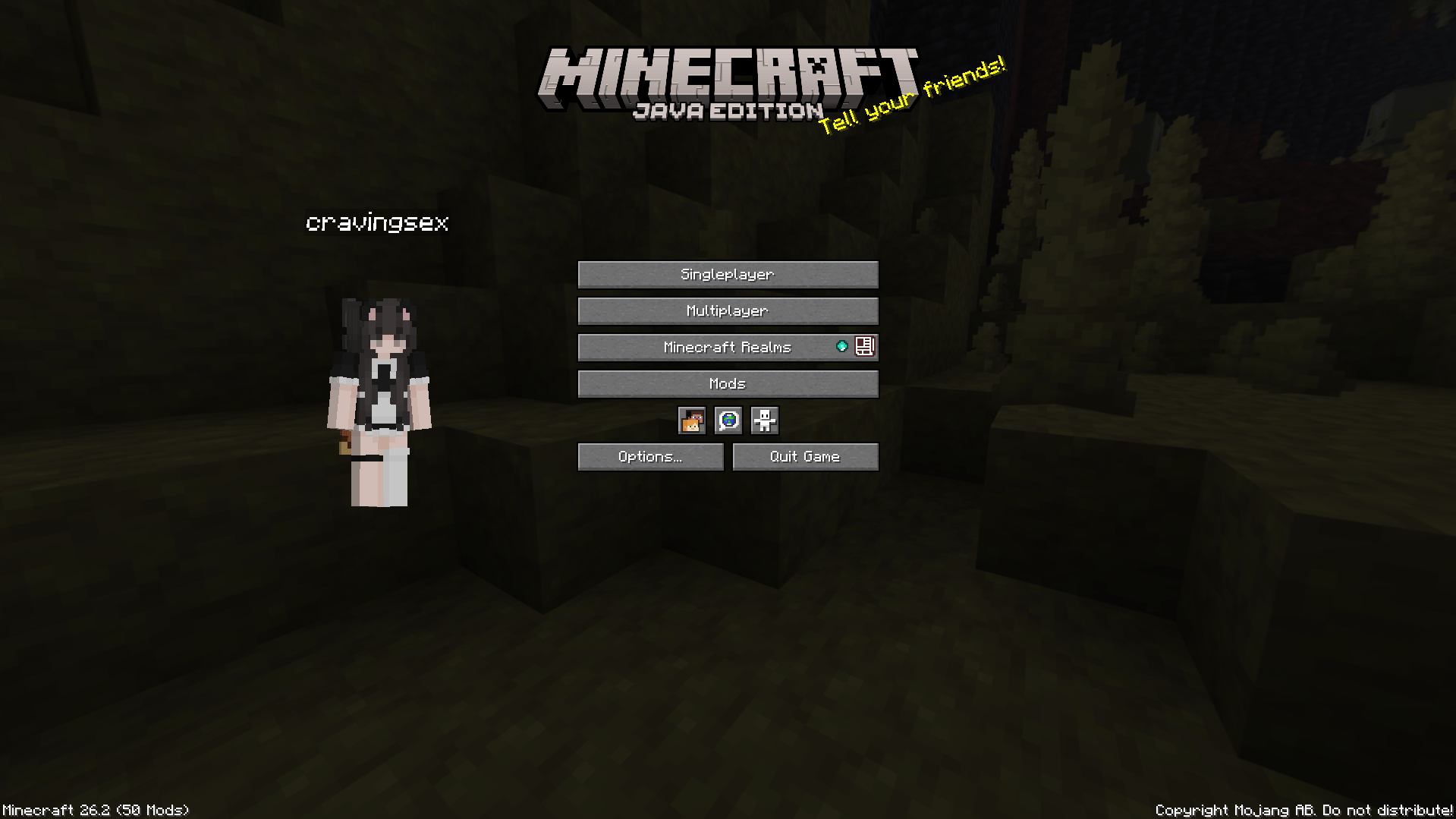
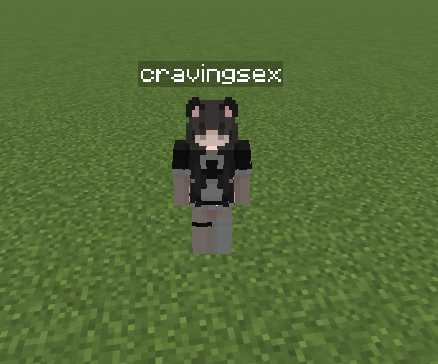
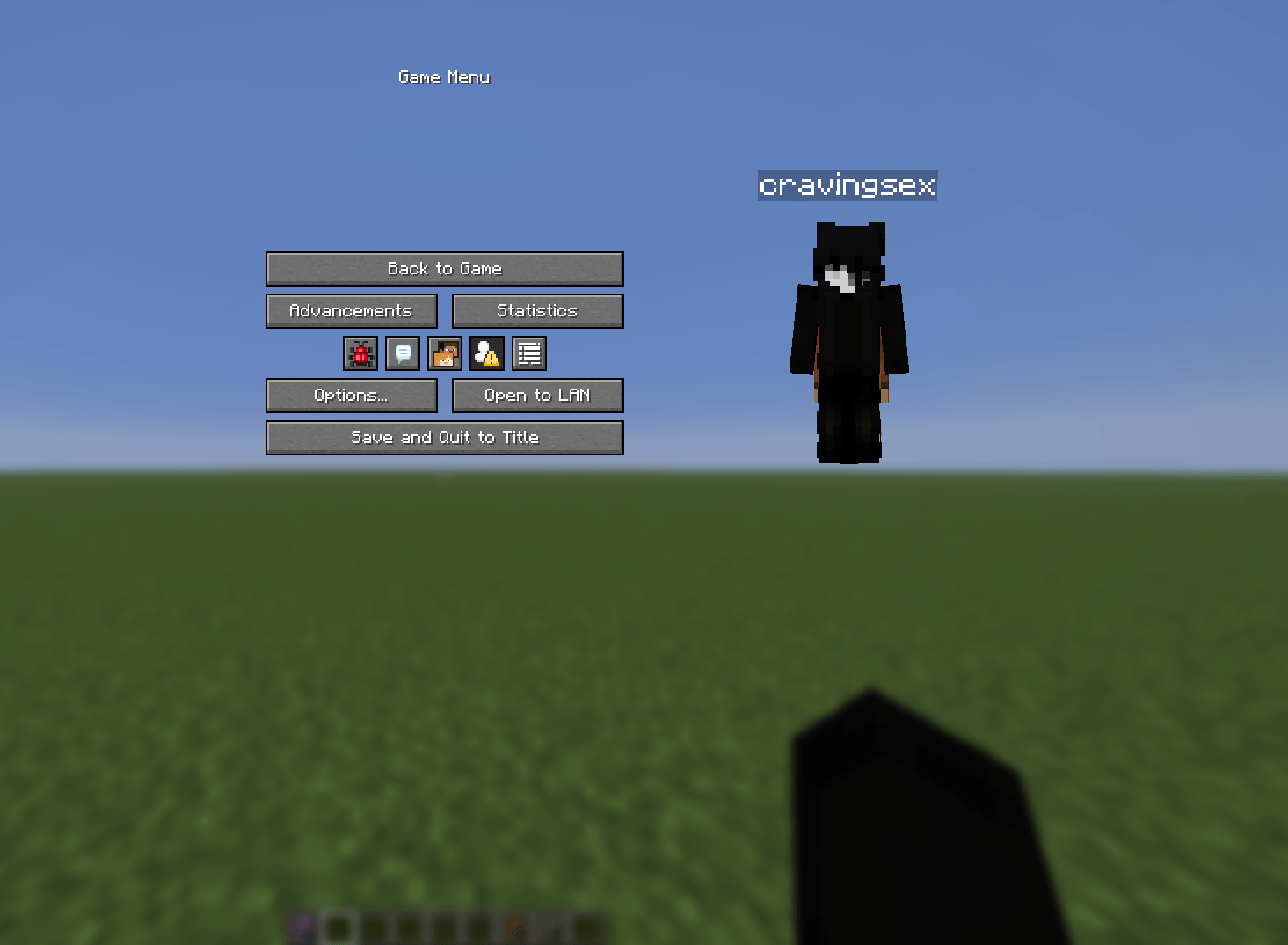
View your live 3D Minecraft skin in the title and pause menus, with your player name displayed in third person.
截图
介绍

SkinViewer brings your Minecraft character to life directly inside your menus.
Enjoy a clean and interactive 3D preview of your current Minecraft skin on the title screen or in the pause menu. Rotate your character, customize the viewer’s position, and give your menus a little more personality.
🌟 Features
🧍 Interactive 3D Skin Viewer
Take a closer look at your character whenever you want.
– View your player model directly in the Title Screen and Pause Menu
– Uses Minecraft’s native player rendering for an authentic in-game appearance
🎨 Your Current Minecraft Skin
– Automatically displays the currently loaded skin of your local player
– Supports both Steve and Alex player models
– Renders enabled skin layers, including:
* 🎩 Hat layer
* 🧥 Jacket layer
* 👕 Sleeves
* 👖 Pants layers
* 🦸 Cape, when available
🏷️ Menu Name Display
Make your menus feel a little more personal.
– Optionally display your Minecraft username above the SkinViewer
– Available in both the Title Screen and Pause Menu
👤 Third-Person NameTag
See your name tag while viewing your character in third person.
– Optional third-person name tag for your own player
– Automatically hidden while playing in first person for a clean experience
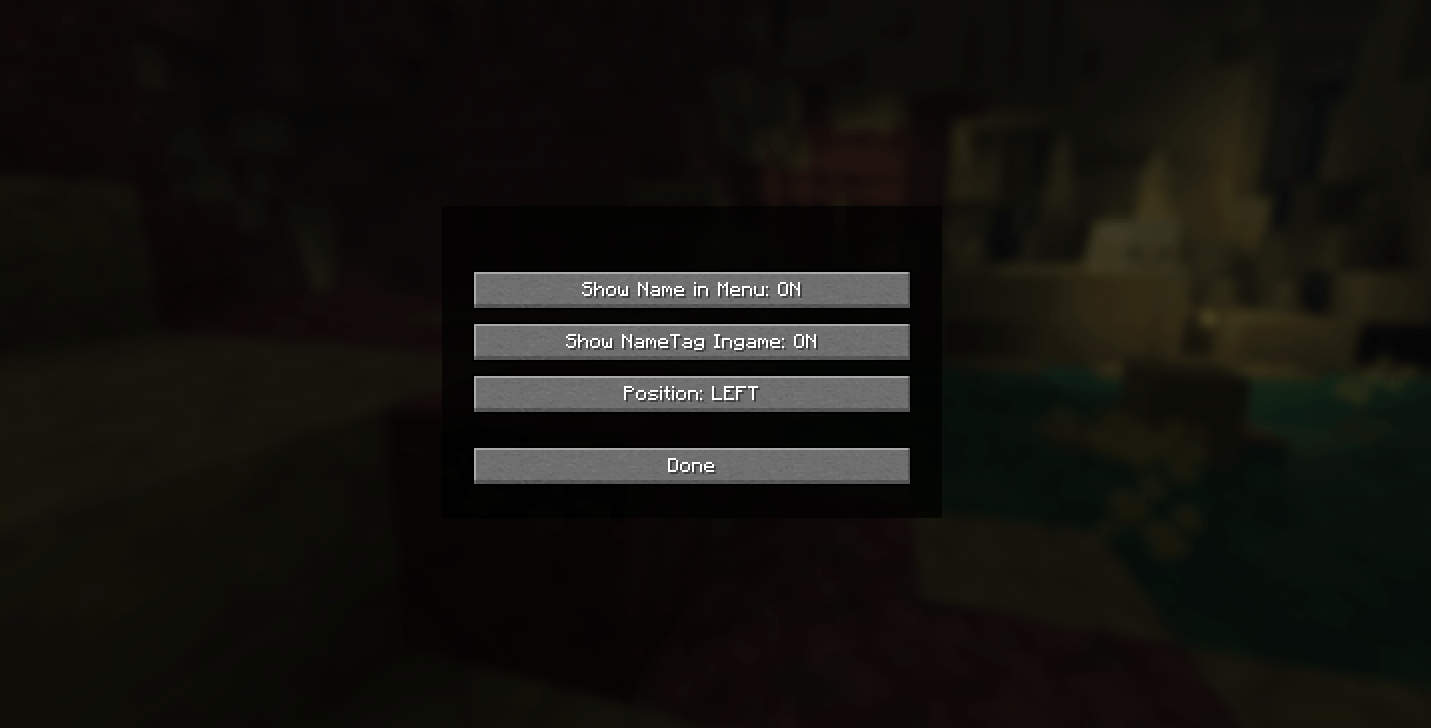
⚙️ Simple Customization
Make SkinViewer fit your style.
– Choose whether the viewer appears on the **Left** or **Right** side
– Toggle the menu name independently from the third-person name tag
– All settings are saved automatically
🧩Compatibility
Simple, lightweight, and easy to use.
– Client-side only — no server installation required
– Works perfectly without Mod Menu
– Optional Mod Menu configuration support
– Designed for Fabric on Minecraft26.2
🖱️ Controls
| Action | Control |
| ———————— | ————————- |
| 🔄 Rotate the SkinViewer | Left-click + Drag |
| ⚙️ Open Settings | Mod Menu → SkinViewer |
📦 Installation
Getting started is quick and easy:
1. Install Fabric Loader for Minecraft 26.2
2. Install Fabric API
3. Place skinviewer-1.0.0.jar into your .minecraft/mods folder
4. Launch Minecraft using your Fabric profile
⚠️ BETA RELEASE
The mod is in beta, so it has a few bugs. for example, issues with nametags in third-person view and in the menus.
常见问题
SkinViewer 3D 支持哪些 Minecraft 版本?
SkinViewer 3D 支持 Minecraft Java 版 26.2,可用的加载器:Fabric。下载时注意选择和你游戏版本一致的文件。
SkinViewer 3D 怎么安装?
先用 PCL2 或 HMCL 启动器安装对应版本的 Fabric,再把下载的 .jar 文件放进游戏目录的 mods 文件夹,重新启动游戏即可。开启了版本隔离的,mods 文件夹在 versions/版本名 下面。
cravingsex 的其他作品
查看全部 →
NameHider
A client-side Fabric mod that lets you change your own displayed Minecraft name locally

StreamerMode
Client-side streamer utilities: HUD presets, personal time & weather, stream-safe mode, and a bedrock+tuff hider.
评论
登录后评论和评分