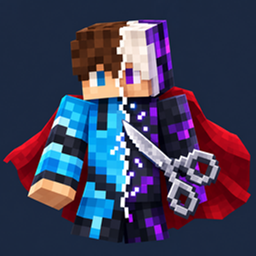
Skintrim
Change your skin and cape right in game! From a file, a URL or a username - locally, via Mojang, or synced to everyone on the server.
介绍
Skintrim
Change your skin and cape without ever leaving the game.
Press K, drop in a PNG — from your disk, from a link, or just type any
player’s username — and your new look is on. Skintrim remembers everything
you wore in a built-in history, so your favorite outfits are always one
click away.
✨ Features
- 🎨 Skins from anywhere — a local PNG file, an
https://image URL, or any Minecraft username (fetched straight from Mojang profiles) - 🖱️ Drag & drop — throw a PNG at the game window and it applies itself (files named
*cape*apply as capes) - 🧍 Classic & Slim models, with a live 2D preview in the editor
- 📜 History — your last 16 skins and 16 capes, one click to re-wear; entries survive deleted files and dead links thanks to cached copies
- 💾 Everything is saved automatically and restored on your next launch
- 🌐 In-game config via hotkey (K) or ModMenu
🦸 Capes that don’t need Mojang
Custom capes in Skintrim are completely independent of Mojang:
- No official Mojang cape required — bring any 64×32 cape PNG
- Switch cape source anytime: Custom, Mojang (your official cape), or Hidden
- Works in singleplayer and offline mode; your cape texture doubles as your elytra texture
👀 Who sees your new skin?
| Audience | How |
|---|---|
| You | Instantly, on any server, no setup |
| Other Skintrim players | Automatic sync when the server also runs Skintrim — skins and capes |
| Literally everyone (even vanilla) | One-click Upload to Mojang puts the skin on your official profile (licensed account, online mode). Skins only — Mojang does not accept custom capes |
📦 Installation
- Install Fabric Loader (≥ 0.19.3) for Minecraft 26.2 or 26.3
- Drop in Fabric API and the Skintrim jar for your game version
- Launch the game and press K
Server owners: put the same jar on your Fabric server to enable skin/cape
sync for all Skintrim users. The mod is client-focused and loads no client
code on a dedicated server.
❓ FAQ
Does it work on vanilla servers?
Yes — you always see your own skin/cape. For others to see it on a
vanilla server, use Upload to Mojang (skin only) or play on a server with
Skintrim installed (skins and capes).
Can other players see my custom cape?
Yes, if they use Skintrim and the server runs Skintrim. Mojang profiles
cannot store custom capes, so no mod can show a custom cape to vanilla
clients — anyone claiming otherwise is selling you a screenshot.
Is my account token safe?
Uploads use your current session token to talk to Mojang’s official API.
The token is never logged, stored, or sent anywhere else.
Offline / cracked launchers?
Local skins, custom capes, history and server sync all work offline —
no licensed account needed. Fetching a skin/cape by username uses public,
unauthenticated lookups, and sync also works on offline-mode servers.
Only the Mojang upload needs a licensed account in online mode.
Skintrim is not affiliated with Mojang Studios or Microsoft. Minecraft is
a trademark of Mojang Synergies AB.
License: CC BY-ND 4.0
常见问题
Skintrim 支持哪些 Minecraft 版本?
Skintrim 支持 Minecraft Java 版 26.2–26.3,共 2 个版本,可用的加载器:Fabric。下载时注意选择和你游戏版本一致的文件。
Skintrim 怎么安装?
先用 PCL2 或 HMCL 启动器安装对应版本的 Fabric,再把下载的 .jar 文件放进游戏目录的 mods 文件夹,重新启动游戏即可。开启了版本隔离的,mods 文件夹在 versions/版本名 下面。
评论
登录后评论和评分