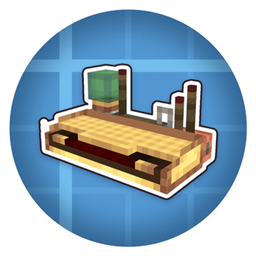
Simulated: Linked Keyboard
📡 · The Linked Typewriter, now wireless in your hand. Bind any key, type to control your contraptions from anywhere.
介绍
⌨️ Linked Keyboard
The Linked Typewriter, now wireless in your hand. Bind any key and type to control your contraptions from anywhere.
Requires: Create 6.0.10+ and Create Aeronautics 1.3+ on NeoForge 1.21.1




✨ Features
- The Linked Typewriter, turned into a handheld keyboard
- Bind keys the same way as on the Linked Typewriter
- Uses Create’s Redstone Link frequencies
- Works with any link receiver in range
- Control airships and contraptions from anywhere
- No block to place
🛠️ How to Use
- Find the Linked Keyboard in the Aeronautics creative tab
- Sneak + right-click to open the binding screen
- Set a frequency for each key you want to use
- Right-click to start typing.
- Press Esc to stop typing
📡 Works with anything that listens to a Redstone Link, like airships, doors, cannons and trains.
🎨 Credits
Keyboard model and textures by The Tophatted Dolphin. Go show him some love!
常见问题
Simulated: Linked Keyboard 支持哪些 Minecraft 版本?
Simulated: Linked Keyboard 支持 Minecraft Java 版 1.21.1,可用的加载器:NeoForge。下载时注意选择和你游戏版本一致的文件。
Simulated: Linked Keyboard 怎么安装?
先用 PCL2 或 HMCL 启动器安装对应版本的 NeoForge,再把下载的 .jar 文件放进游戏目录的 mods 文件夹,重新启动游戏即可。开启了版本隔离的,mods 文件夹在 versions/版本名 下面。
NotZyvex 的其他作品
查看全部 →
Coasters: Tracks and Balloons
🎢 为 Create: Coasters Simulated 添加加速、制动、站台和传感器轨道等多种功能轨道,还有 270 种装饰轨道变体和 16 种热气球颜色!🎈

Simple Voice Changer
⚠️Voice Changer For Simple Voice Chat Mod! is a clean and lightweight mod that adds fun voice-changing features to your Minecraft voice chat experience. It is designed to work smoothly with Simple Voice Chat. WARNING! REQUIRES SIMPLE VOCE CHAT MOD!

Essential HUD
Customizable HUD and chat tweaks — coordinates, FPS, clock, ping, direction, armor display, chat highlights, and message stacking. All toggleable.

World Menu
Adds a menu to open your saves folder and import worlds from the Singleplayer screen.
评论
登录后评论和评分