
截图
介绍
SimplyLock
Enhance Vannila Experience with Minecraft Chest Locker!
PLEASE, READ THE TURTORIAL – THIS MOD USE SPECIAL MECHANIC TO WORKS!
Support
Platform: Mod(Forge,Fabric,Quilt), Datapack
Version : 1.14 - 1.20
Turtorial
- Requirement:
Locker,Book and Quill
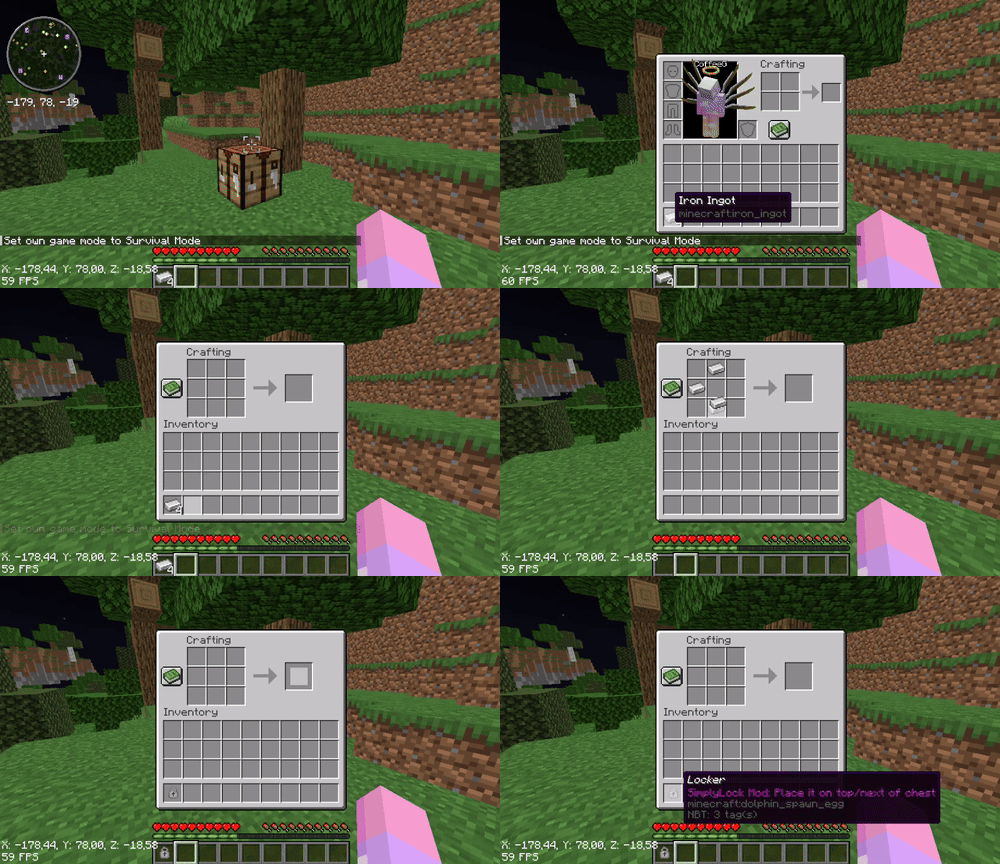
Step 1: Crafting Locker
- Method 1: Normal Crafting Recipe
Method 1 using Recipe Unlocker Advancement, it’s not compatible with some mods like NERB ( Not Enough Recipe Book ). Try Method 2
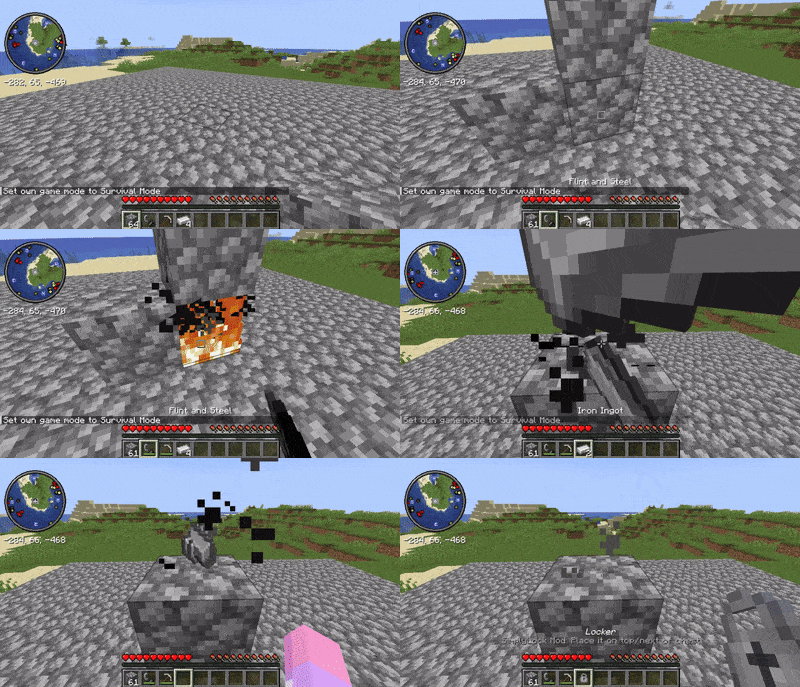
- Method 2: Drop crafting
You must setup like the demo
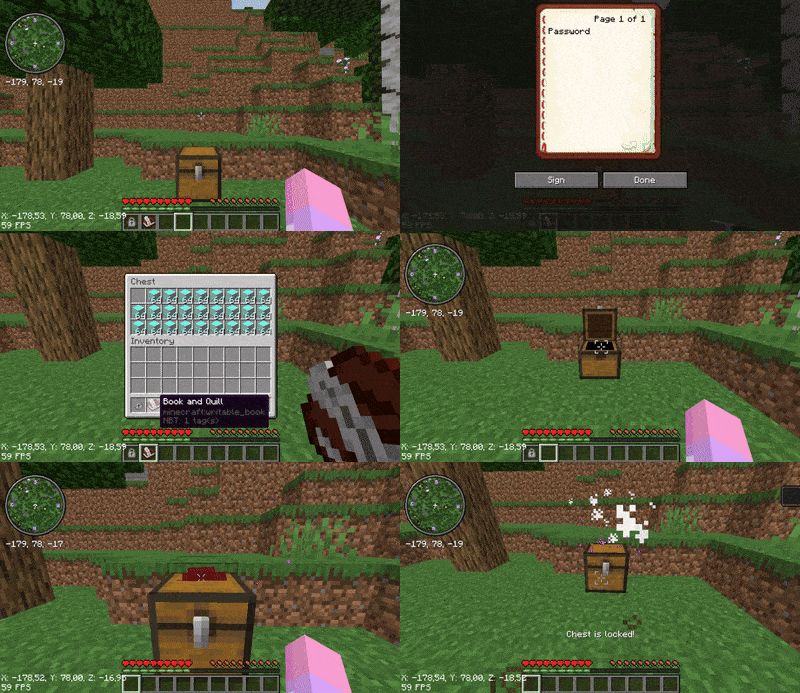
Step 2: Creating Password
Write your Password into the Book and Quill
(DON’T SIGN THE BOOK)
Step 3: Adding Lock into Chest
- Place the
Book and Quillto the FIRST slot of the chest. - And then place the Locker on the top or next to the chest.
Note
After locking the chest, ANY items with the same NAME as the PASSWORD you entered in the Book can open the chest
To remove the lock, use the key to open the locked chest, and then remove the Book from the first slot. And then place the Locker on top or next to the chest again
The locked chest is unbreakable by the player, but an explosion from the TNT or Creeper can still break it. You would better water-log the chest
Credits
Thanks to Starwarrior25 for the Locker and Datapack icons.
常见问题
Simply Lock 支持哪些 Minecraft 版本?
Simply Lock 支持 Minecraft Java 版 1.14–1.20.4,共 29 个版本,可用的加载器:Fabric / Forge / Quilt。下载时注意选择和你游戏版本一致的文件。
Simply Lock 怎么安装?
先用 PCL2 或 HMCL 启动器安装对应版本的 Fabric / Forge / Quilt,再把下载的 .jar 文件放进游戏目录的 mods 文件夹,重新启动游戏即可。开启了版本隔离的,mods 文件夹在 versions/版本名 下面。运行环境:客户端 / 服务端。
ScadeBlock 的其他作品
查看全部 →
FokusAPI
> Fokus / Focus API - Library for CoffeeG's datapack/mod/plugin.

Brutal Nightmare : Insane Difficult
Minecraft too easy? Try this mods with nearly 40 modifiers - settings new mini bosses, which made minecraft become hard & insane. Enhanced hostile mobs' AI & Angry passive mob. Zombie place/break blocks. Skeleton,Spider,Creeper,Enderman.

Double Jump
CoffeeG's Double Jump!Add Double Jump,Wall Jump, Leap and Wall Bounce mechanic in minecraft
Reactify
Compatibility library for Brutal Nightmare
评论
登录后评论和评分