
介绍
Simple Voice Chat Scroll — Quick Voice Volume Control
Simple Voice Chat Scroll is a lightweight client-side Minecraft mod for Fabric, Forge, and NeoForge. It integrates with Simple Voice Chat and lets you adjust individual player volume without opening the voice chat menu.
Look at a player, hold the right mouse button, and scroll the mouse wheel to change their volume. The selected value is saved automatically through Simple Voice Chat.
The volume indicator remains visible even when player name tags are disabled or hidden.
Features
- Quickly adjust individual player volume
- Volume range from 0% to 200%
- Simple RMB + mouse wheel controls
- Works with hidden or disabled player name tags
- Player volume is saved through Simple Voice Chat
- Client-side only — no server installation required
Controls
- Point the crosshair at a player connected to Simple Voice Chat.
- Hold the right mouse button.
- Scroll up to increase their volume.
- Scroll down to decrease their volume.
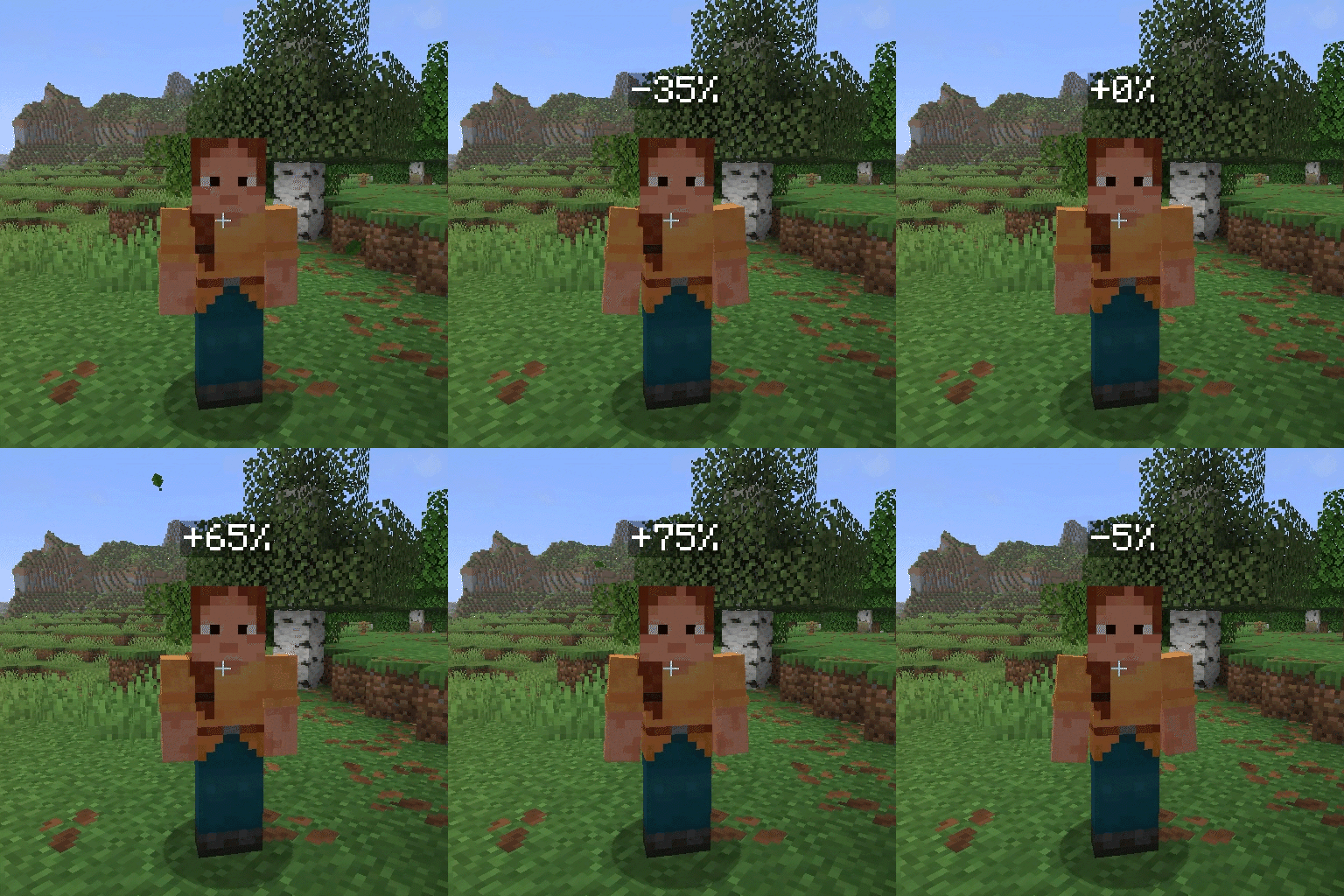
Below the default 100% volume, each scroll step changes the volume by 5 percentage points. At or above 100%, each step changes it by 10 percentage points.
The displayed value shows the difference from the default volume:
0%— default 100% volume+100%— 200% volume-100%— muted
Support and Issues
If you discover a bug or have a suggestion, create an issue in the Simple Voice Chat Scroll GitHub repository.
常见问题
Simple Voice Chat Scroll 支持哪些 Minecraft 版本?
Simple Voice Chat Scroll 支持 Minecraft Java 版 1.21.1–26.2,共 15 个版本,可用的加载器:Fabric / Forge / NeoForge。下载时注意选择和你游戏版本一致的文件。
Simple Voice Chat Scroll 怎么安装?
先用 PCL2 或 HMCL 启动器安装对应版本的 Fabric / Forge / NeoForge,再把下载的 .jar 文件放进游戏目录的 mods 文件夹,重新启动游戏即可。开启了版本隔离的,mods 文件夹在 versions/版本名 下面。运行环境:仅客户端。
评论
登录后评论和评分