
SimpleHats-Lite
An unofficial lightweight port of SimpleHats adapted to Curios API, with library dependencies removed.
截图

介绍
🎩 SimplerHats Lite – Unofficial Lightweight Port
An unofficial, lightweight port and refactor of SimpleHats. It removes the owo-lib dependency, migrates from Accessories to the Curios API for accessory slots, and fully preserves all original content and core gameplay.
⚠️ Credits & Original Project
This mod is an unofficial lightweight port. The original mod is [SimpleHats], created by [fonnymunkey]
✨ What’s New in “Lite”?
- Preserves All Original Features: Retains original hats and every core mechanic (grab bags, recycling/crafting, dyeing, variant switching, particle effects, etc.).
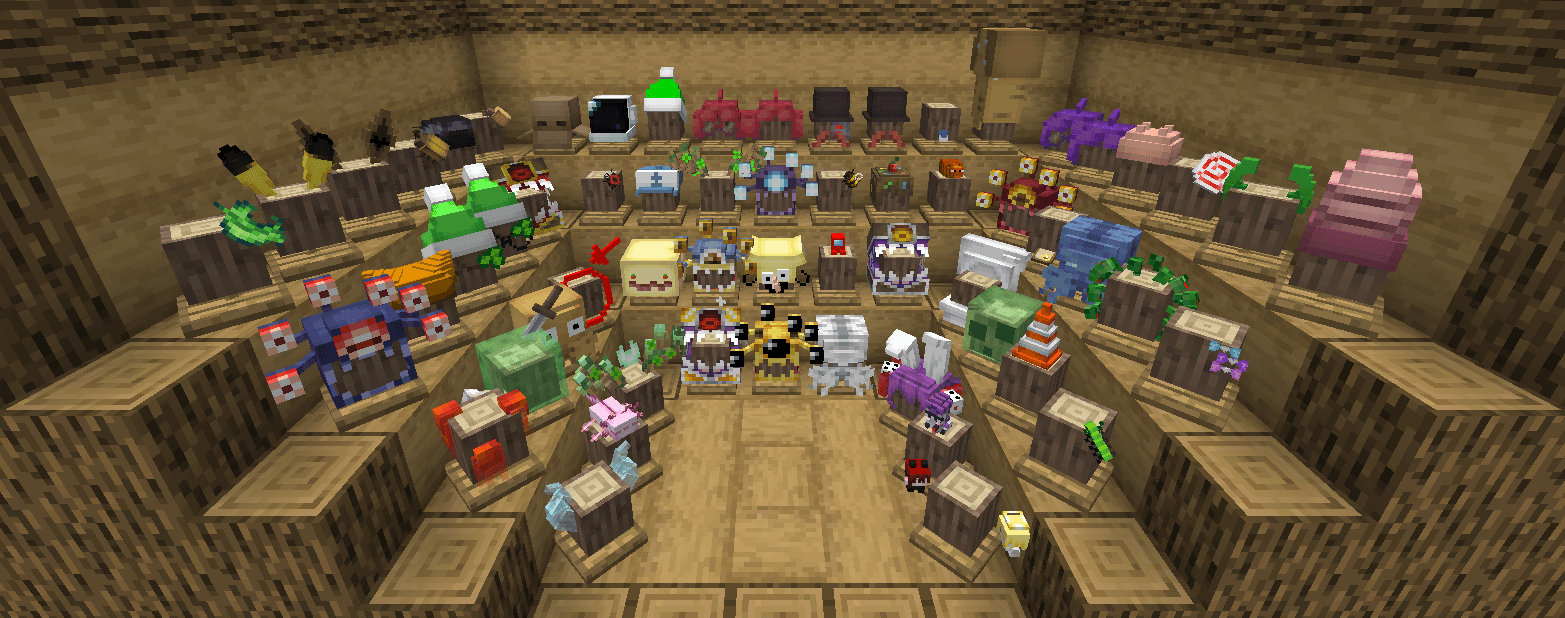
- Migrated to Curios API: Successfully migrated from Accessories to the Curios API so that hats are now equipped exclusively through Curios accessory slots.
- Removed owo-lib: The owo-lib dependency has been removed to reduce mod conflicts and crash risks.
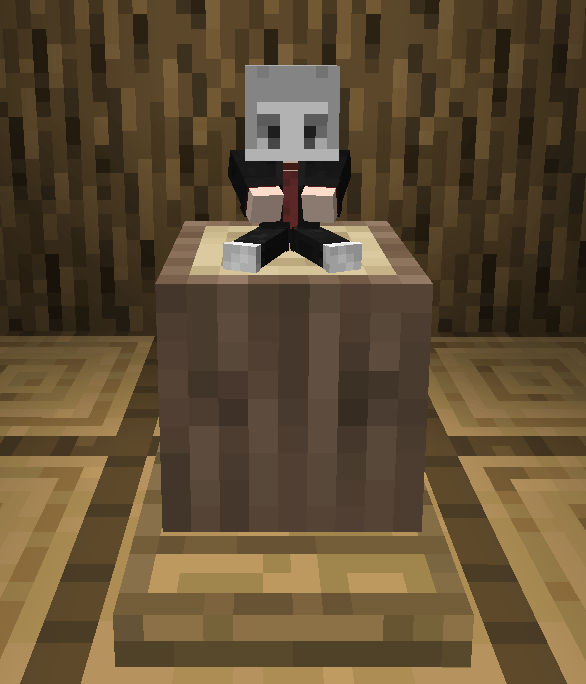
- Added Player Doll Hat: An exclusive new hat that automatically detects and dynamically displays your current player skin.
⚠️ Requirements
- Mod Loader: NeoForge
- Dependency: Curios API (NeoForge) _(Required)_
🚀 Future Plans
The current focus is on stripping dependencies and refactoring the accessory system; the project will be actively maintained and updated to future Minecraft releases.
📜 Credits & Licensing
- Original Code: Special thanks to fonnymunkey for creating SimpleHats. This project is open-sourced under the original MIT License.
- Original Art: Sincere thanks to Star Artsy for allowing me to use and distribute the hat models and textures in this port.
⚠️ Issue Reporting Notice:
Please do NOT report bugs or crash reports for this 1.21.1 version to the original authors. Submit all issues directly to this project.
常见问题
SimpleHats-Lite 支持哪些 Minecraft 版本?
SimpleHats-Lite 支持 Minecraft Java 版 1.21.1,可用的加载器:NeoForge。下载时注意选择和你游戏版本一致的文件。
SimpleHats-Lite 怎么安装?
先用 PCL2 或 HMCL 启动器安装对应版本的 NeoForge,再把下载的 .jar 文件放进游戏目录的 mods 文件夹,重新启动游戏即可。开启了版本隔离的,mods 文件夹在 versions/版本名 下面。运行环境:客户端和服务端都要装。
评论
登录后评论和评分