介绍
SimpleAirport
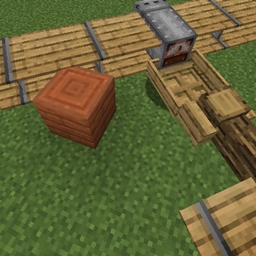
This mod provides a simple way to manage aircraft entities.
-
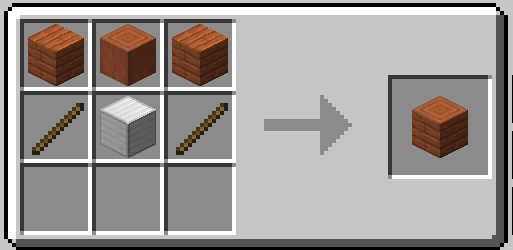
Place the
Airport Coreblock on the ground.
-
Obtain a
Config Stickby Shift + Right Clicking theAirport Core.
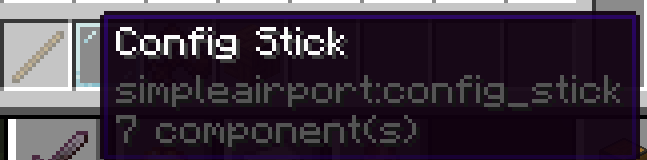
- Right Click a block with the
Config Stickto mark it as an Apron. - Hold the stick in your off-hand and Right Click a block to remove its Apron designation.
- Drop the stick to set the block beneath your position as a Runway.
- Right Click a block with the
-
Move your aircraft (with the engine turned off) onto a runway block. If there is an available Apron, the aircraft will automatically be teleported there.
-
Start the aircraft’s engine while it is in an Apron, and it will automatically be teleported to the runway.
常见问题
SimpleAirport 支持哪些 Minecraft 版本?
SimpleAirport 支持 Minecraft Java 版 1.21.1,可用的加载器:NeoForge。下载时注意选择和你游戏版本一致的文件。
SimpleAirport 怎么安装?
先用 PCL2 或 HMCL 启动器安装对应版本的 NeoForge,再把下载的 .jar 文件放进游戏目录的 mods 文件夹,重新启动游戏即可。开启了版本隔离的,mods 文件夹在 versions/版本名 下面。
linkfgfgui 的其他作品
查看全部 →
emi-unofficial-port-unstable
将 EMI 非官方移植至 Minecraft 26.1。

UseLocalRecipes
Reads recipes from local game/mod files and feeds them to client recipe viewers when the server does not sync recipes.
Barrel Allocator
Use an Allocator to simplify item management in the pipeline

Minimal Backup
A lightweight Minecraft backup mod that saves per-chunk/file Zstd deltas instead of copying the whole file.
评论
登录后评论和评分