
Simple Text Chat
A simple mod that allows you to chat with voices while playing by recognize your voice to chat messages.
截图

介绍
Simple Text Chat
A simple mod that allows you to chat with voices while playing by recognize your voice to chat messages.
Intention
“You can speak while playing, but you can’t type while playing.”
—— Yuang2714’s speech on a Minecraft server that has not Simple Voice Chat installed

Installation
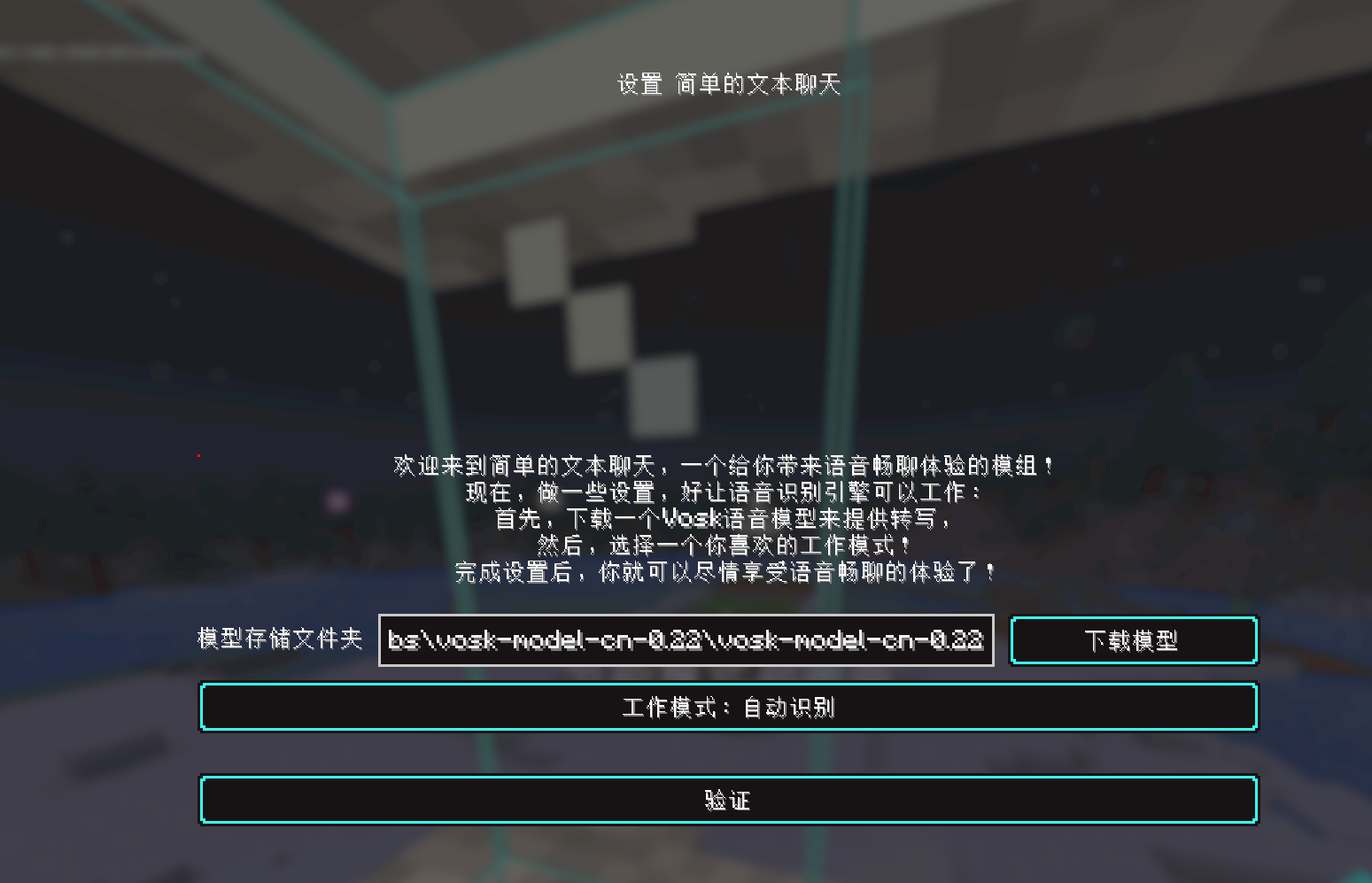
Install the Mod first. When needed, a setup menu will appear on game starting.
Follow the instractions shown in the menu to complete setup.
Mannually Installation Steps
YOU SHOULD USE SETUP MENU INSTEAD.
ACCESS HERE ONLY IF YOU HAVE SPECIAL REASON.
- Go to Vosk Models Page and select model based on your language.
- Download the
.ziparchive of selected model. - Extract the archive to somewhere.
- Go to the Game’s config folder, and create a
simple_text_chat.jsonfile. - Write contents formatted like:
{"setup":true,"recognizationMode":"mode","modelFolder":"/path/to/model","modelLang":"lang"}- “/path/to/model” is the DIRECTORY path to the model.
- “mode” is a selection of working mode. There are following modes to choose:
- “AUTO_DETECT”: Recognize continuously, send message when detect a sentence’s end.
- “PRESS_SEND”: Recognize continuously, send message on pressing the Function Key.
- “HOLD_TO_SPEAK”: Press the Function Key once to start recognize, then press it again to send message.
- “lang” is a selection of which language does your model use. Usually auto detected. Currently, it can be:
- “CHINESE”
- “ENGLISH”
Usage
After install, you will see a new HUD element in-game on the right-down corner of the game window. Prohabily it shows “Simple Text Chat Disabled” etc.
Check your keybindings. This mod added 3 keybindings:
- Feature Toggle Key: Controls if the recognization engine is running
- Speech Done Key: The “Feature” key, works differently among modes:
- In Auto Detect Mode: It won’t have any effect, all detection is automated.
- In Press Send Mode: Press it will send the message, whatever sentence is finished.
- In Hold To Speak Mode: Press once to start recognization, and press again to send.
- Cancel Key: Press it will cancel message sending once.
As you speak, the HUD element displays the temporary content.
Enjoy!
Vosk lib Usage
This project uses Vosk as recognization engine under the Apache-2.0 license.
Vosk is included in mod jar file. Don’t worry about it’s installation.
常见问题
Simple Text Chat 支持哪些 Minecraft 版本?
Simple Text Chat 支持 Minecraft Java 版 1.20.1–26.2,共 5 个版本,可用的加载器:Fabric / Forge。下载时注意选择和你游戏版本一致的文件。
Simple Text Chat 怎么安装?
先用 PCL2 或 HMCL 启动器安装对应版本的 Fabric / Forge,再把下载的 .jar 文件放进游戏目录的 mods 文件夹,重新启动游戏即可。开启了版本隔离的,mods 文件夹在 versions/版本名 下面。运行环境:仅客户端。
Yuang2714 的其他作品
查看全部 →
OpenLink Chmlfrp Extension
An OpenLink addon for Chmlfrp.

High Contrast Fix(高对比度修复)
Added high-contrast style textures for Mods./为模组添加高对比度材质。
High Contrast Fix(高对比度修复)
Added high-contrast style textures for Mods./为模组添加高对比度材质。

DailySign
Simple signing datapack. / 简单的签到数据包
评论
登录后评论和评分