
截图
介绍
Simple Indexer
Five chests. One list.
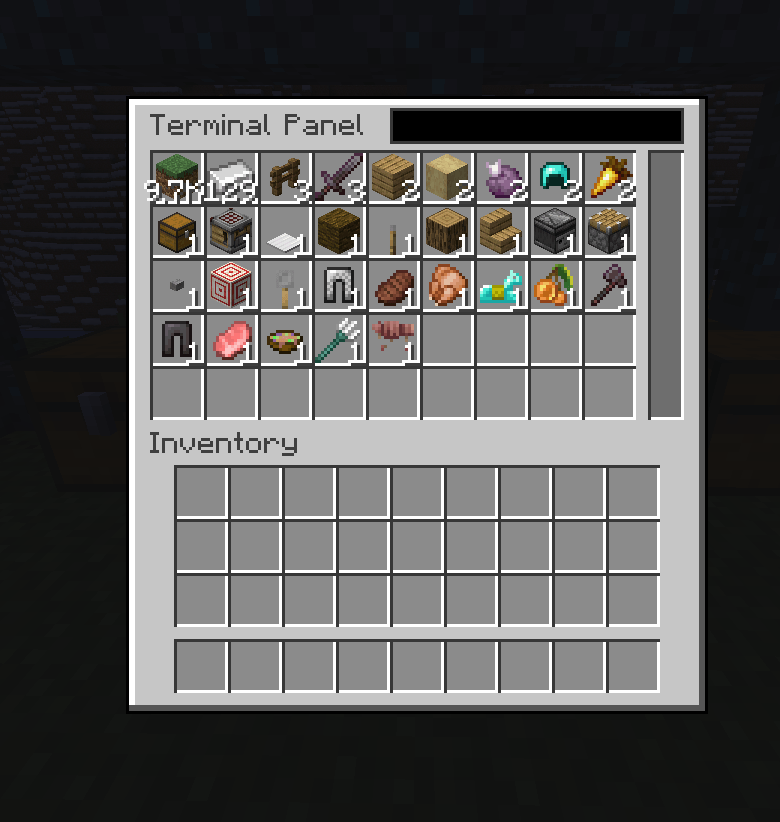
Simple Indexer gives you a single searchable view of everything in your storage room. Place a terminal, run a bit of cable to your chests, and all of them read as one big inventory that you can search, pull from and push into. No power. No machines. No research tree. Just storage that finally behaves like storage.
If the big storage-tech mods feel like too much apparatus for "I want to find my iron", this is the small alternative.
Features
- One unified inventory – every container on the network appears in a single item list.
- Search as you type – filter thousands of items by name from the terminal’s search box.
- Quick item handling – take a stack, half a stack, or send items straight to your inventory.
- Insert from anywhere – drop a carried stack onto the grid, or shift-click out of your own inventory.
- No energy system – nothing to generate, nothing to wire, nothing to keep fuelled.
- Works with any item container – vanilla chests and barrels, and any modded block that exposes an item handler capability.
- Cables that connect themselves – place them and they link to their neighbours, visually and logically.
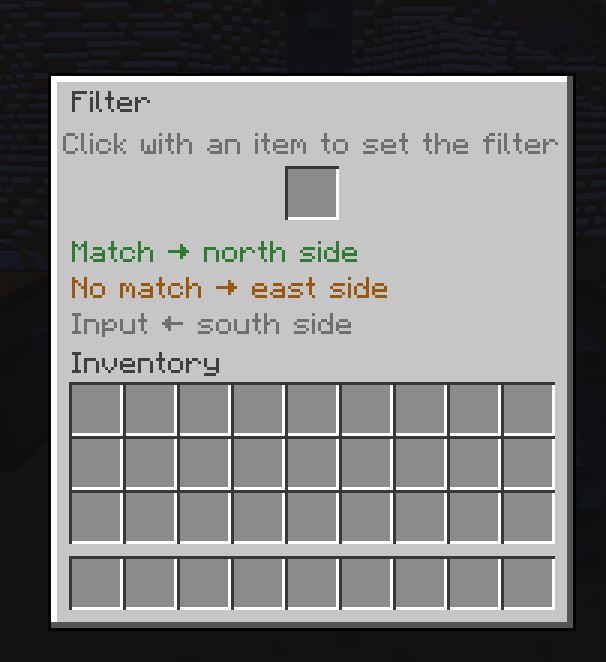
- Built-in item routing – the Filter block splits an item stream into a match branch and a pass branch.
- Lightweight – simple network scanning, no heavy per-tick machine simulation.
- Multiple terminals – put as many access points on one network as you want.
How It Works
The whole mod is three blocks.
1. Terminal Panel
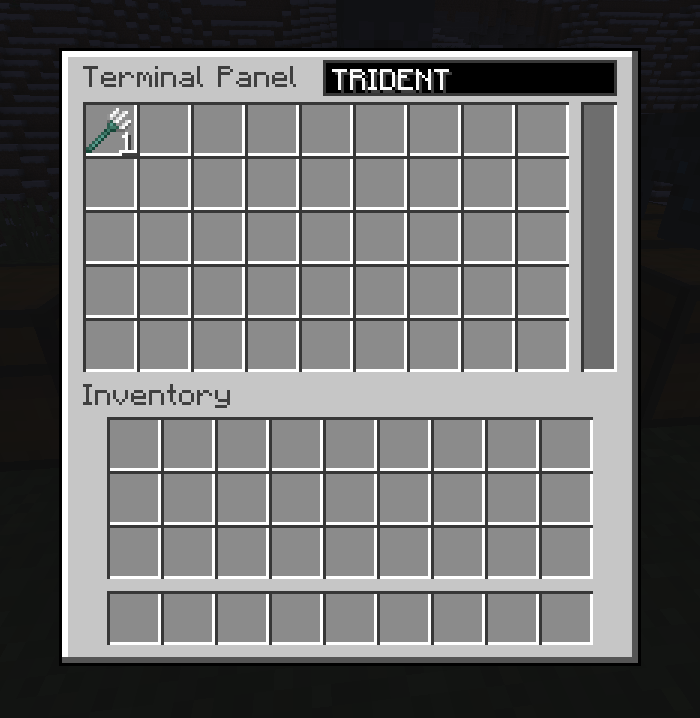
The main interface. Right-click it to open a searchable grid showing every item in every container connected to the network, merged into one list. Five chests full of different items read as a single inventory.
| Action | Result |
|---|---|
| Left-click an item in the grid | Take one stack |
| Right-click an item in the grid | Take half a stack |
| Shift + left-click an item in the grid | Send it straight to your inventory |
| Drop a carried stack onto the grid | Insert it into the network |
| Shift-click an item in your inventory | Insert it into the network |
| Type in the search box | Narrow the list by item name |
2. Storage Cable
The connective tissue. Cables link the Terminal Panel to chests, barrels and any other item container. They connect to their neighbours automatically and render connected, so a run of cable looks like a run of cable.
   [ Terminal Panel ]---[ Cable ]---[ Cable ]---[ Chest ]
                                        |
                                        +-------[ Barrel ]
Anything a cable can reach ends up in the terminal’s list. Chests do not need to be next to each other, or next to the terminal – only connected.
3. Filter
A routing branch: one input, two outputs. Configure an item in the Filter. Items matching that item are pushed out of the match output; everything else continues out of the pass output.
                          +--------------+
        input  ---------> |    FILTER    |
                          |  (diamond)   |
                          +--+--------+--+
                     match |          | pass
                           v          v
                  [ Diamond Chest ]   [ Bulk Storage ]
That is enough to build simple automated sorting: diamonds peel off into their own chest while everything else flows on down the line. Chain a few Filters and you have a sorting system, without a single machine or a single unit of power.
Getting Started
- Place a chest or barrel where you want your storage.
- Run Storage Cable from that container.
- Place a Terminal Panel at the end of the cable run.
- Right-click the Terminal Panel – everything in the connected containers is now one searchable list.
- Want sorting? Put a Filter in a cable run, set the item to match, and send its two outputs to different chests.
Add more chests to the network at any time by running more cable to them. Add more terminals wherever it is convenient.
Requirements
- Minecraft: 1.21.1
- Mod loader: NeoForge
- Mod ID:
simpleindexer - Dependencies: none
FAQ
Does it need power?
No. There is no energy system in this mod at all – nothing to generate, store, or wire up.
Does it work with modded chests?
Yes. Anything that exposes an item handler capability works, which covers essentially every modded chest, barrel, crate and drawer.
Can I have multiple terminals?
Yes. Put as many Terminal Panels on a network as you like.
Do my chests have to be next to each other?
No. They just have to be reachable by cable.
Can I add storage later?
Yes. Run cable to a new container and it shows up in the terminal immediately.
What Simple Indexer Is Not
Being upfront so nobody installs it expecting the wrong thing. Simple Indexer has no energy system, no wireless access, and no autocrafting or crafting-on-demand. It indexes, searches, moves and filters items. That is the entire scope, and it is deliberate.
常见问题
Simple Indexer 支持哪些 Minecraft 版本?
Simple Indexer 支持 Minecraft Java 版 1.21.1,可用的加载器:NeoForge。下载时注意选择和你游戏版本一致的文件。
Simple Indexer 怎么安装?
先用 PCL2 或 HMCL 启动器安装对应版本的 NeoForge,再把下载的 .jar 文件放进游戏目录的 mods 文件夹,重新启动游戏即可。开启了版本隔离的,mods 文件夹在 versions/版本名 下面。
Froidd_ 的其他作品
查看全部 →
TONI’s Better Shipwrecks: Sunken Ships & Pirate Wrecks (Forge/Fabric)
将每艘沉船重建为巨大的3D船只:帆船、双桅帆船、商船、单桅帆船和维京长船,可呈现多种沉没或搁浅方式。保留原版战利品,由服务端运行。
TONI’s Structure Lib
Toni_Carter 结构模组共用的引擎:可在 Minecraft 1.8 至 26.3 的各个版本生成这些模组的结构。仅需服务端安装。
TONI’s Better Bastions: Nether Bastion Remnant Overhaul (NeoForge)
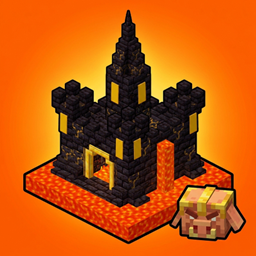
将堡垒遗迹重制为大型程序生成的猪灵要塞:包含 4 种布局、5 种生物群系风格、熔岩瀑布、猪灵驻军和原版战利品。仅需服务端安装,无前置库。
TONI’s Better Ocean Monuments
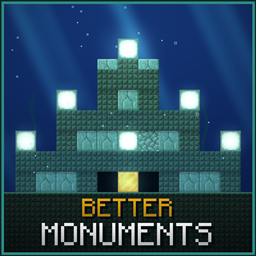
从头重制海底神殿:四层沉没神庙,每次都会生成不同的房间迷宫,还有黄金宝库、战利品箱,以及完好、废墟、冰封三种外观。仅需服务端安装,只使用原版方块。![正在上传图片...]()
评论
登录后评论和评分