介绍
🌐 SI: Mod Menu
Spawns a lightning bolt upon player death and broadcasts a message in chat.
✨ Overview
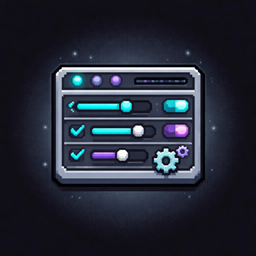
SI: Mod Menu adds a menu for you to view your mods and manage their configs.
🔧 Features
Mod Menu
The mod menu shows you all your installed mods and can be sorted either from A-Z or Z-A or by searching for a term in the search bar.
Config Editor
The config editor lets you edit your mod configs in game instead of needing to leave the game and dig through files.
📦 Requirements
- Minecraft 1.21.1, 1.21.4, 1.21.8, 1.21.10 or 1.21.11
- SI: Essentials
- NeoForge
📖 Wiki & Documentation
📚 Learn more, guides, and full documentation:
➡️ SI: Mod Menu Wiki
🌍 Community & Support
💬 Join our community and get help:
➡️ Discord
🐛 Report bugs & request features:
➡️ Support
🔗 Links
❤️ Support Us
If you enjoy this project, consider supporting us:
➡️ Patreon
🏢 About Soncresity Industries
This project is developed by Soncresity Industries, a team focused on creating high-quality Minecraft experiences, tools, and systems.
⚠️ License & Usage
This project is licensed under the Soncresity Standard License (SSL). You can view it here
🚀 Credits
- Soncresity Industiries
常见问题
SI: Mod Menu 支持哪些 Minecraft 版本?
SI: Mod Menu 支持 Minecraft Java 版 1.21.1–1.21.11,共 5 个版本,可用的加载器:NeoForge。下载时注意选择和你游戏版本一致的文件。
SI: Mod Menu 怎么安装?
先用 PCL2 或 HMCL 启动器安装对应版本的 NeoForge,再把下载的 .jar 文件放进游戏目录的 mods 文件夹,重新启动游戏即可。开启了版本隔离的,mods 文件夹在 versions/版本名 下面。
SoncresityIndustries 的其他作品
查看全部 →
SI: Spectre [DISCONTINUED]
已停止更新

SI: Refined Obsidian
全新的黑曜石建筑方块和黑曜石盔甲纹饰。

TBS Main Menu Override [DISCONTINUED]
一个移除 The Broken Script 自定义主菜单背景的资源包

SI: Death Bolt
玩家死亡时会生成一道闪电,并在聊天栏广播消息。
评论
登录后评论和评分