
SimCity Expansion
Building expansion-pack manager for New-Simukraft-1.21.1
截图
介绍
SimCity Expansion
Building expansion-pack manager for New-Simukraft-1.21.1
Bring vanilla, Litematica, and WorldEdit structures into the game, convert and install
them as buildable SimuKraft buildings, edit them in a Litematica-style manager, and
share them as one-click zip packs.








Contents
- Overview
- Features
- Requirements and installation
- Opening the manager
- The manager
- Structure editor
- Capturing builds from the world
- Build packs
- Structure formats
- Directory layout
- Commands
- Documentation
- Building from source
- License
- Acknowledgements
Overview
SimCity Expansion is a NeoForge mod for Minecraft 1.21.1 that adds a complete building
expansion-pack pipeline to New-Simukraft-1.21.1 (a city-building mod). It lets you import
structures from three common formats, convert them into SimuKraft’s buildable format,
organise and edit them through a Litematica-style manager, and package them as portable
zip packs for one-click install and sharing.
Integration with SimuKraft is a pure file-system convention — the mod writes .sk and
.nbt files under <game dir>/simukraftbuilding/<category>/ — so there is no compile-time
dependency on SimuKraft. The manager is built on Minecraft’s own GUI toolkit and needs no
extra library, and the command interface runs on a dedicated server as well.
Features
- Three structure formats — vanilla
.nbt, Litematica.litematic(multi-region auto-merge), and Sponge/WorldEdit.schem(v1/v2/v3), all converted to SimuKraft’s vanilla buildable format on install. - Robust conversion — older structures are upgraded through the game DataFixer, missing mod blocks are detected against the registry, and block-entity contents (chest inventories, signs, and so on) are preserved (entities are not).
- Litematica-style manager (open with
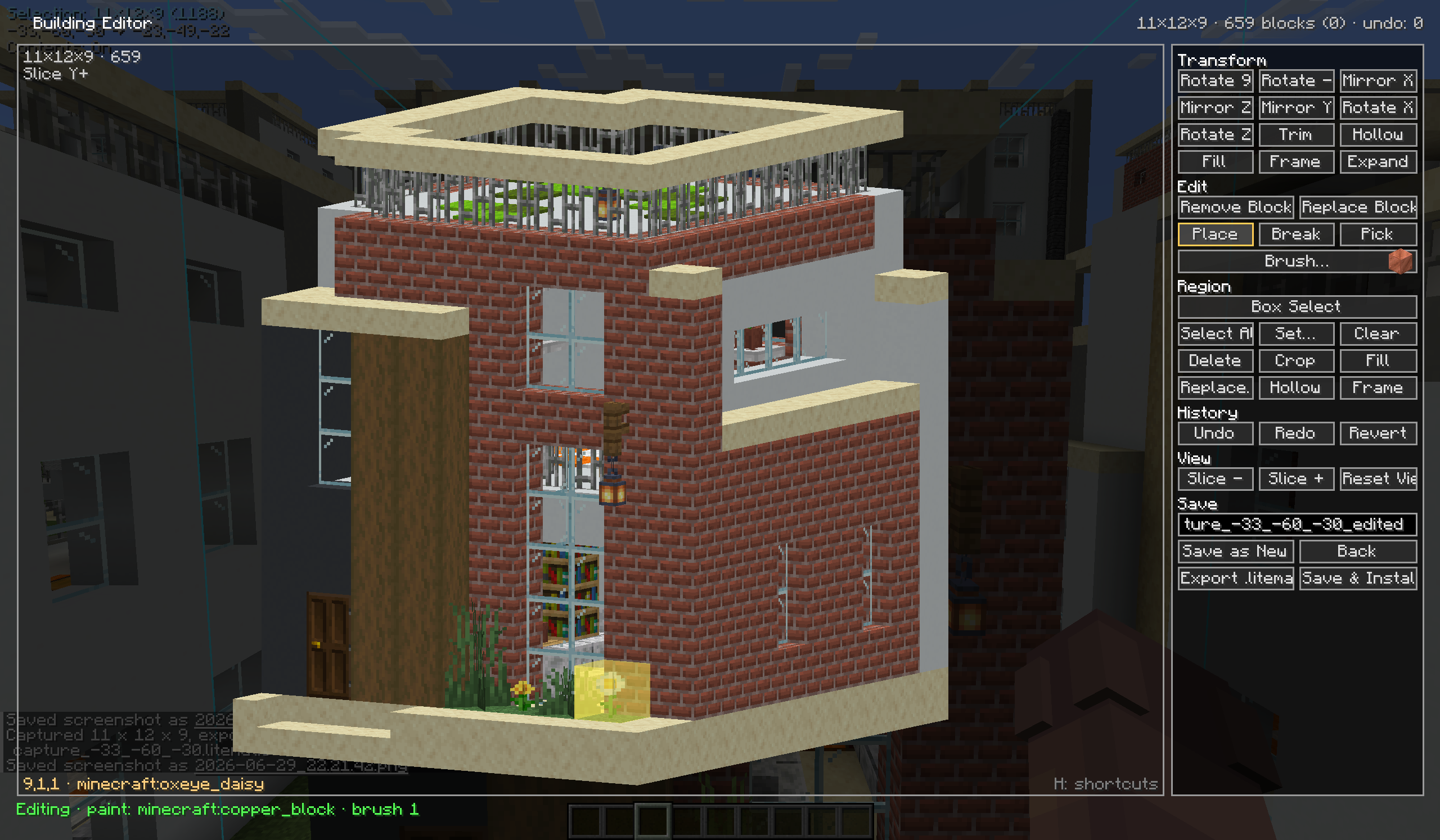
\) — file tree, fixed-width info panel, material list, and layered previews: embedded thumbnail, real-block 3D scene, isometric voxel view, and top-down map. - Full structure editor — place / break / pick / replace, brush painting, box selection with fill / frame / hollow / expand, copy / cut / paste, rotate and mirror, symmetry axis, undo / redo, slice planes, and preset camera views; export to
.litematicor save and install directly. - Capture from the world — mark two corners in-game, capture the selection as a blueprint, and optionally include block-entity contents.
- Zip pack ecosystem — manifest-tracked install / uninstall, one-click export of installed buildings into a shareable pack, an optional pack icon and an
index.jsonfile manifest, and pass-through of SimuKraft native job/trade definitions (format v2). - No hard dependencies — the manager runs on Minecraft’s own GUI toolkit and SimuKraft is integrated purely through the file system, so neither is a compile-time dependency.
- Server-friendly — the
/buildpackcommand (operator level 2, with tab-completion) installs loose files and packs and captures regions on dedicated servers, reusing the same conversion pipeline as the GUI. - Localised — English, Simplified Chinese, and Traditional Chinese; numbers, dates, and file sizes are formatted per the active game language.
Requirements and installation
| Requirement | Version |
| — | — |
| Minecraft | 1.21.1 |
| NeoForge | 21.1.233 or newer |
Place the jar in your mods/ folder — there are no other mod dependencies. The in-game
manager works out of the box on a client; on a dedicated server the jar loads headless and
exposes the /buildpack command.
Opening the manager
Press \\ (backslash) in-game. All bindings are rebindable under the mod’s
category in Options -> Controls.
| Action | Default key |
| — | — |
| Open the build pack manager | \\ |
| Set world selection corner A | [ |
| Set world selection corner B | ] |
| Capture the selection as a blueprint | ' |
| Toggle “include block-entity contents” | unbound |
| Clear the world selection | unbound |
The manager
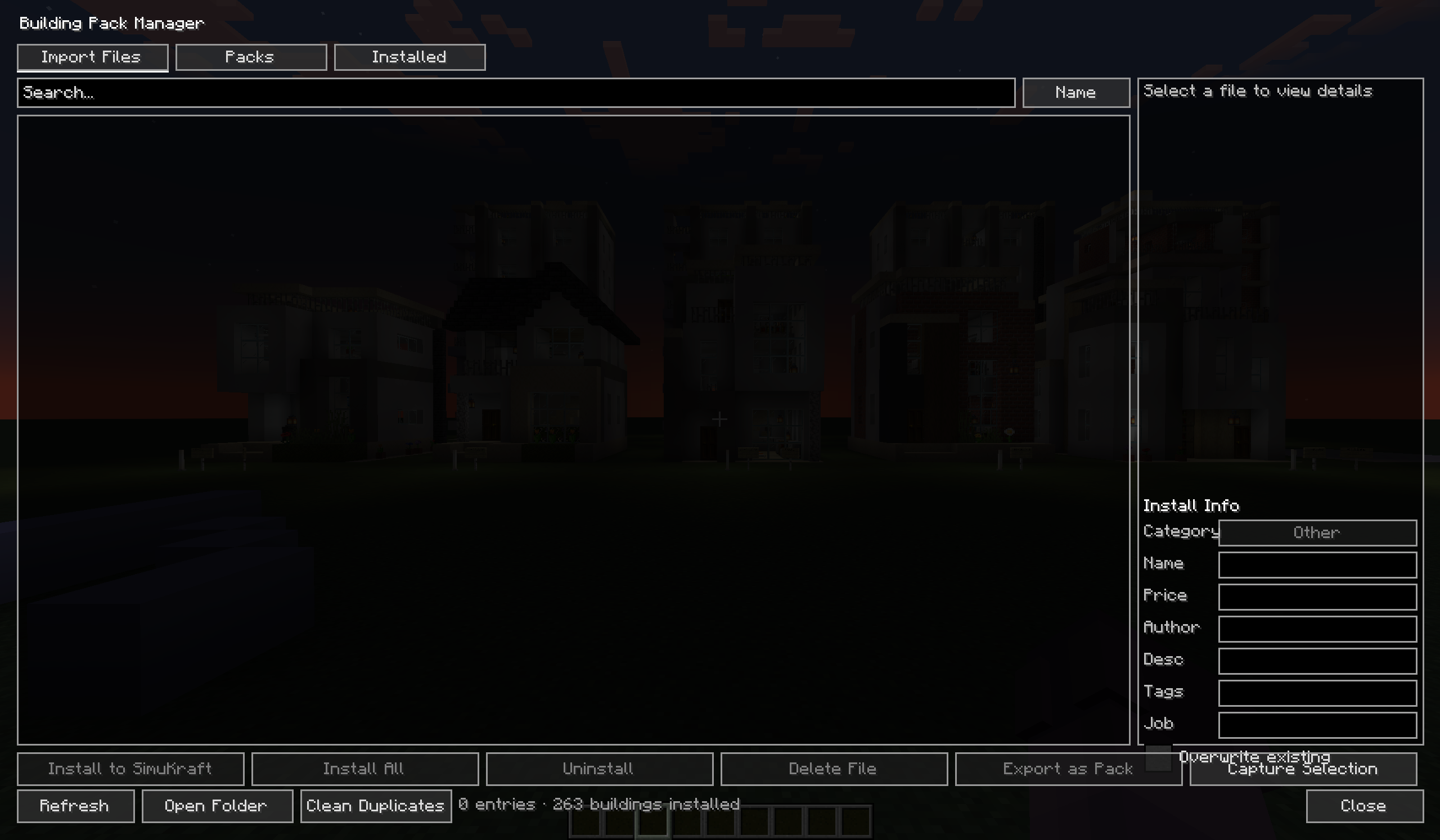
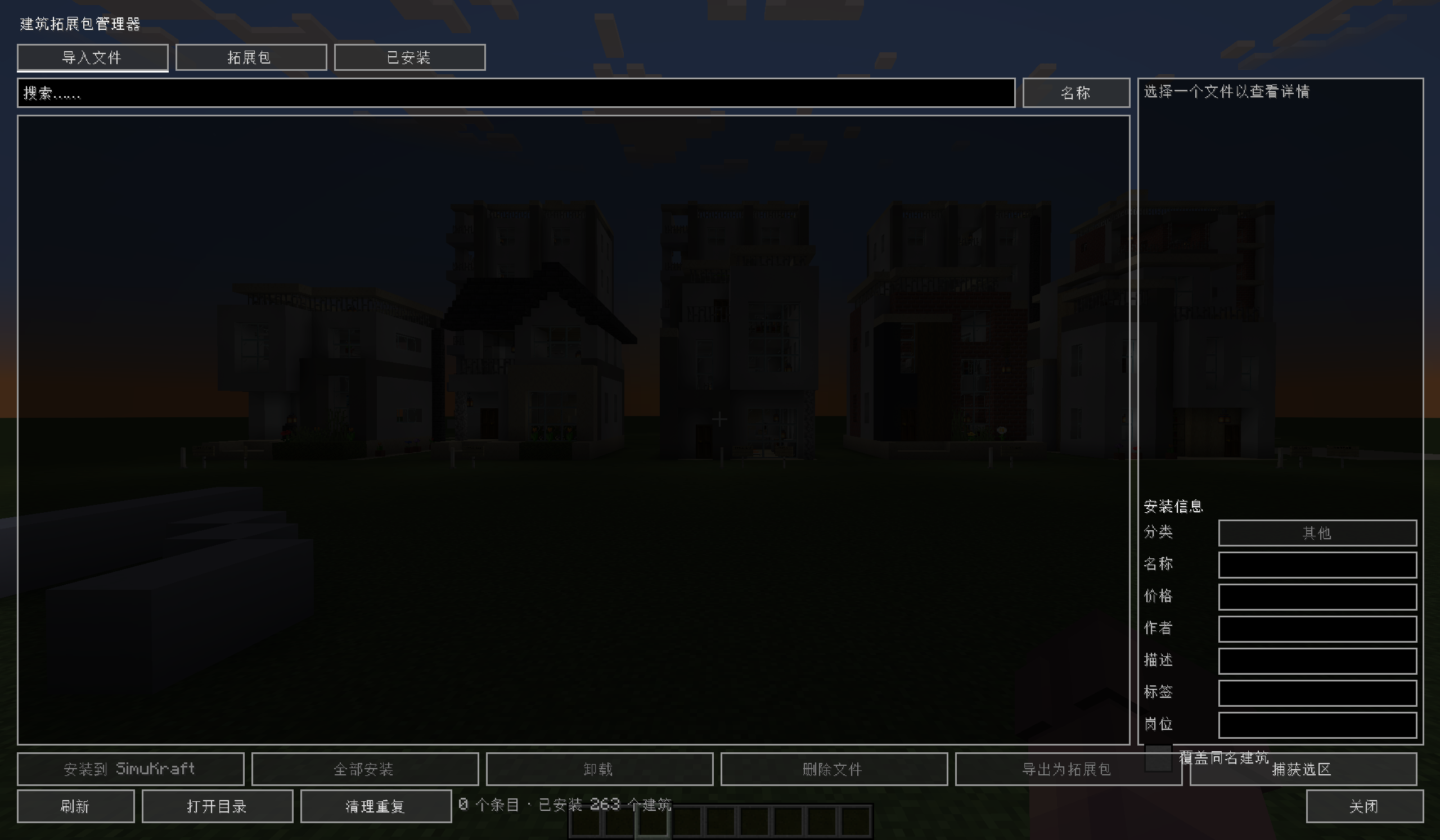
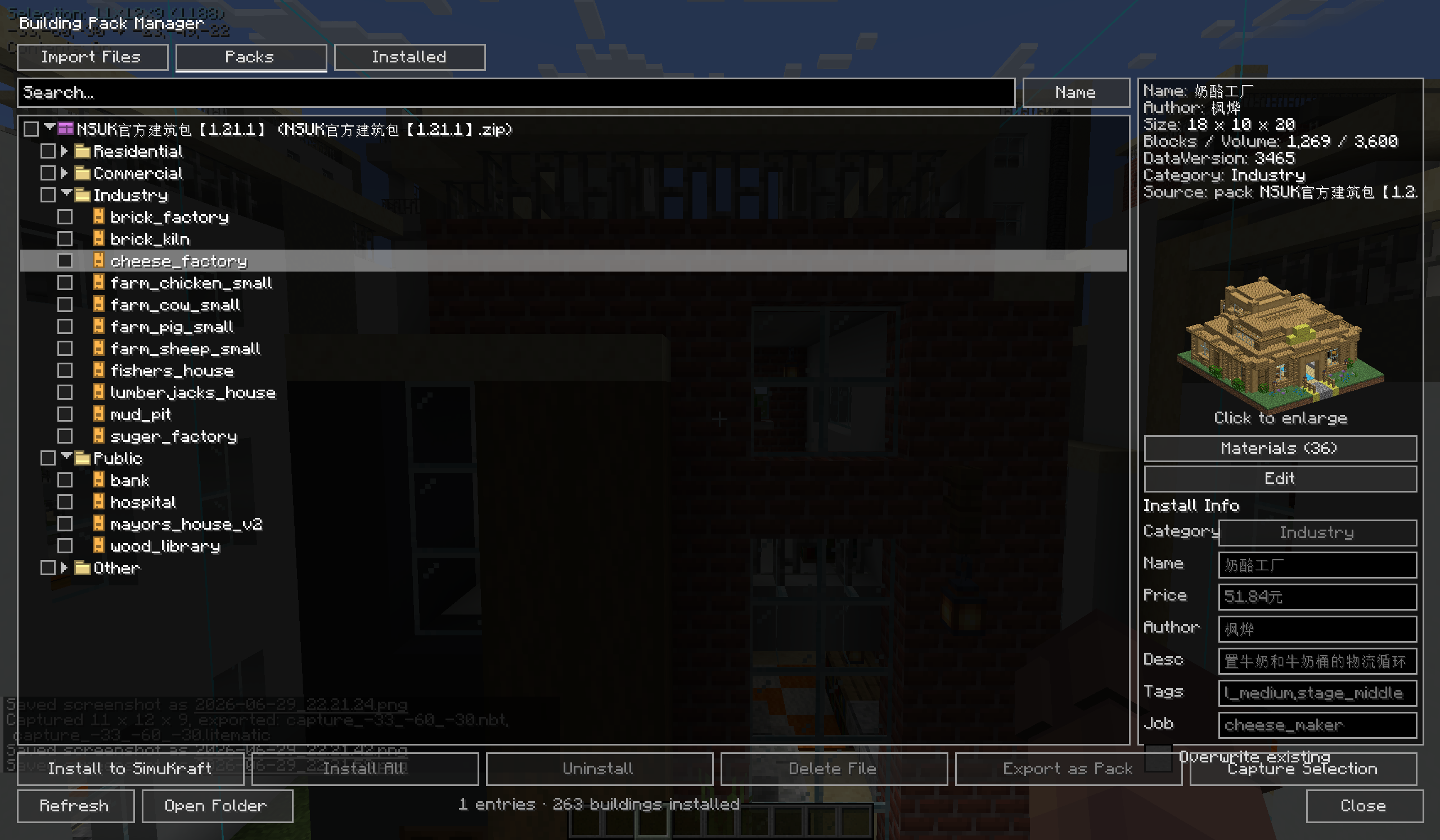
The left panel has three tabs:
- Import Files — loose
.nbt/.litematic/.schemfiles in the import directory. - Packs — zip build packs in the import directory, shown as an expandable tree (pack -> category -> building). Any building can be previewed and read directly from the zip, without extracting it first.
- Installed — buildings already present in SimuKraft’s building directory.
The info panel on the right shows metadata rows, a preview, a material list (counted by
block type, with missing blocks flagged), and a .sk metadata form (editable on the
Import tab, read-only elsewhere). It supports drag-and-drop import, search, sort,
batch install, and two-click delete. When you browse a pack that ships an icon, the icon
is shown in the preview area.
Structure editor
Open a structure in the editor to refine it before installing:
- Edit — place, break, pick, and replace blocks; paintbrush with adjustable size and paint strokes; remove or replace a whole block type at once.
- Selection — box-select a region (click two cells or drag a box face), then fill / frame / hollow / expand / clear it, with copy, cut, and paste.
- Transform — rotate 90 degrees and mirror along any axis, with a symmetry axis for mirrored editing.
- History — undo and redo.
- View — cycle slice planes, fit and focus the selection, preset camera angles, grid and gizmo toggles, and perspective toggle.
- Output — Save as New, Save and Install, or Export
.litematic.
Press H inside the editor for the full shortcut list.
Capturing builds from the world
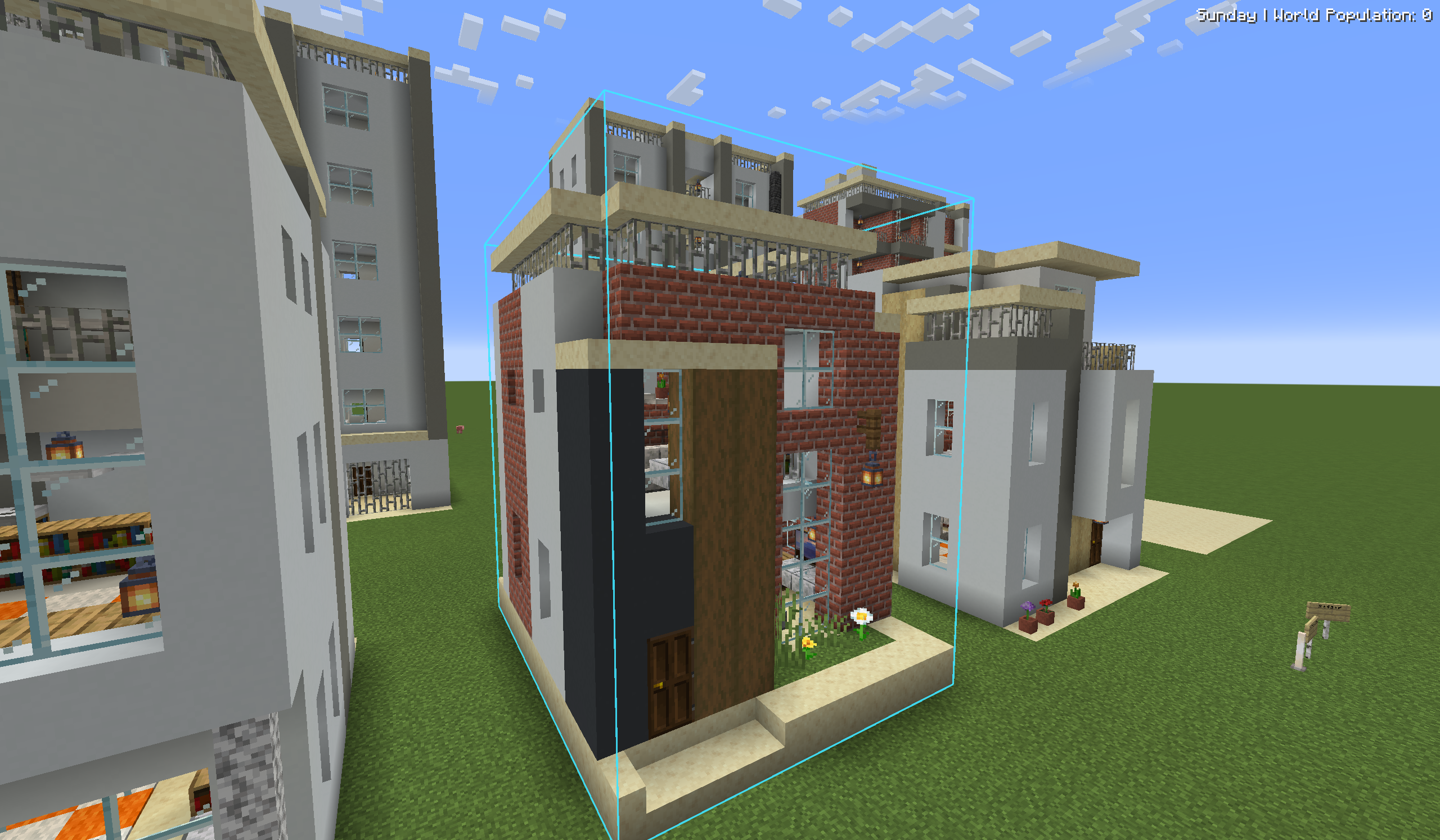
Build something in your world, then turn it into a blueprint without leaving the game:
- Look at a block and press [ to set corner A, then ] to set corner B. The selection box is drawn in the world.
- Press ' to capture the selection and export it to the import directory.
- Optionally bind the “include block-entity contents” key to capture chest inventories and similar data, and the “clear selection” key to reset the corners.
The same operation is available on servers via /buildpack capture (see
Commands).
Build packs
Buildings are grouped into five fixed categories: residential, commercial,
industry, public, and other.
- Install / uninstall — installing a pack converts every building into the matching category directory and records a manifest in
simcity_expansion/installed_packs.json, so uninstalling removes exactly the files that pack added. - Export (Installed tab -> Export) — packages the listed buildings (respecting the current search filter) into a zip. Options:
- include
.skmetadata, - include SimuKraft job/trade JSON,
- include an icon — tick the box and leave the path blank to auto-render one from the first building’s preview, or supply a custom PNG path.
An index.json file manifest (each packed file with its type, category, size, and
SHA-256) is always written at the zip root.
- Manifest —
pack.json(format 2) carriesid,name,version,author,description, an optionalicon, and ageneratedtimestamp.
The full pack specification (directory layout, pack.json, .sk / .meta.json metadata,
native job/trade JSON, icon.png, and index.json) is documented in
docs/pack-format.zh.md.
Structure formats
| Extension | Source | Conversion on install |
| — | — | — |
| .nbt | Vanilla structure block template | Installed as-is; old versions auto-upgraded |
| .litematic | Litematica projection | Multi-region merge into one bounding box; reads embedded name / author / creation time / thumbnail |
| .schem | Sponge / WorldEdit schematic | v1, v2, and v3 supported |
All formats are converted to vanilla .nbt on install (SimuKraft’s build system only reads
the vanilla format). During conversion the structure is DataFixer-upgraded to the current
game version, block-entity positions are remapped and preserved, the palette is checked
against the registry for missing blocks, and the merged volume is capped at 16,000,000
blocks.
Directory layout
<game dir>/
├── simcity_expansion/
│   ├── import/                 import directory (drop loose files and zip packs here)
│   ├── export/                 exported build packs
│   └── installed_packs.json    installed-pack registry
└── simukraftbuilding/<category>/   SimuKraft building directory (install target)
Commands
All /buildpack subcommands require operator level 2 (game masters) and offer
tab-completion.
| Command | Description |
| — | — |
| /buildpack list | List the files in the import directory |
| /buildpack packs | List installed packs |
| /buildpack install <file> [category] [name] | Install a loose structure file |
| /buildpack installpack <zip> | Install a whole zip pack |
| /buildpack uninstallpack <id> | Uninstall a pack by its id |
| /buildpack activate <zip> | Serve a pack to SimuKraft virtually (no install) — requires SimuKraft |
| /buildpack deactivate <id> | Stop serving an activated pack |
| /buildpack active | List currently active packs |
| /buildpack capture <from> <to> [name] [format] | Capture a region into a blueprint |
Documentation
| Document | Audience |
| — | — |
| Usage guide | Players: import, install, manage, export |
| Pack format spec v2 | Pack authors: layout, pack.json, metadata, conversion |
Chinese versions are also available: usage.zh.md and
pack-format.zh.md.
Building from source
The project uses the Gradle wrapper and a NeoForge ModDevGradle toolchain (JDK 21).
./gradlew buildThe built jar is written to build/libs/.
License
All Rights Reserved. Copyright © 2026 xinian.
This source is published for reference; it is not licensed for redistribution or derivative works without permission.
When using in a modpack, you must link back to the original link.
Acknowledgements
- New-Simukraft-1.21.1 — the city-building mod this expands.
- devins-badges — the badge artwork in this readme.
About the old version
- 1.20.1 Forge has been abandoned for development
常见问题
SimCity Expansion 支持哪些 Minecraft 版本?
SimCity Expansion 支持 Minecraft Java 版 1.20.1–1.21.1,共 2 个版本,可用的加载器:Forge / NeoForge。下载时注意选择和你游戏版本一致的文件。
SimCity Expansion 怎么安装?
先用 PCL2 或 HMCL 启动器安装对应版本的 Forge / NeoForge,再把下载的 .jar 文件放进游戏目录的 mods 文件夹,重新启动游戏即可。开启了版本隔离的,mods 文件夹在 versions/版本名 下面。运行环境:客户端和服务端都要装。
评论
登录后评论和评分