
Sidebar Potion display
Server‑side mod that displays players' active status effects in a sidebar.
截图
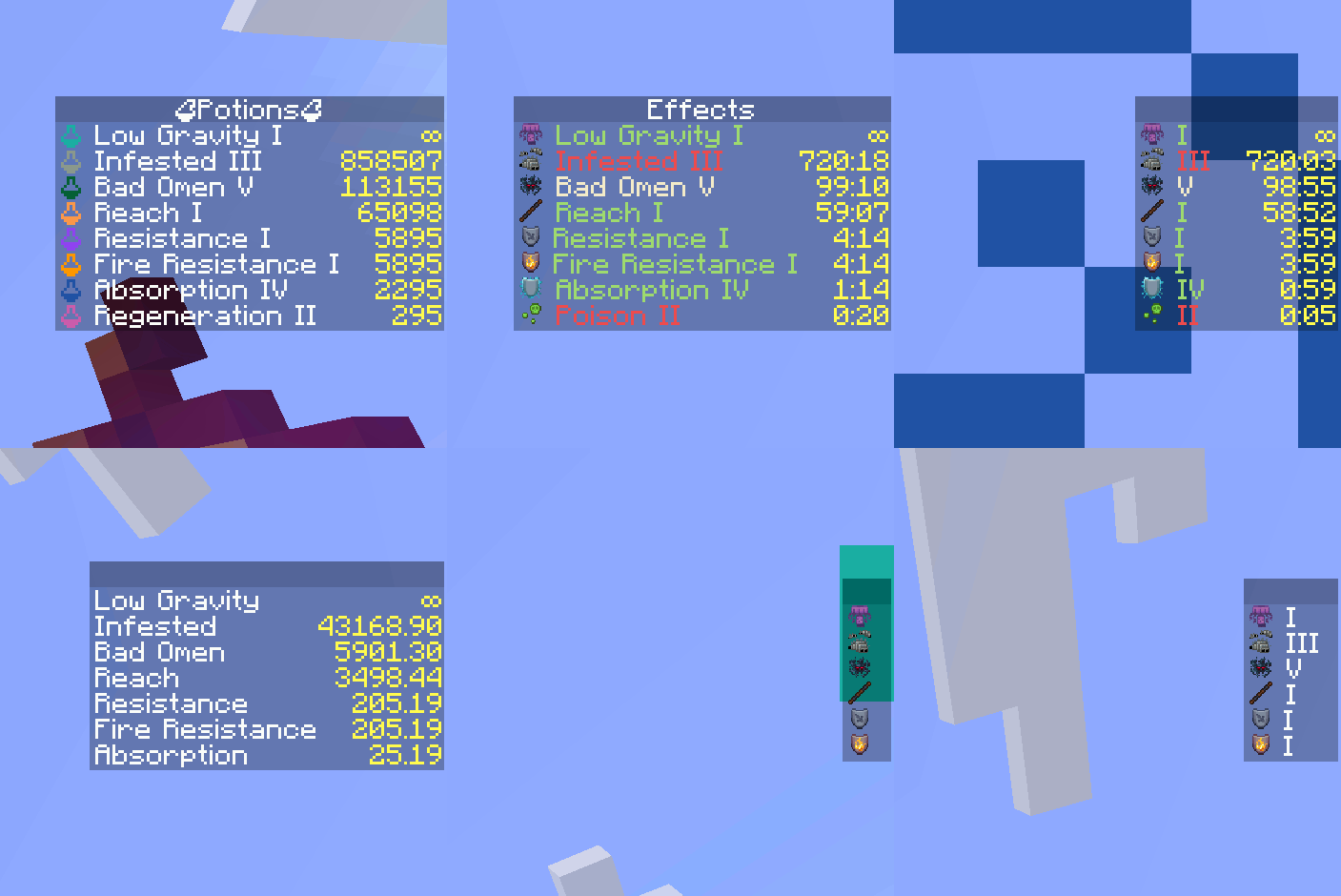
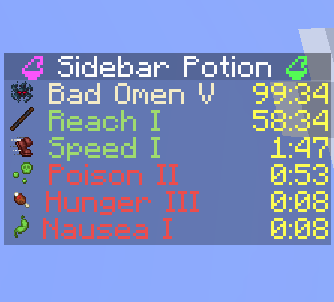
介绍




Sidebar Potion
Lightweight server‑side mod that displays players’ active status effects in a clean sidebar. The sidebar auto‑updates and hides itself when you have no effects.
- Server‑only: install on a dedicated server or single‑player integrated server. Clients do not need the mod.
- Configurable: names, colors, potency, icons, and duration format.
- Optional Polymer support: show effect icons using resourcepack.
- Supports vanilla and modded effects (e.g. from Enderscapes – works with polymer port)
Installation
- Put the mod on the server (or your single‑player instance). Clients can stay vanilla.
- Optional: install Polymer on the server to enable effect icons for vanilla clients (see below).
Optional dependency: Polymer
If Polymer is installed on the server:
- Effect icons can be shown to vanilla clients without a client resource pack.
- Set
showIcontotruein the config to display icons. - Set
forceCompatIconstofalseto use Polymer icons instead of potion icons.
Without Polymer:
- Effect icons will be replaced with colored potion icons.
Configuration

Examples of different configurations
A JSON file is created on first run at:
./config/sidebar-potion.json
Edit the file and run /reload to apply changes.
Available options (with defaults):
showEffectName(boolean, default:true): show the effect name.colorizeText(boolean, default:true): colorize lines by effect type.hideDefaultGui(boolean, default:true): hide the vanilla potion effect HUD.showPotency(boolean, default:true): show effect amplifier (e.g. II, III).showIcon(boolean, default:true): show effect icon.durationFormat(string, default:"mm:ss"): how effect durations are rendered (see below).title(string, default:""): sidebar title text.forceCompatIcons(boolean, default:false): force potion icons even if Polymer is installed.
Duration formats
Use one of the following values:
""— no duration"t"— ticks"s"— seconds"s."— seconds.milliseconds"mm:ss"— minutes:seconds"mm:ss."— minutes:seconds.milliseconds
Behavior:
- The sidebar is removed for a player when they have no active effects.
- The title is taken from
titleand can be empty.
常见问题
Sidebar Potion display 支持哪些 Minecraft 版本?
Sidebar Potion display 支持 Minecraft Java 版 1.21.8,可用的加载器:Fabric。下载时注意选择和你游戏版本一致的文件。
Sidebar Potion display 怎么安装?
先用 PCL2 或 HMCL 启动器安装对应版本的 Fabric,再把下载的 .jar 文件放进游戏目录的 mods 文件夹,重新启动游戏即可。开启了版本隔离的,mods 文件夹在 versions/版本名 下面。运行环境:仅服务端。
c10udburst 的其他作品
查看全部 →
Portals Gui
Prevent nether portals from closing GUIs

Client Vein Miner [Fabric/Forge]
Mines all nearby blocks of a given type after you mine the first one.

Bossbar Stack [Fabric/Forge]
Stacks all bossbars with the same name together. Clientside mod.
Portals Gui [Fabric/Forge]
Prevent nether portals from closing GUIs.
评论
登录后评论和评分