Sia’s Workshop
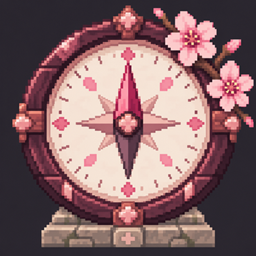
A compass that points away from villages so you know when you're clear to build one — then a block that generates the whole village. Cherry blossom included.
介绍
Find your spot, then build your village.
Sia’s Workshop is a small quality-of-life worldgen mod about founding villages of your own. It gives you two tools — one to know where you can build, and one that builds the village for you — plus an optional cherry-blossom makeover for the villages Minecraft already generates.
Wilderness Compass
A compass that points away from the nearest village. Right-click to scan: the needle locks onto the closest village and shows how far it is, so you can walk until you have enough separation to start one of your own. If no village is within range, the needle rests — you’re clear to build.
- Right-click to scan for the nearest village (640 block radius).
- The needle points directly away from it, with a live distance readout.
- Instant verdict: “clear to build here” or “too close” with the required separation.
Village Foundation
A cornerstone block that generates a full village where you place it. Open its screen, pick a flavor — cherry blossom or vanilla — and press Create. The foundation is consumed by the creation it anchors.
- Generates a complete, naturally-structured village at the block.
- Flavor picker: Cherry Blossom or Vanilla.
- Respects minimum village separation; tells you if you’re too close.
Cherry-themed villages (optional)
Through the server config (cherryfyVillages), vanilla villages generate re-skinned with cherry-blossom materials — primary cherry wood with per-building accent woods. Off by default; only affects newly generated chunks.
How to use
- Craft or grab the Wilderness Compass and right-click: it reports the nearest village and points away from it.
- Walk until the scan says the spot is clear (or no village is in range).
- Place the Village Foundation, right-click it, choose your flavor, and press Create Village.
Supported versions
| Minecraft | Loader |
|---|---|
| 1.21.1 | NeoForge 21.1.x |
| 1.20.1 | NeoForge 47.1.x |
Download the jar that matches your Minecraft version.
Configuration
One server-side option: cherryfyVillages (default false). Editable in the in-game mods screen or the serverconfig file; applies to newly generated chunks only.
Modpacks
Yes — include it in CurseForge modpacks. Please link back to this page.
Source & issues
Source code and issue tracker: github.com/bbaaxx/siasworkshop
Screenshots
Screenshots coming with the gallery upload.
常见问题
Sia’s Workshop 支持哪些 Minecraft 版本?
Sia’s Workshop 支持 Minecraft Java 版 1.20.1–1.21.1,共 2 个版本,可用的加载器:Forge / NeoForge。下载时注意选择和你游戏版本一致的文件。
Sia’s Workshop 怎么安装?
先用 PCL2 或 HMCL 启动器安装对应版本的 Forge / NeoForge,再把下载的 .jar 文件放进游戏目录的 mods 文件夹,重新启动游戏即可。开启了版本隔离的,mods 文件夹在 versions/版本名 下面。
评论
登录后评论和评分