
Shulker Network
This mod adds management of all shulkerboxes in your inventory without the need to place them. Shulker Network
截图

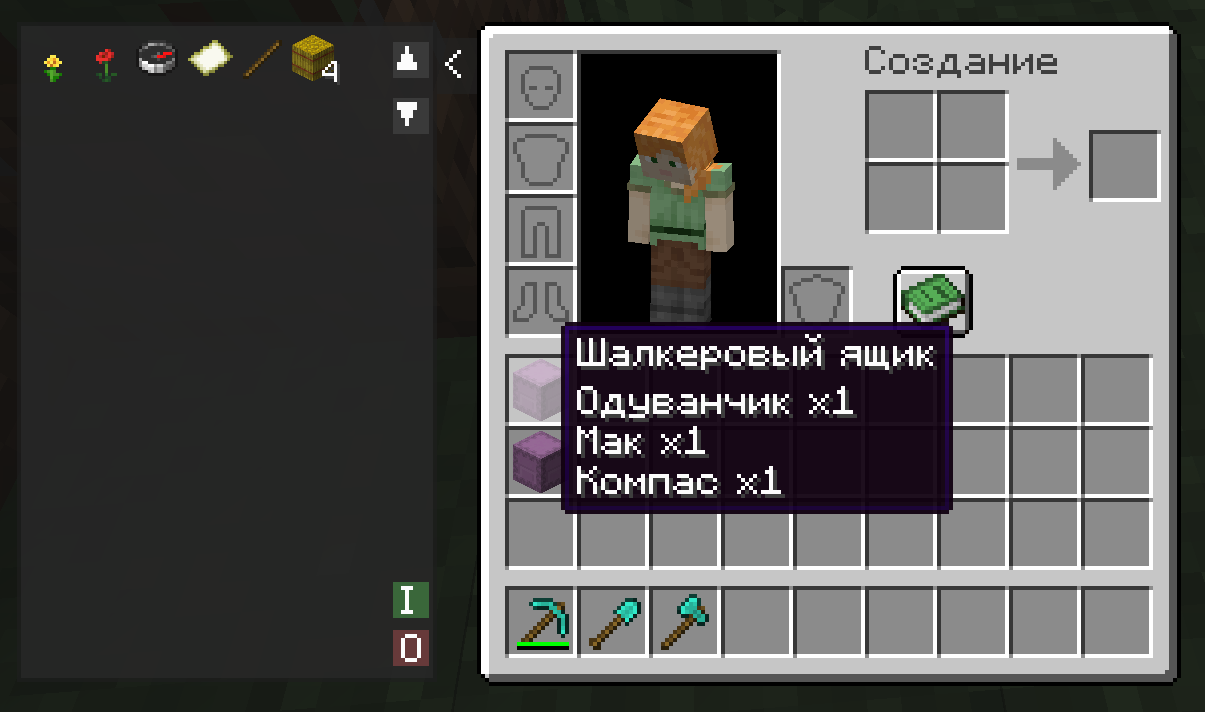
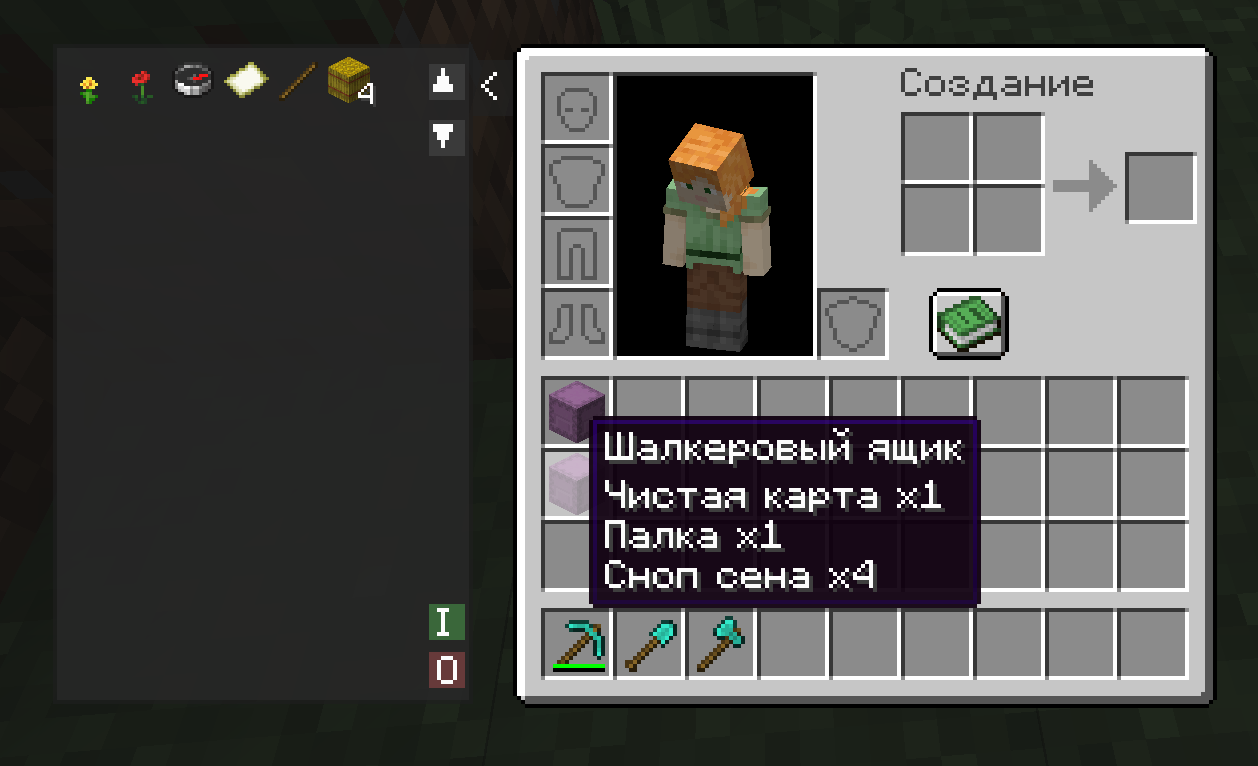
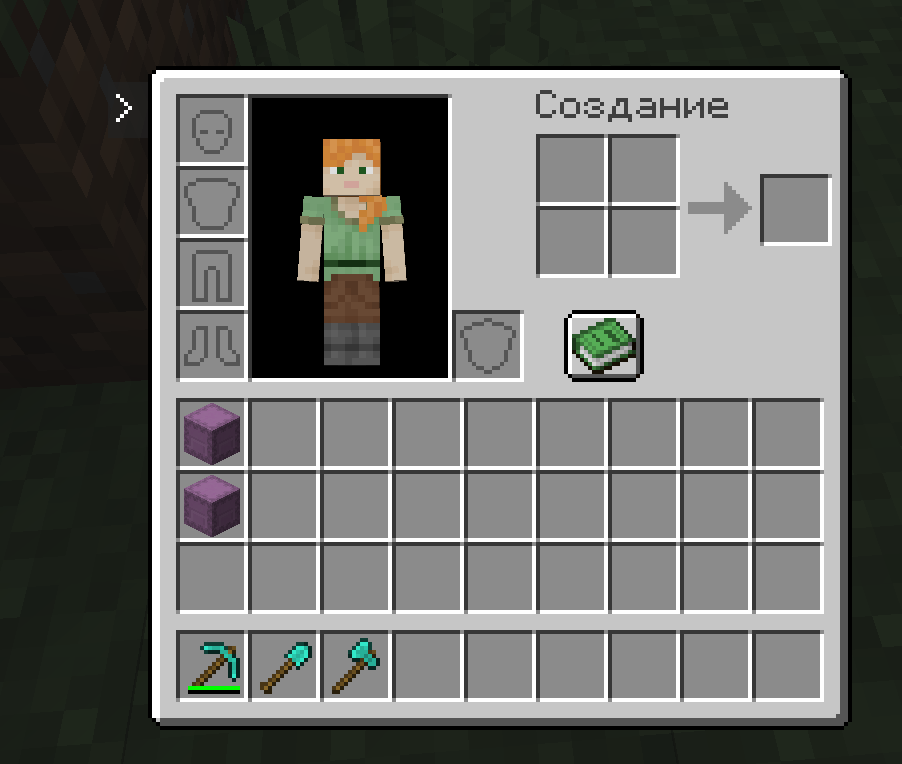
介绍
📦 Shulker Network
Shulker Network is a compact and powerful utility for managing your shulker boxes directly from your inventory. Stop wasting time placing boxes on the ground! Now, the entire contents of your shulkers are accessible in a single click through a convenient side panel.
✨ Key Features
• ⚡ Instant Access: A retractable side panel next to your inventory displays all items stored in shulker boxes currently held in your inventory.
• 🖱️ Smart Interaction:
o Left Click (LMB): Instantly extract an item from a shulker directly into your inventory.
o Right Click (RMB): Quickly deposit the selected item from your hotbar into the shulker network.
• 📥 “I” Button (Input): Automatically bulk-deposits your entire main inventory (excluding the hotbar) into your shulkers. The system intelligently prioritizes merging with existing partial stacks first.
• 📤 “O” Button (Output): Instantly unloads all items from your shulkers into your available inventory slots.
• 📜 Easy Navigation: Supports a large number of items with dedicated scroll buttons (▲/▼) to navigate through your resources.
• 📦 Compact Design: Optimized item icons allow you to view up to 77 stacks at once, minimizing the need for scrolling.
🛠 How to Use
- Open your inventory (default key E).
- Click the small > button on the left side of the inventory window to expand the panel.
- Interact with the item grid to extract resources or use the I / O buttons for bulk transfers.
- If you need more screen space, simply click the < button to collapse the panel at any time.
⚙️ Requirements
To run this mod, you will need:
• Architectury API
• Fabric API (for the Fabric version)
常见问题
Shulker Network 支持哪些 Minecraft 版本?
Shulker Network 支持 Minecraft Java 版 1.20.1,可用的加载器:Fabric / Forge。下载时注意选择和你游戏版本一致的文件。
Shulker Network 怎么安装?
先用 PCL2 或 HMCL 启动器安装对应版本的 Fabric / Forge,再把下载的 .jar 文件放进游戏目录的 mods 文件夹,重新启动游戏即可。开启了版本隔离的,mods 文件夹在 versions/版本名 下面。运行环境:客户端和服务端都要装。

评论
登录后评论和评分