Shrinkin Zone – Xaero’s World Map add-on
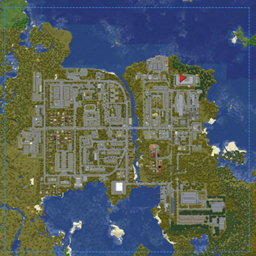
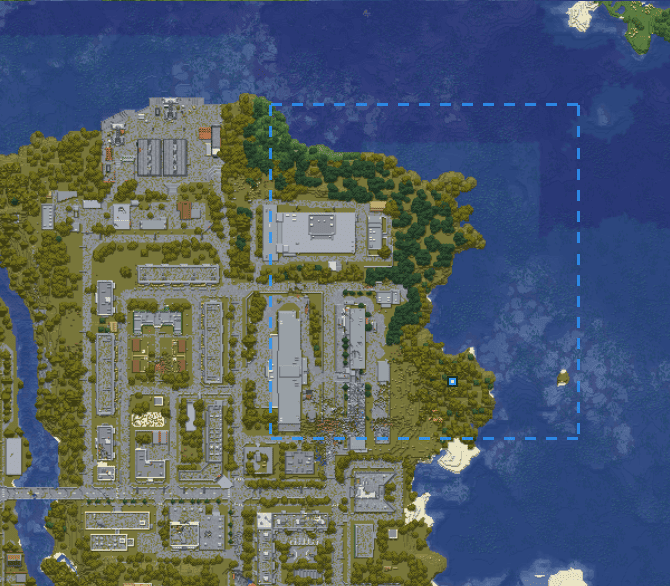
Client-side Xaero's World Map integration for Shrinkin Zone. Displays the live zone border as a dashed blue outline and the active phase target center as a temporary surface marker.
截图
介绍
Shrinkin Zone – Xaero’s World Map add-on
Version: 1.0.0
Minecraft: 1.21.1
Loader: NeoForge 21.1.243+
Java: 21
Author: Sl0n1kNash
License: MIT
Client-side Xaero’s World Map integration for Shrinkin Zone. Displays the live zone border as a dashed blue outline and the active phase target center as a temporary surface marker.
Purpose
Shrinkin Zone – Xaero’s World Map add-on makes the current Shrinkin Zone state visible directly on Xaero’s World Map. It is designed for players who need to plan movement around a large battle area without relying only on the in-world boundary wall.
The add-on does not modify zone mechanics, phase timing, target selection, damage, or server state. It reads the synchronized Shrinkin Zone client state and renders an overlay on the full-screen world map.
How it works
- Shrinkin Zone synchronizes the current and target zone bounds to the client.
- The add-on registers a custom map-element renderer with Xaero’s World Map.
- The current interpolated zone borders are converted into dashed blue map elements.
- While the zone is shrinking, the outline moves together with the live zone borders.
- A temporary marker is placed at the center of the target area for the active phase.
- The marker’s Y coordinate is resolved from available surface data when possible, with a temporary fallback until the surface height can be determined.
- When the phase target changes, the previous center marker is replaced automatically by the marker for the new target.
Dependencies
All dependencies below are required on the client.
| Dependency | Required version | Purpose |
|---|---|---|
| Minecraft | 1.21.1 |
Game version. |
| NeoForge | 21.1.243+ within the 1.21.1 branch |
Mod loader. |
| Shrinkin Zone | 1.0.0 |
Provides synchronized live and target zone bounds. |
| Xaero’s World Map | 1.45.0 |
Provides the full-screen world-map rendering API used by the overlay. |
The add-on itself is client-side only and does not need to be installed on a dedicated server.
Configuration
The add-on has no separate configuration file in version 1.0.0.
Its overlay appears automatically when:
- Shrinkin Zone is active;
- the player is viewing the matching dimension;
- Xaero’s World Map is available on the client.
Compatibility
- Minecraft 1.21.1
- NeoForge 21.1.243 or newer within the 1.21.1 branch
- Shrinkin Zone 1.0.0
- Xaero’s World Map 1.45.0
- Client-side installation only
The add-on uses Xaero’s map-element rendering system rather than replacing or patching normal map tiles. Existing explored map data remains unchanged.
常见问题
Shrinkin Zone – Xaero’s World Map add-on 支持哪些 Minecraft 版本?
Shrinkin Zone – Xaero’s World Map add-on 支持 Minecraft Java 版 1.21.1,可用的加载器:NeoForge。下载时注意选择和你游戏版本一致的文件。
Shrinkin Zone – Xaero’s World Map add-on 怎么安装?
先用 PCL2 或 HMCL 启动器安装对应版本的 NeoForge,再把下载的 .jar 文件放进游戏目录的 mods 文件夹,重新启动游戏即可。开启了版本隔离的,mods 文件夹在 versions/版本名 下面。
Sl0n1kNash 的其他作品
查看全部 →
Chest Loot Randomizer
Quickly fill the chests within the designated area with random content from the config.
Shrinkin Zone
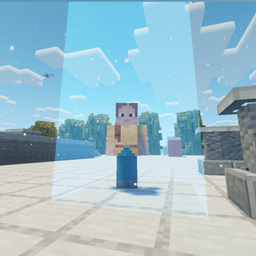
Configurable shrinking battle-zone system with randomized inner zones, outside-zone damage, live phase control, and a translucent non-colliding boundary wall.
评论
登录后评论和评分