
Show My World
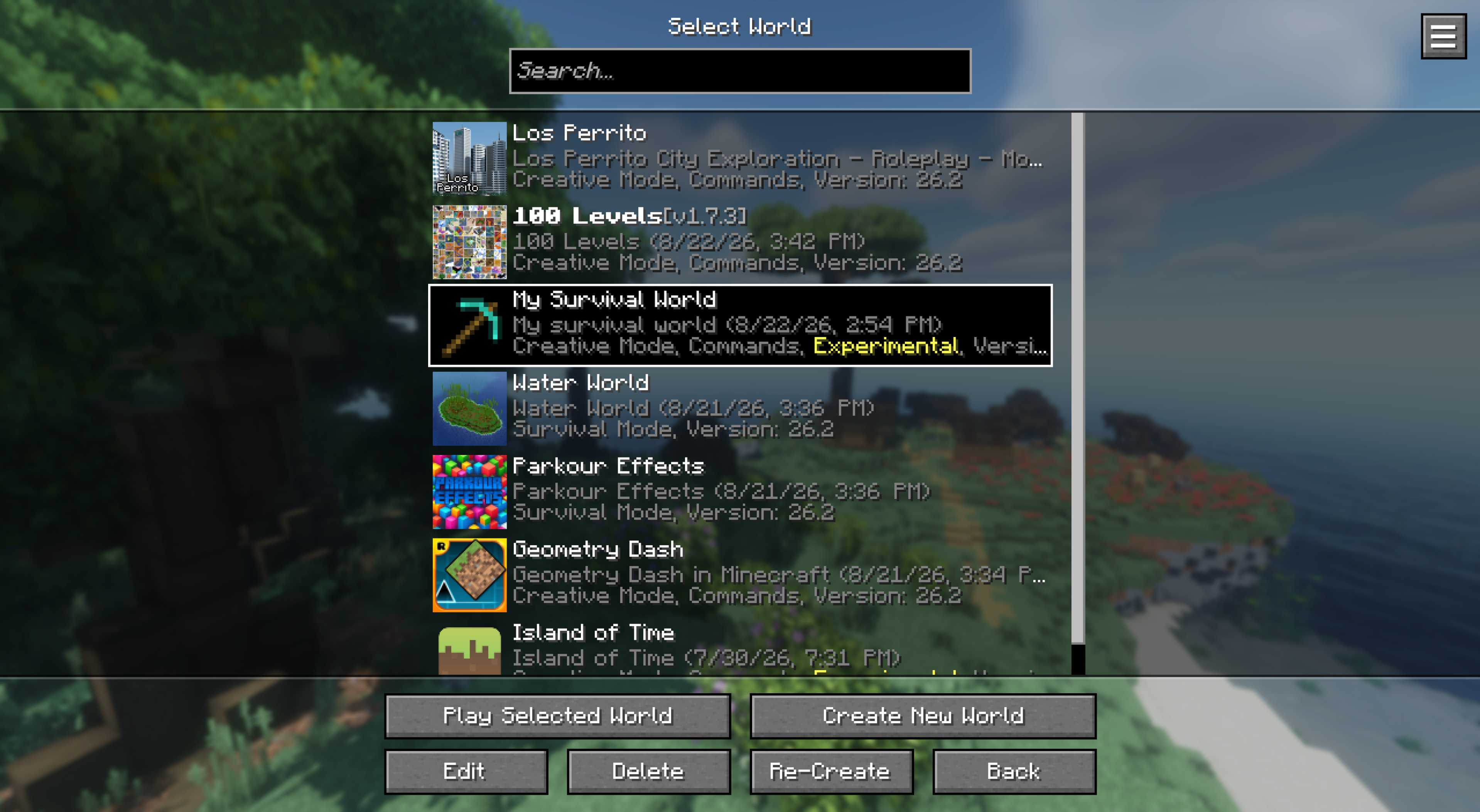
See your world in the world & server list before joining! The panorama adapts to where you left. More panorama settings
截图
介绍
🌄 Show My World
Your worlds as the title screen panorama.
Selecting a world or server displays your world in the panorama, directly where you left the last time!
Tiered of the vanilla panorama? Set your last played world or a random every time as default!
Settings
Supports shaders, mods & resource-packs out of the box!
| Setting | What it does |
|——————|————————————————————————|
| Auto Capture | Capture on world leave |
| Default Panorama | What shows with nothing selected: Vanilla, Last Played or Random |
| Fade (ms) | Cross-fade length, 0 switches instantly |
| Toggle | Toggle off override for testing |
Config lives in config/showmyworld/settings.json or via ModMenu.
Panoramas are saved in <world>/panorama/screenshots/ in vanilla format,
place your own panorama in <world>/panorama/ to override auto-mode!
Directly integrated by Worlds with more useful world configurations & faster loading!
常见问题
Show My World 支持哪些 Minecraft 版本?
Show My World 支持 Minecraft Java 版 1.21.1–26.3,共 7 个版本,可用的加载器:Fabric / NeoForge / Quilt。下载时注意选择和你游戏版本一致的文件。
Show My World 怎么安装?
先用 PCL2 或 HMCL 启动器安装对应版本的 Fabric / NeoForge / Quilt,再把下载的 .jar 文件放进游戏目录的 mods 文件夹,重新启动游戏即可。开启了版本隔离的,mods 文件夹在 versions/版本名 下面。运行环境:仅客户端。
Miraculixx 的其他作品
查看全部 →
VeinMiner
挖掉单个矿石/方块即可连锁挖掘整条矿脉,让枯燥的挖矿过程变得满足又有趣!FTB Ultimine 的替代方案

VeinMiner Hotkey
连锁挖矿附属 - 使用快捷键进行连锁挖矿,带动态准星与方块高亮

VeinMiner Enchantment
连锁挖矿附加 - 为附魔台添加连锁挖矿附魔。只有带有该附魔的工具才能进行连锁挖矿

Silk
Kotlin Minecraft API——面向 Fabric、Quilt 和 Paper
评论
登录后评论和评分