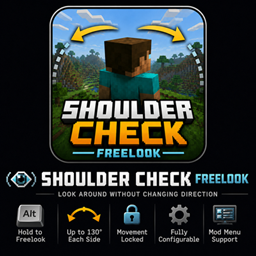
ShoulderCheck+
Hold a hotkey while moving and your character will continue that movement path, and allow you to look over your shoulder 130° to the left and to the right
介绍
Shoulder Check+ — Freelook
Shoulder Check+ is a lightweight client-side freelook mod that lets you check your surroundings without changing the direction your character is facing or moving.
Hold the freelook key to rotate the camera independently while your movement remains locked in its original direction. Release the key to return smoothly to your normal view.
The default camera limit allows you to look up to 130 degrees in either direction, giving you a wide view over both shoulders without allowing you to look directly behind yourself.
Features
- Hold Left Alt to activate freelook
- Look up to 130° left or right
- Continue walking and sprinting in your original direction
- Smoothly return to your forward view when the key is released
- Prevents full rear-facing camera rotation
- Automatically cancels freelook when attacking or interacting
- Rebindable through Minecraft’s normal Controls menu
- Optional Mod Menu configuration screen
- Works on multiplayer servers without server installation
- No gameplay, movement-speed, reach, or server-side rotation changes
Installation
Shoulder Check+ is completely client-side.
You can use it on vanilla servers and Fabric servers that do not have the mod installed.
Default Controls
- Freelook: Left Alt
The key can be changed through:
- Minecraft Controls
- Mod Menu, when installed
Configuration
With Mod Menu installed, you can adjust settings such as:
- Freelook key
- Horizontal look range
- Vertical camera limits
- Camera sensitivity
- Smooth or instant return
- Return speed
- Crosshair visibility
- First-person hand visibility
- Third-person support
Dependencies
Required
- Fabric Loader
- Fabric API
Optional
- Mod Menu
常见问题
ShoulderCheck+ 支持哪些 Minecraft 版本?
ShoulderCheck+ 支持 Minecraft Java 版 1.20.1–26.2,共 3 个版本,可用的加载器:Fabric。下载时注意选择和你游戏版本一致的文件。
ShoulderCheck+ 怎么安装?
先用 PCL2 或 HMCL 启动器安装对应版本的 Fabric,再把下载的 .jar 文件放进游戏目录的 mods 文件夹,重新启动游戏即可。开启了版本隔离的,mods 文件夹在 versions/版本名 下面。
Apricats 的其他作品
查看全部 →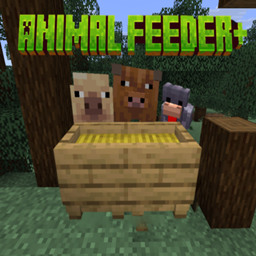
Animal Feeder+
Animal Feeder+ 添加了一个简易食槽,可自动喂食附近的农场动物,让牲畜照料更轻松,也不用再逐只喂食。
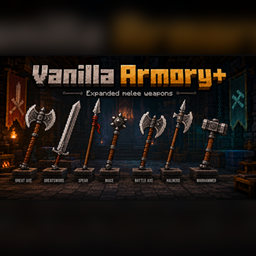
Vanilla Armory+
一个为游戏带来 7 种新近战武器的模组。
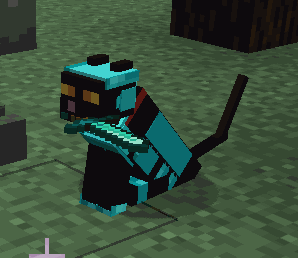
Cat Companions+
Cat Companions+将Minecraft的可驯服猫扩展为有用的冒险伙伴。猫可以装备自定义盔甲和武器,让它们与主人并肩作战,同时保留原版猫的熟悉行为和个性。
Vein Miner +
我制作的一个模组,用于快速开采矿脉,以及挖掘黏土和砂砾!
评论
登录后评论和评分