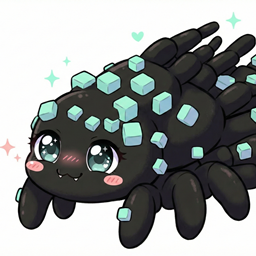
Shoggoth Pacifier
作者:Greaatness
Replaces AbyssalCraft Shoggoths with a less world-destructive variant.
介绍
中文介绍正在准备中,下面暂时显示原文。
Shoggoth Pacifier is a utility mod designed for AbyssalCraft players who want to farm Shoggoths without the chaos. It replaces the naturally spawning Lesser Shoggoths with a “Pacified” variant that retains the loot and progression mechanics but removes the destructive behaviors.
Key Feature
- No More Ooze: Pacified Shoggoths are prevented from spreading Ooze on the ground, keeping your farm clean and lag-free.
- Safe Acid Projectiles: The mod intercepts the Shoggoth’s acid attacks. They still deal damage to players and mobs, but the projectiles will no longer destroy blocks upon impact. Your walls are safe.
- Mob Stacking: Entity collision have been disabled.
Custom Monolith Generation:
- Trigger: Shoggoths now construct Monoliths exclusively on top of Obsidian.
- For a passive Flesh Farm, use any floor block except Obsidian.
- For a Statue/Monolith Farm, use an Obsidian floor.
- Structure: Generates a compact 1×1 pillar (5 to 7 blocks high) topped with a statue, instead of the massive 3×3 structure.
- Anti-Grief: The generation checks for air/replaceable blocks only. It will never overwrite your farm structure or ceiling.
This mod relies on specific code structures and strictly requires AbyssalCraft version 1.12.2-1.10.4. It may not work with other versions.
The mod was created specifically for the Divine Journey 2 modpack :
https://www.curseforge.com/minecraft/modpacks/divine-journey-2
CONFIGURATION: If you’re also downloading it for DJ2 don’t forget to activate Lairs in the AbyssalCraft config (either via the config file or directly in the in-game Mod Options). This is required for Shoggoth lairs to generate in the overworld.
常见问题
Shoggoth Pacifier 支持哪些 Minecraft 版本?
Shoggoth Pacifier 支持 Minecraft Java 版 1.12.2,可用的加载器:Forge。下载时注意选择和你游戏版本一致的文件。
Shoggoth Pacifier 怎么安装?
先用 PCL2 或 HMCL 启动器安装对应版本的 Forge,再把下载的 .jar 文件放进游戏目录的 mods 文件夹,重新启动游戏即可。开启了版本隔离的,mods 文件夹在 versions/版本名 下面。
评论
登录后评论和评分