
Stoneworks HUD chat
An unofficial mod that displays your current selected Stoneworks channel in your HUD.
截图

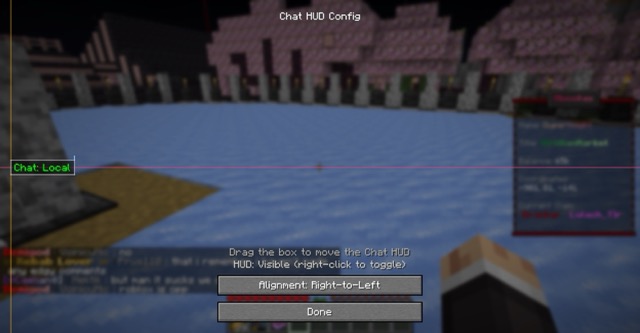

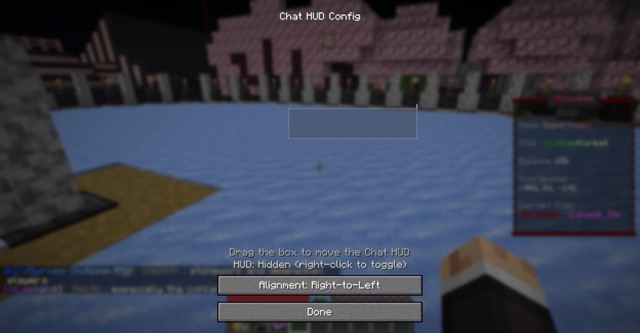
介绍
Stoneworks HUD Chat
An unofficial Fabric client mod that displays your currently selected chat channel in your HUD. Designed mainly for Stoneworks but works on other RedisChat-based servers via manual user configuration.
Features
- Current channel shown on-screen with colorized prefix
- In-game HUD config screen: drag to move, resize via handles, snap to edges/center
- Alignment modes: left-to-right, center, right-to-left
- Scale control with clamped min/max for readability
- Visibility toggle keybind
- Auto-detects server channel changes and updates the HUD
- Config persisted to
config/stoneworks_chat.json
Keybinds
- Open HUD Config:
H - Toggle HUD Visibility:
V
You can change keybinds in Minecraft Controls.
Config
Location: config/stoneworks_chat.json
currentChannel: string key of the current channelchannels: map of channel key -> objectdisplay: string shown in the HUD prefixcolor: one ofwhite|green|light_red|cyan|red|yellowaliases: array of strings (e.g., [“/g”, “/global”]) used to detect channel switchesuiName: optional UI-friendly namehudX,hudY: alignment coordinates (depend on alignment mode)textAlign:ltr|center|rtlhudScale: float between 0.75 and 4.0hudVisible: booleanhudAnchorX: optionalLEFT|CENTER|RIGHThudAnchorY: optionalTOP|CENTER|BOTTOMhudOffsetX,hudOffsetY: pixel offsets from the chosen anchorsshowHudTutorial: boolean
Defaults for Stoneworks channels are added automatically if missing.
常见问题
Stoneworks HUD chat 支持哪些 Minecraft 版本?
Stoneworks HUD chat 支持 Minecraft Java 版 1.21.4–1.21.8,共 3 个版本,可用的加载器:Fabric。下载时注意选择和你游戏版本一致的文件。
Stoneworks HUD chat 怎么安装?
先用 PCL2 或 HMCL 启动器安装对应版本的 Fabric,再把下载的 .jar 文件放进游戏目录的 mods 文件夹,重新启动游戏即可。开启了版本隔离的,mods 文件夹在 versions/版本名 下面。运行环境:仅客户端。
DuperKnight 的其他作品
查看全部 →
Duper’s Auto Walk
A simple mod that allows you to walk without holding the forward key.

Aurus: Novae Terrae
Aurus is a not so vanilla-friendly Adventure mod

Duper’s Auto Walk: Barebones
A simple mod that allows you to auto walk through your minecraft worlds!

Stoneworks Boss Timer
A simple QoL mod for Stoneworks Nether that adds a Boss Timer to the HUD
评论
登录后评论和评分