
截图
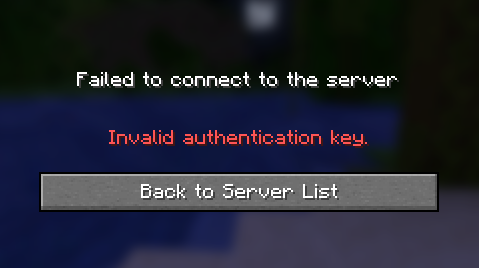
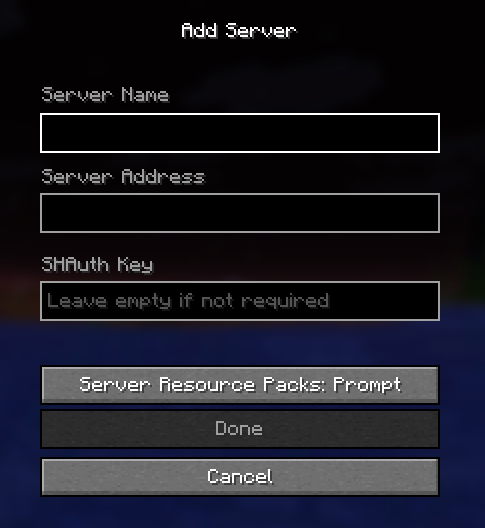
介绍
中文介绍正在准备中,下面暂时显示原文。
Usage
This mod provides a more advanced way to protect your server. It is used on servers that have online-mode to false in order to prevent account stealing and player coordinate leakage.
How it works
When a player tries to connect to a server, SHAuth contacts the server and verifies that the connecting player provides a valid key tied to their username. If the key is valid, the connection proceeds, otherwise the player is kicked.

What it safeguards against
- In servers that have online-mode to false, anyone can pick any username and impersonate another player. SHAuth prevents attackers from joining as someone else.
- Most log-in systems require you to first connect to the server and then log-in. This process allows an attacker to access information like the player’s cordinates, which can be frustrating in competitive servers. However, SHAuth requires valid credentials before granting access.
How to use it
- An operator first creates a key tied to your account by doing /shauth authorize .
- The player enters the key in in the server’s properties menu under the server address.

Commands
- /shauth authorize – Assigns a key to a player which grants them access to the server.
- /shauth unauthorize – Invalidates the key assigned to a player which revokes their access to the server.
- /shauth reset – Reassigns a key to a player, invalidating the old one (useful if the key gets leaked).
- /shauth list – Shows the list of players which have been assigned keys.
- /shauth help – Shows a message containing all the commands.
常见问题
SHAuth 支持哪些 Minecraft 版本?
SHAuth 支持 Minecraft Java 版 1.21.11–26.3,共 6 个版本,可用的加载器:Fabric。下载时注意选择和你游戏版本一致的文件。
SHAuth 怎么安装?
先用 PCL2 或 HMCL 启动器安装对应版本的 Fabric,再把下载的 .jar 文件放进游戏目录的 mods 文件夹,重新启动游戏即可。开启了版本隔离的,mods 文件夹在 versions/版本名 下面。运行环境:客户端 / 服务端。
评论
登录后评论和评分