
Shared Pets
Share ownership of tamed wolves and cats with other players via in-game GUI — co-owners, follow modes, ownership transfer, multiplayer-ready.
截图
介绍
Shared Pets
Share your tamed wolves and cats with other players!
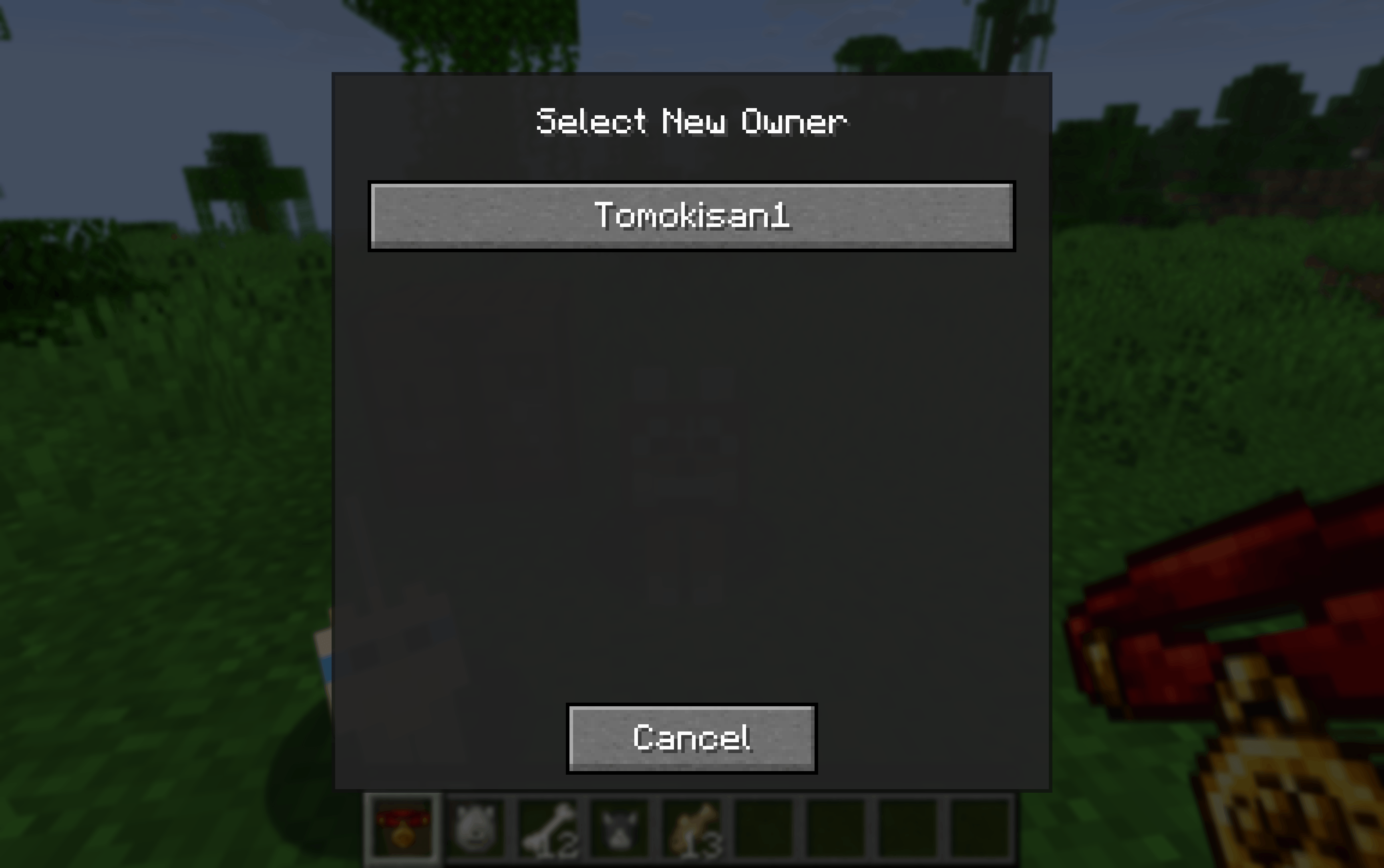
Shared Pets lets multiple players co-own tamed animals on a server. Assign co-owners, configure follow modes, and transfer full ownership — all through an in-game GUI, without any commands.
✨ Features
👥 Co-ownership
-
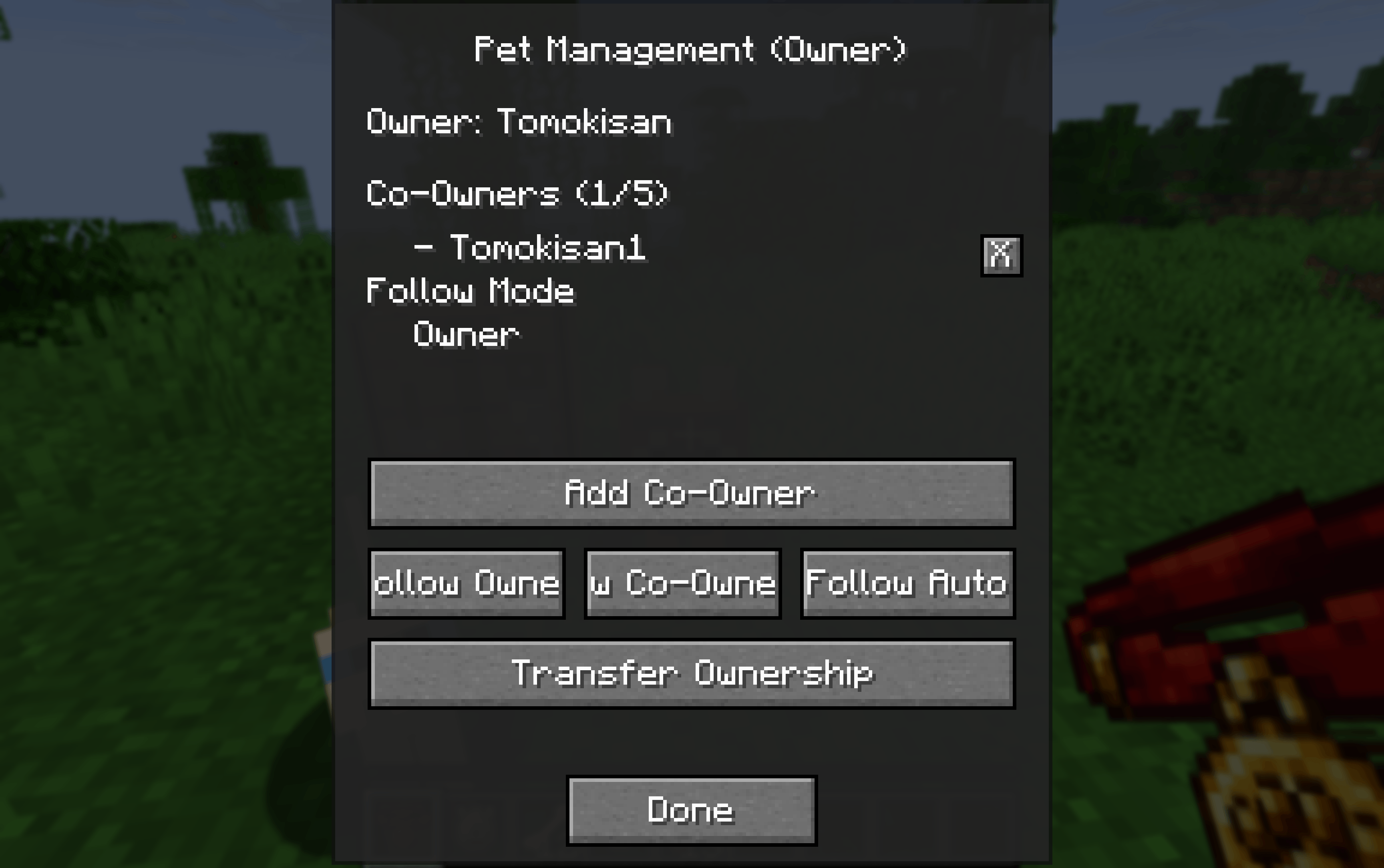
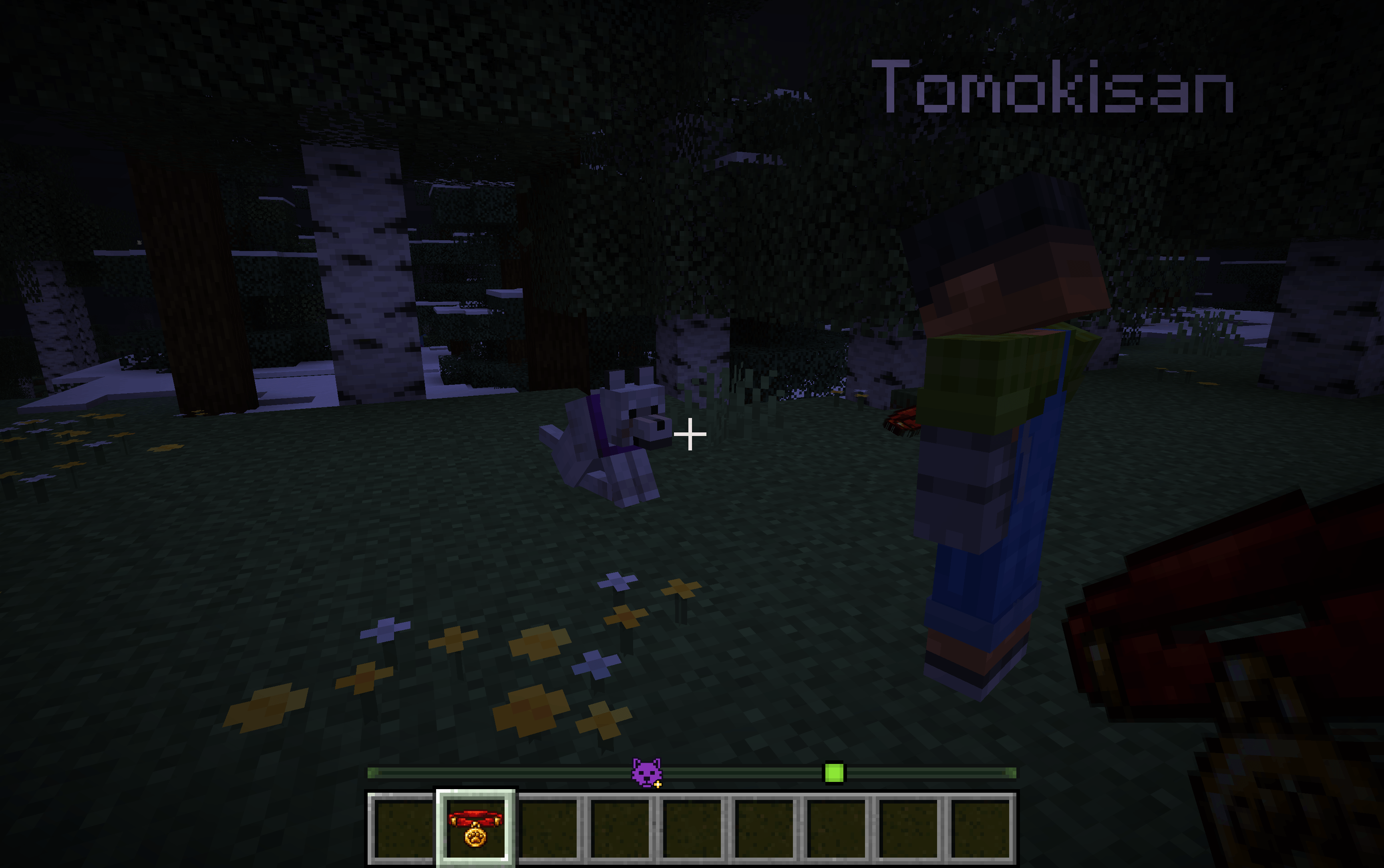
Craft a Shared Collar and right-click your tamed wolf or cat to open the management GUI
-
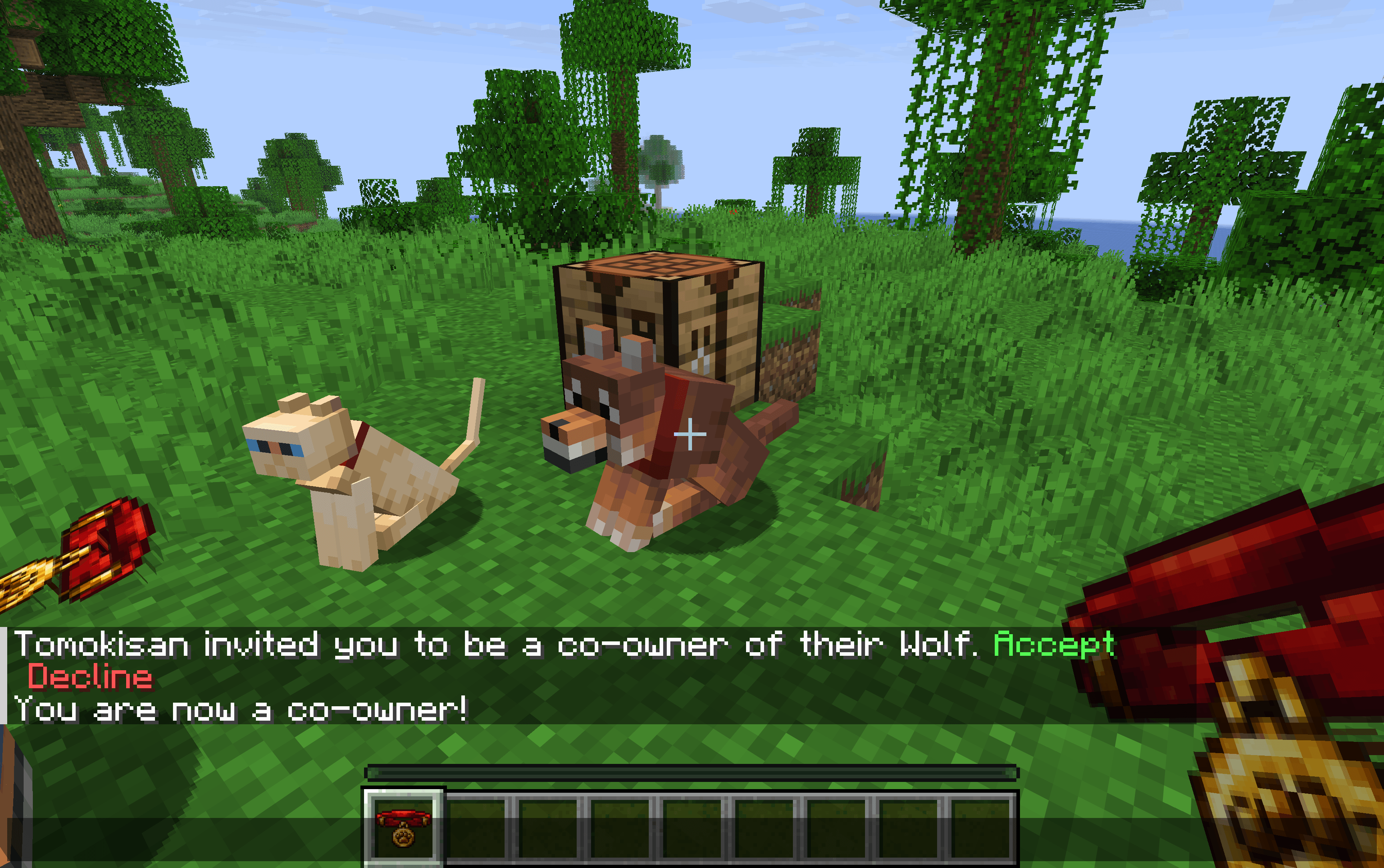
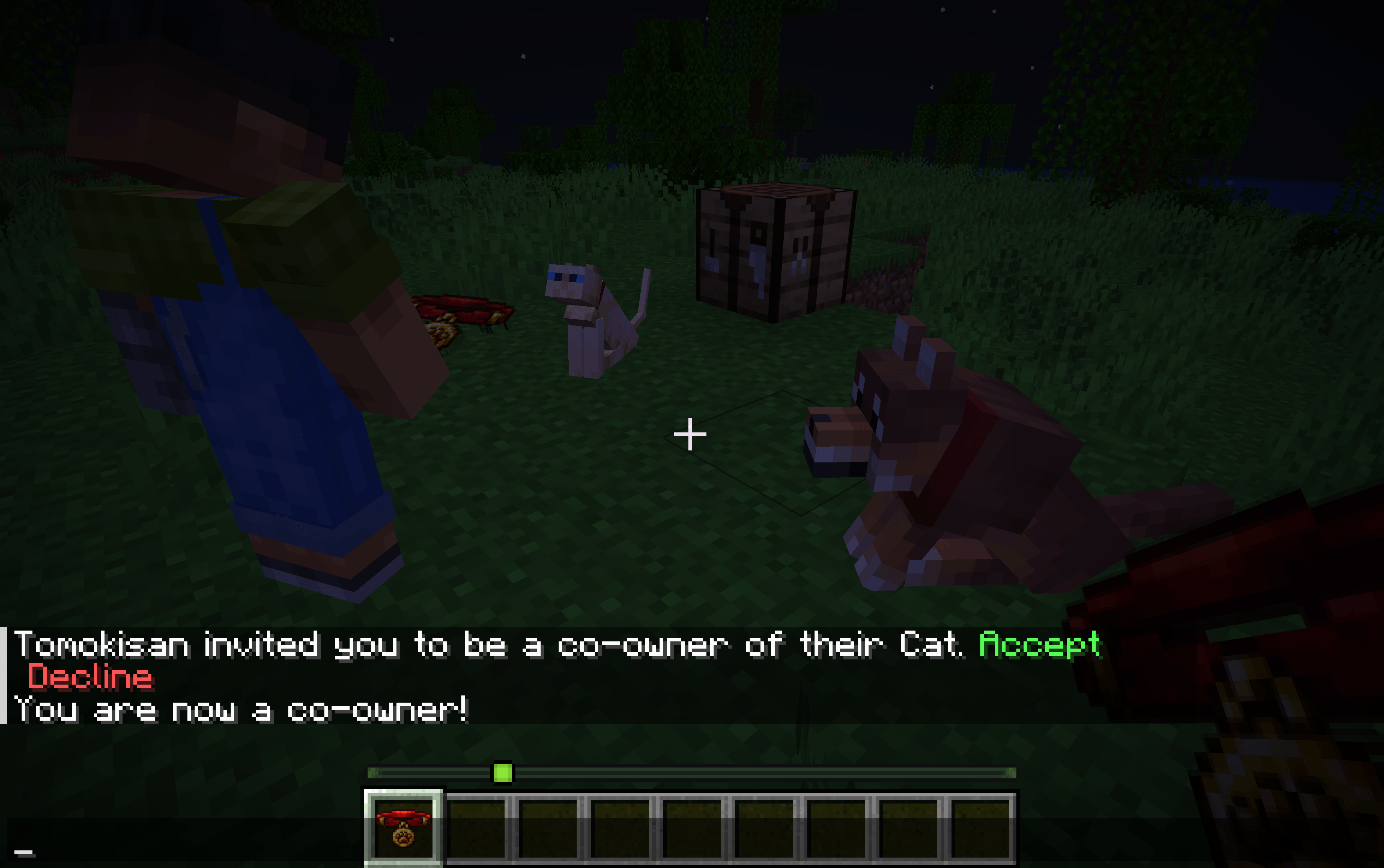
Invite up to 5 co-owners per pet — they receive a clickable chat message to [Accept] or [Decline]
-
Co-owners can sit / stand the pet just like the owner
-
Invitations expire automatically after 60 seconds
🔁 Ownership Transfer
-
Transfer full ownership to another online player
-
The target must [Accept] or [Decline] via chat
-
On acceptance: the new owner takes over and the co-owner list is reset
🐺 Wolf Follow Modes (configurable per wolf)
Mode Behaviour Owner Follows the main owner (falls back to a co-owner if owner is offline) Co-Owner Follows a specific co-owner you select Auto Follows the nearest owner or co-owner Wolves also defend all owners and co-owners and assist when any of them attacks — owners and co-owners can never be targeted by their own wolf.
🐱 Cat Support
-
Co-owners can sit / stand cats
-
Cats follow co-owners when the main owner is offline
🌐 Multiplayer-friendly
-
Everything works when the main owner is offline
-
Data is saved via NBT directly on the entity — no extra files needed
-
Fully synced between server and clients
📖 How to Use
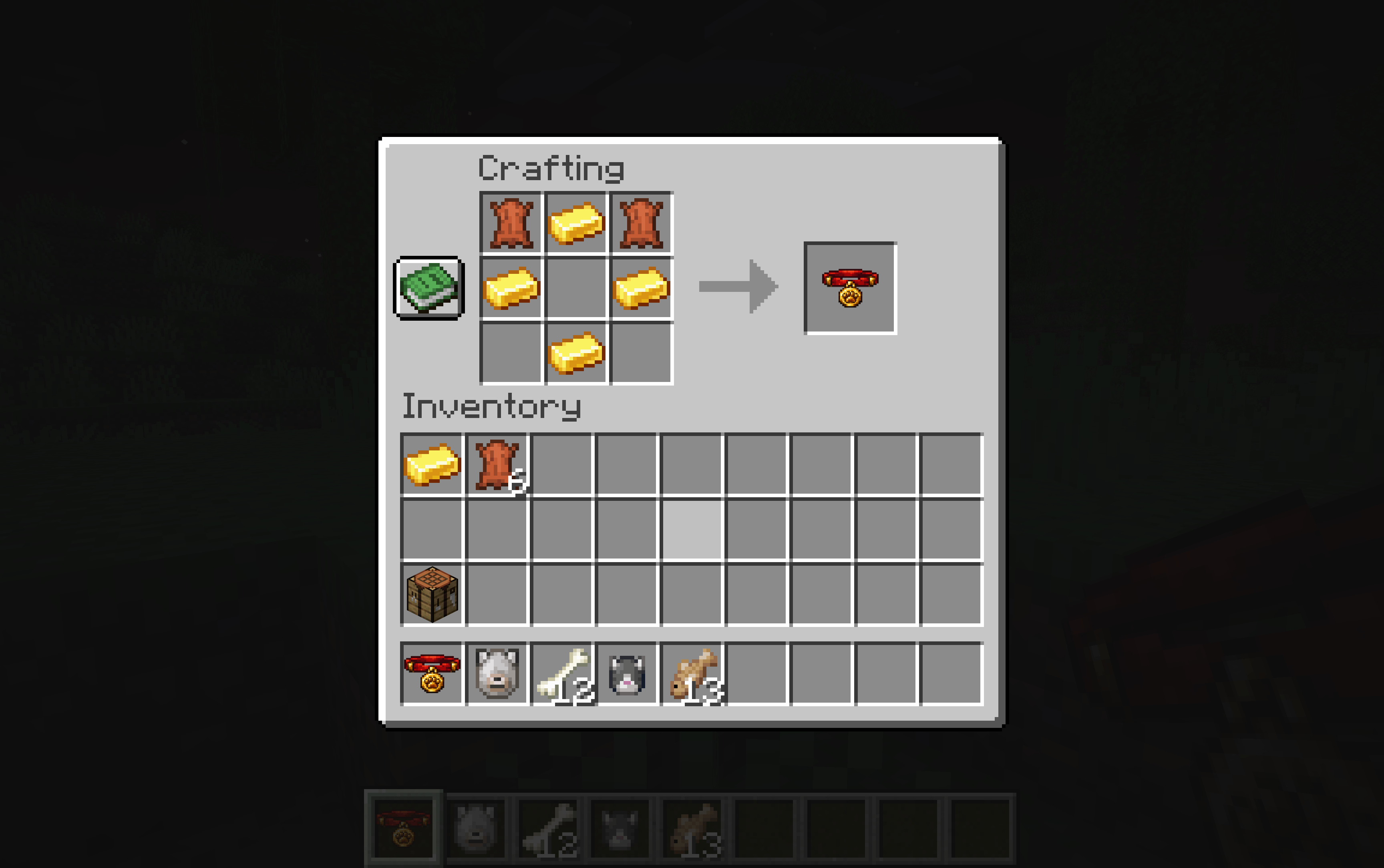
- Craft a Shared Collar (2 Leather + 4 Gold Ingots)
- Right-click your tamed wolf or cat while holding the collar
- Use the GUI to:
- Invite co-owners (they get a clickable chat notification)
- Configure wolf follow mode
- Transfer ownership
🌍 Translations
English · Français · Español · Deutsch · Italiano · Português (BR)
🔧 Compatibility
| Minecraft | Fabric | Forge | NeoForge |
|---|---|---|---|
| 1.20.1 – 1.20.4 | ✅ | ✅ | — |
| 1.20.5 – 1.20.6 | ✅ | — | ✅ |
| 1.21.1 | ✅ | — | ✅ |
| 1.21.11 | ✅ | — | ✅ |
| 26.1 – 26.1.2 | ✅ | — | ✅ |
| 26.2.x | ✅ | — | ✅ |
| 26.3.x | ✅ | — | ✅ |
Required on both client and server. The GUI screens (owner management, co-owner selection, ownership transfer) run client-side.
常见问题
Shared Pets 支持哪些 Minecraft 版本?
Shared Pets 支持 Minecraft Java 版 1.20.1–26.3,共 13 个版本,可用的加载器:Fabric / Forge / NeoForge。下载时注意选择和你游戏版本一致的文件。
Shared Pets 怎么安装?
先用 PCL2 或 HMCL 启动器安装对应版本的 Fabric / Forge / NeoForge,再把下载的 .jar 文件放进游戏目录的 mods 文件夹,重新启动游戏即可。开启了版本隔离的,mods 文件夹在 versions/版本名 下面。
Tomokisan 的其他作品
查看全部 →
Shared Pets
Share your tamed wolves and cats with friends! Add co-owners, configure follow modes, transfer ownership — all via in-game GUI. Works even when the main owner is offline. Supports : Fabric, Forge & NeoForge.

Pets Locator
See your tamed wolves and cats directly on the vanilla locator bar, with collar color tinting.

Sketchy Books
Sketchy Books lets you draw pixel-art sketches directly inside Books & Quills, turning them into illustrated journals.

Phantom Utilities
Create invisible item frames and hide vanilla signs with Phantom Membranes, without losing displayed items or text.
评论
登录后评论和评分