
Setsumeisho
Recreate the instructions from Eufonia Studios that were used in Squid Craft Games and DEDsafio
截图
介绍
Setsumeisho
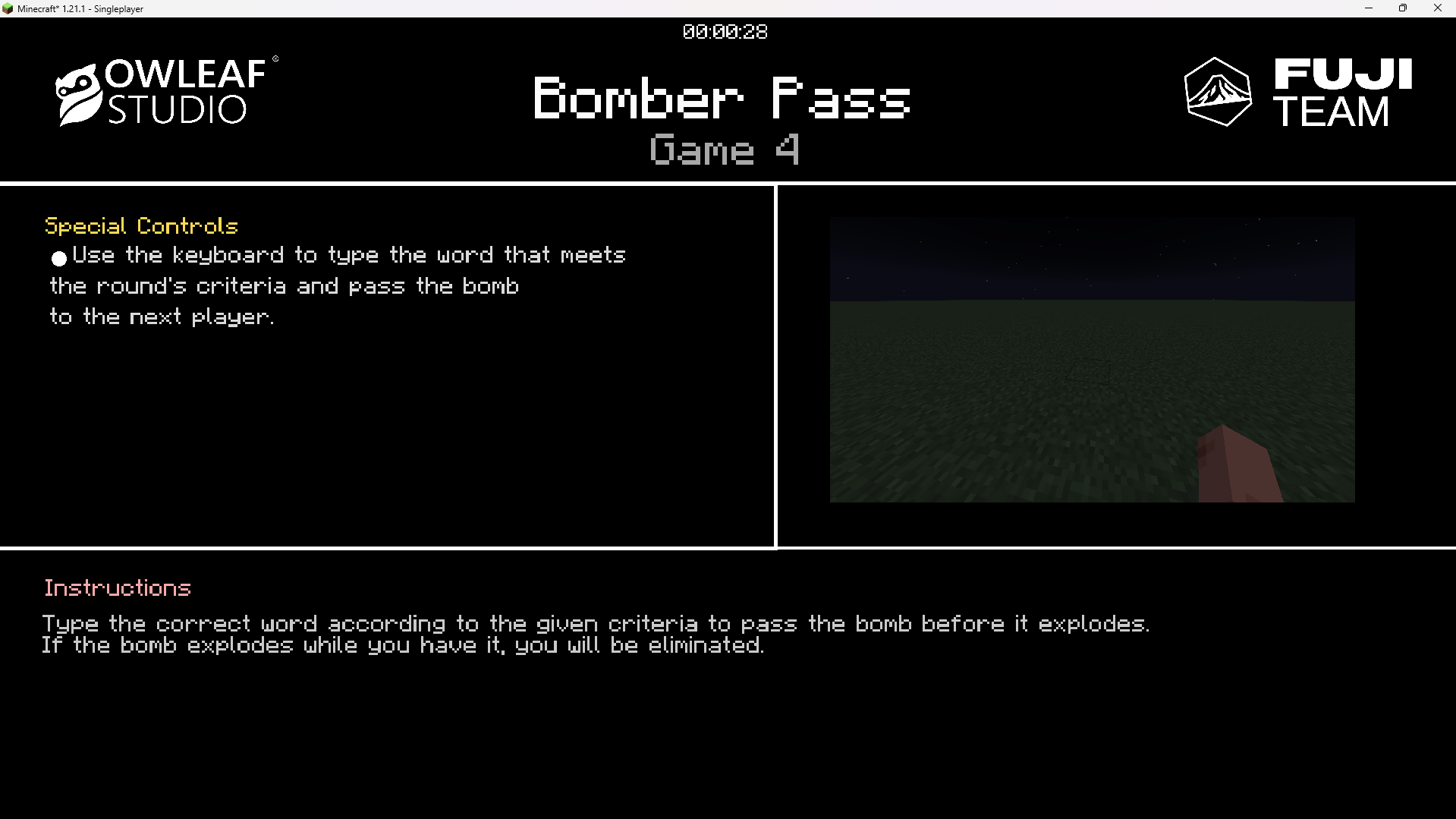
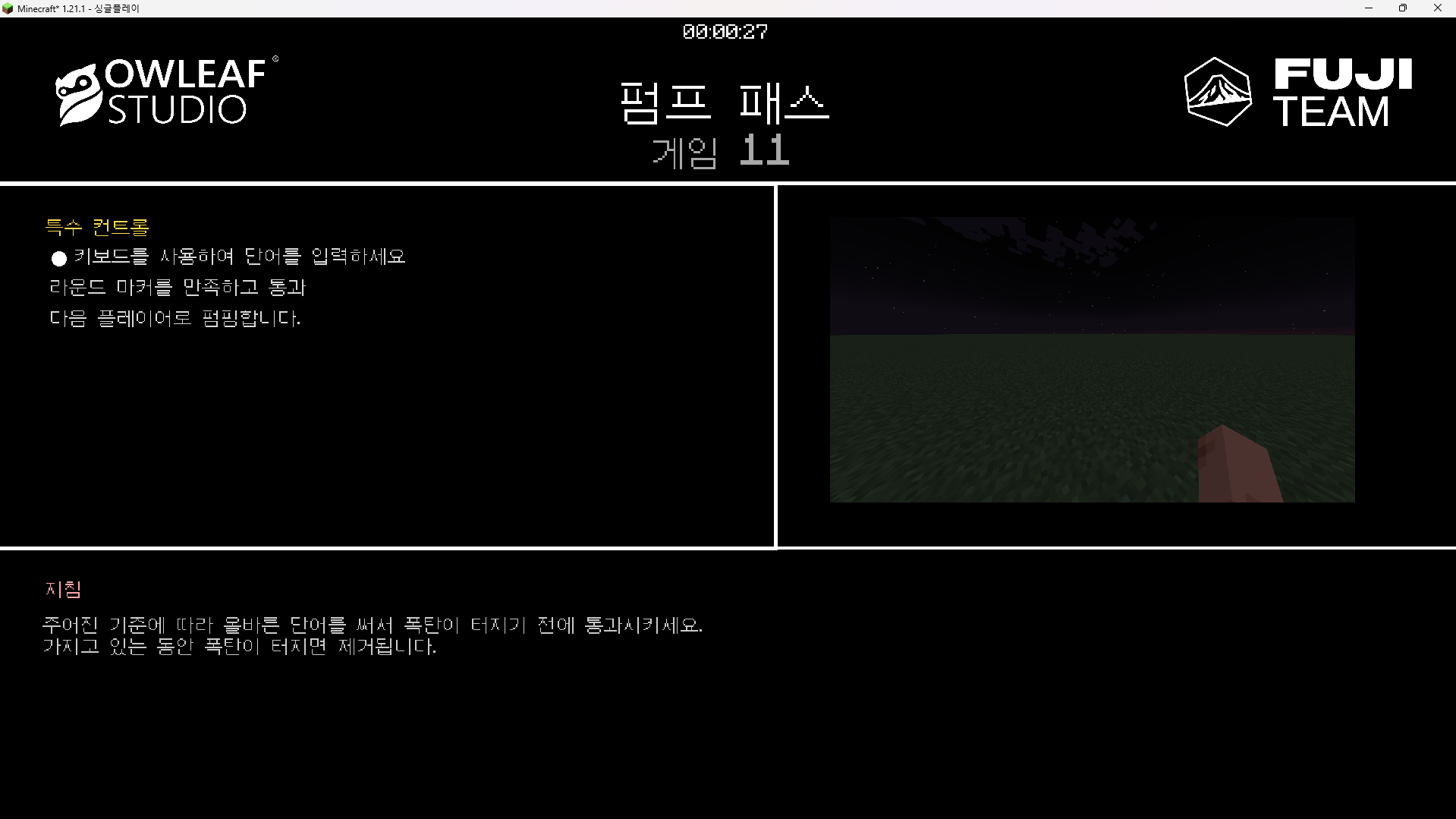
A Minecraft mod that displays in-game instruction overlays to players, designed for minigames and events. The server sends instruction screens to clients showing controls, descriptions, and timers — with optional auto-translation, cinematic sequences, and keyboard icon rendering.
Features
- Instruction overlay with title, subtitle, controls, and description sections
- Custom keyboard/icon font rendered inside the overlay
- Per-language content: each instruction file supports multiple
langentries (es,en, etc.) - Auto-translation via the MyMemory API (optional)
- Pre-translation cache so players receive content in their language on open
- Minimize/restore animation via a post-process shader
- Timer display with configurable countdown
- Cinematic support: run console commands on a schedule when an instruction opens
- Background texture support sent from server to client
Installation
- Place the mod JAR in the
mods/folder. - Start the server once to generate the default configuration file at
config/setsumeisho/default.json.
Commands
All commands require operator permissions (level 2+).
| Command | Description |
|—|—|
| /setsumeisho open <file> | Opens the named instruction screen for the executing player |
| /setsumeisho open <file> <player> | Opens the instruction screen for a specific player |
| /setsumeisho close | Closes the currently open instruction overlay |
| /setsumeisho create <name> | Creates a new template JSON file at config/setsumeisho/<name>.json |
| /setsumeisho pretranslate <file> | Pre-translates the instruction file and caches the result |
Configuration
All instruction files live in config/setsumeisho/. Each file is a JSON array with three objects: the language entries, the config block, and the cinematics block.
Structure
[
  {
    "lang": "es",
    "title": "TÍTULO",
    "subtitle": "Subtítulo",
    "title_controls": "Controles Especiales",
    "title_description": "Instrucciones",
    "controls": [
      "[[ICON:LEFT_CLICK]] Descripción del control.",
      "[[ICON:SPACE]] Otro control."
    ],
    "description": "Descripción del objetivo del minijuego."
  },
  {
    "lang": "en",
    "title": "TITLE",
    "subtitle": "Subtitle",
    "title_controls": "Special Controls",
    "title_description": "Instructions",
    "controls": [
      "[[ICON:LEFT_CLICK]] Control description.",
      "[[ICON:SPACE]] Another control."
    ],
    "description": "Minigame objective description."
  },
  {
    "config": {
      "timer": "00:00:10",
      "minimize_scale": [0.36, 0.356],
      "minimize_position": [0.57, 0.395],
      "title_pos": [0.5, 0.08],
      "subtitle_pos": [0.5, 0.15],
      "title_controls_pos": [0.02, 0.2],
      "controls_pos": [0.5, 0.25],
      "title_description_pos": [0.02, 0.65],
      "description_pos": [0.05, 0.7],
      "title_scale": 4.0,
      "subtitle_scale": 3.0,
      "title_controls_scale": 1.6,
      "controls_scale": 1.6,
      "title_description_scale": 1.6,
      "description_scale": 1.6,
      "timer_pos": [0.5, 0.01],
      "timer_scale": 1.45
    }
  },
  {
    "cinematics": {
      "commands": [
        "console_command: cam-server start wawa @a 10s",
        "wait: 10s",
        "console_command: say La cinemática ha finalizado."
      ]
    }
  }
]
Language entries
| Field | Description |
|—|—|
| lang | Language code (es, en, etc.) — matched to the client’s language setting |
| title | Main title shown at the top of the overlay |
| subtitle | Subtitle shown below the title |
| title_controls | Section header for the controls list |
| controls | Array of control descriptions; supports [[ICON:KEY]] placeholders and \n line breaks |
| title_description | Section header for the description block |
| description | Body text for the description section |
Icon placeholders
Use [[ICON:KEY_NAME]] inside controls or description strings to embed keyboard/mouse icons. Examples:
[[ICON:LEFT_CLICK]][[ICON:RIGHT_CLICK]][[ICON:SPACE]][[ICON:CTRL]][[ICON:W]],[[ICON:A]],[[ICON:S]],[[ICON:D]]
Text formatting
Inside any text field you can use:
&<code>— Minecraft chat formatting codes (e.g.&lbold,&cred)#RRGGBB— Inline hex color
Config block
All position values are normalized screen coordinates [x, y] where (0, 0) is top-left and (1, 1) is bottom-right.
| Field | Type | Description |
|—|—|—|
| timer | "HH:MM:SS" | Countdown duration shown at the top |
| timer_pos | [x, y] | Timer position |
| timer_scale | float | Timer text scale |
| minimize_scale | [x, y] | Scale of the minimized state widget |
| minimize_position | [x, y] | Position of the minimized widget |
| title_pos | [x, y] | Title position |
| title_scale | float | Title text scale |
| subtitle_pos | [x, y] | Subtitle position |
| subtitle_scale | float | Subtitle text scale |
| title_controls_pos | [x, y] | Controls section header position |
| title_controls_scale | float | Controls section header scale |
| controls_pos | [x, y] | Controls list position |
| controls_scale | float | Controls list text scale |
| title_description_pos | [x, y] | Description section header position |
| title_description_scale | float | Description section header scale |
| description_pos | [x, y] | Description body position |
| description_scale | float | Description body text scale |
Cinematics block
The commands array runs sequentially when the instruction screen opens.
| Prefix | Example | Description |
|—|—|—|
| console_command: | console_command: say Hello | Runs a server command |
| wait: | wait: 5s | Waits the specified time before the next command |
Translation
The mod can auto-translate instruction content using the MyMemory free API. Configure this in config/setsumeisho/translation.json:
{
  "enabled": false,
  "source_lang": "es",
  "api_key": ""
}
Use /setsumeisho pretranslate <file> to pre-generate translations and cache them, so clients receive content in their own language without latency when the screen opens.
常见问题
Setsumeisho 支持哪些 Minecraft 版本?
Setsumeisho 支持 Minecraft Java 版 1.20.1–1.21.1,共 3 个版本,可用的加载器:Bukkit / Fabric / Forge / Paper / Purpur / Spigot。下载时注意选择和你游戏版本一致的文件。
Setsumeisho 怎么安装?
先用 PCL2 或 HMCL 启动器安装对应版本的 Bukkit / Fabric / Forge / Paper / Purpur / Spigot,再把下载的 .jar 文件放进游戏目录的 mods 文件夹,重新启动游戏即可。开启了版本隔离的,mods 文件夹在 versions/版本名 下面。运行环境:客户端和服务端都要装。
ELBGG 的其他作品
查看全部 →
Fuji Bars
"Recreate the intense final battle of the Squid Craft Games 2 between Sapnap and Shadoune666 with this mod! This mod accurately replicates the health bars as seen in the epic showdown, adding a touch of competitive Minecraft history to your game."

Topos Gulag Dedsafio3
This mod replicates the DEDsafio 3 gulag minigame "Hit the Bull"
Topos Gulag Dedsafio3
This mod replicates the DEDsafio 3 gulag minigame "Hit the Bull"

LDLib-Fabric
LDLib is a libarary mod for custom rendering, modular gui, but now in Fabric.
评论
登录后评论和评分