
截图
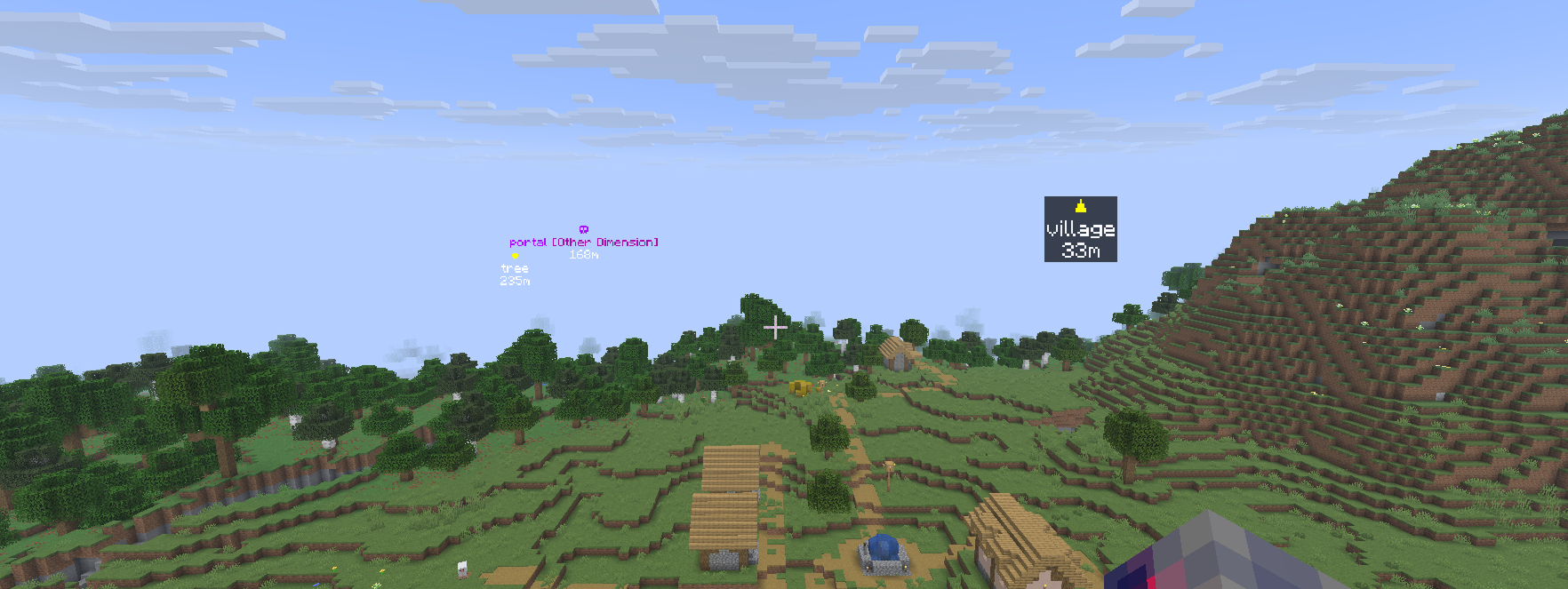
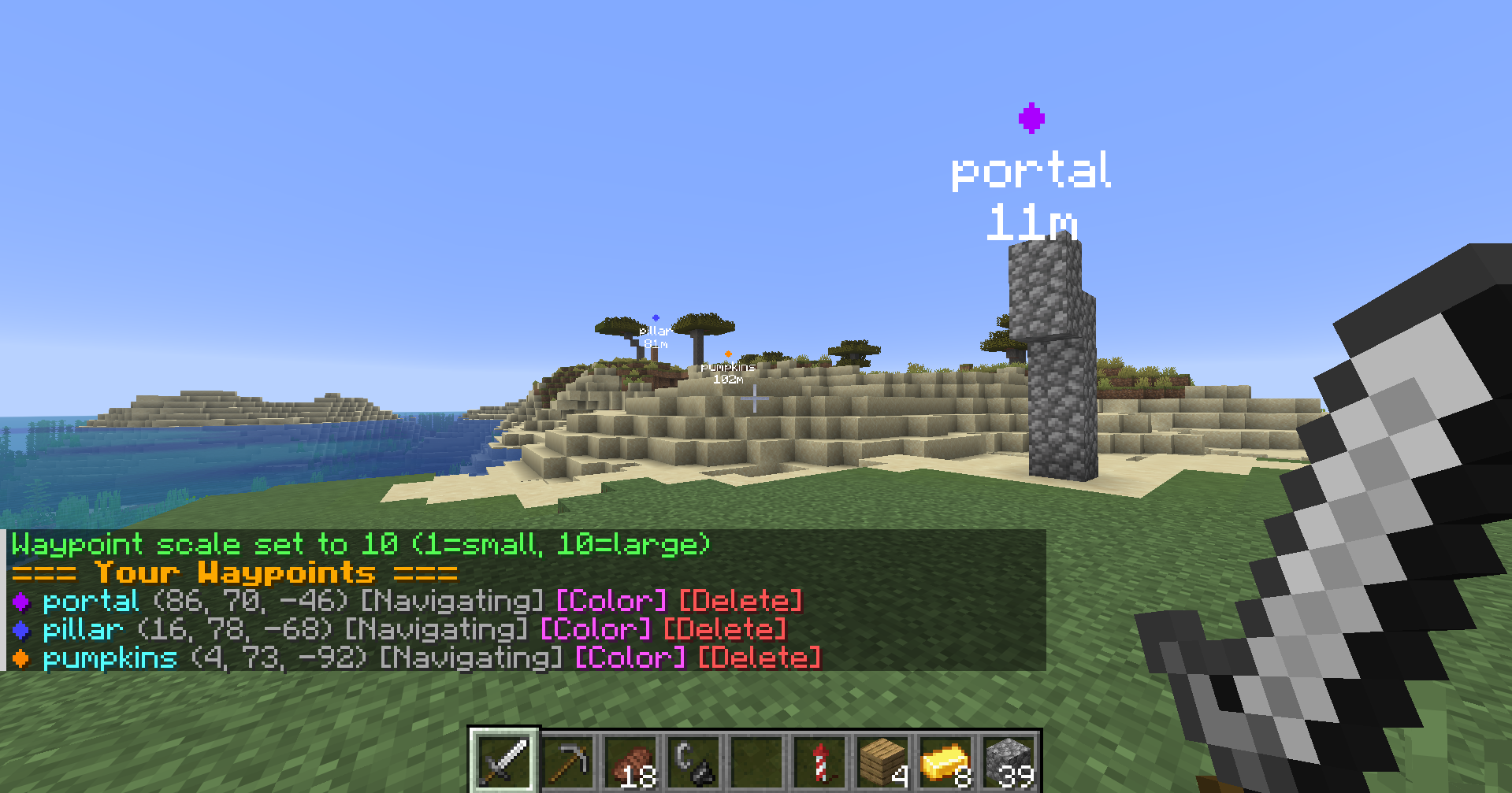
介绍
Overview
- server side only, that means only the server/host needs the mod.
You can create, share and navigate to waypoints.
- Every player/everyone on the server can see the same waypoint if you share it
- Cross Dimension navigation, Automatically translates between nether and overworld
- Collaborative Features, Share waypoints and locations with other players via clickable chat messages
Guide:
The main command you need is /waypoint list or /wpl. This will guide you with creating waypoints and provides a UI for most interaction.
By default you can have 5 waypoints shown at once (20 stored), this is configurable.
Purple text for Overworld waypoints (when in Nether)
Purple text for Nether waypoints (when in Overworld)
Shows real-time distance to waypoint
Commands
| Command | Shorthand | Description |
|———|———–|————-|
| /waypoint <name> | /wp <name> | Create waypoint |
| /waypoint navigate <name> | /wpn <name> | Navigate to waypoint |
| /waypoint list | /wpl | List all waypoints |
| /waypoint color <name> <color> | /wpc <name> <color> | Color waypoint |
| /waypoint delete <name> | /wpd <name> | Delete waypoint |
| /waypoint share <name> | /wps <name> | Share waypoint |
| /waypoint cancel <name> | /wpcancel <name> | Stop navigation |
| /wps | – | Share current location |
| /waypoint scale <1-10> | | Set waypoint display size(per client) |
| /waypoint admin | | Change server settings |
| /waypoint help | /wph | Show help |
Creating Waypoints
/waypoint <name>
/wp <name>
Creates a waypoint at your current location with the specified name.
Example: /wp home or /waypoint mining_area
Navigating to Waypoints
/waypoint navigate <name>
/wpn <name>
Starts navigation to the specified waypoint. A boss bar will appear showing direction and distance.
Example: /wpn home or /waypoint navigate mining_area
Listing Waypoints
/waypoint list
/wpl
Displays all your waypoints with clickable buttons to navigate or delete them.
Sharing Waypoints
/waypoint share <name>
/wps <name>
Shares a waypoint in chat with all players. Others can click to navigate to it or copy it to their own waypoints.
Example: /wps village or /waypoint share treasure_location
Sharing Current Location
/waypoint share
/wps
Shares your current coordinates in chat with a clickable navigate button (no waypoint name required).
Help Command
/waypoint help
/wph
Displays a summary of all available commands.
常见问题
ServerPoints 支持哪些 Minecraft 版本?
ServerPoints 支持 Minecraft Java 版 1.21.11–26.1.2,共 4 个版本,可用的加载器:Fabric。下载时注意选择和你游戏版本一致的文件。
ServerPoints 怎么安装?
先用 PCL2 或 HMCL 启动器安装对应版本的 Fabric,再把下载的 .jar 文件放进游戏目录的 mods 文件夹,重新启动游戏即可。开启了版本隔离的,mods 文件夹在 versions/版本名 下面。运行环境:仅服务端。
raderth 的其他作品
查看全部 →
Scalable
Get the most out of your hardware. Scalable optimises and puts the most important things first

Jukebox Fix
Jukeboxes actually play/resume playing when you enter their range or unload then load the chunk

DeadWeight
Server side mod that tells players death coordinates

Softborder
Softborder creates a worldborder beyond which the world can be easily reset
评论
登录后评论和评分