
Server Rules
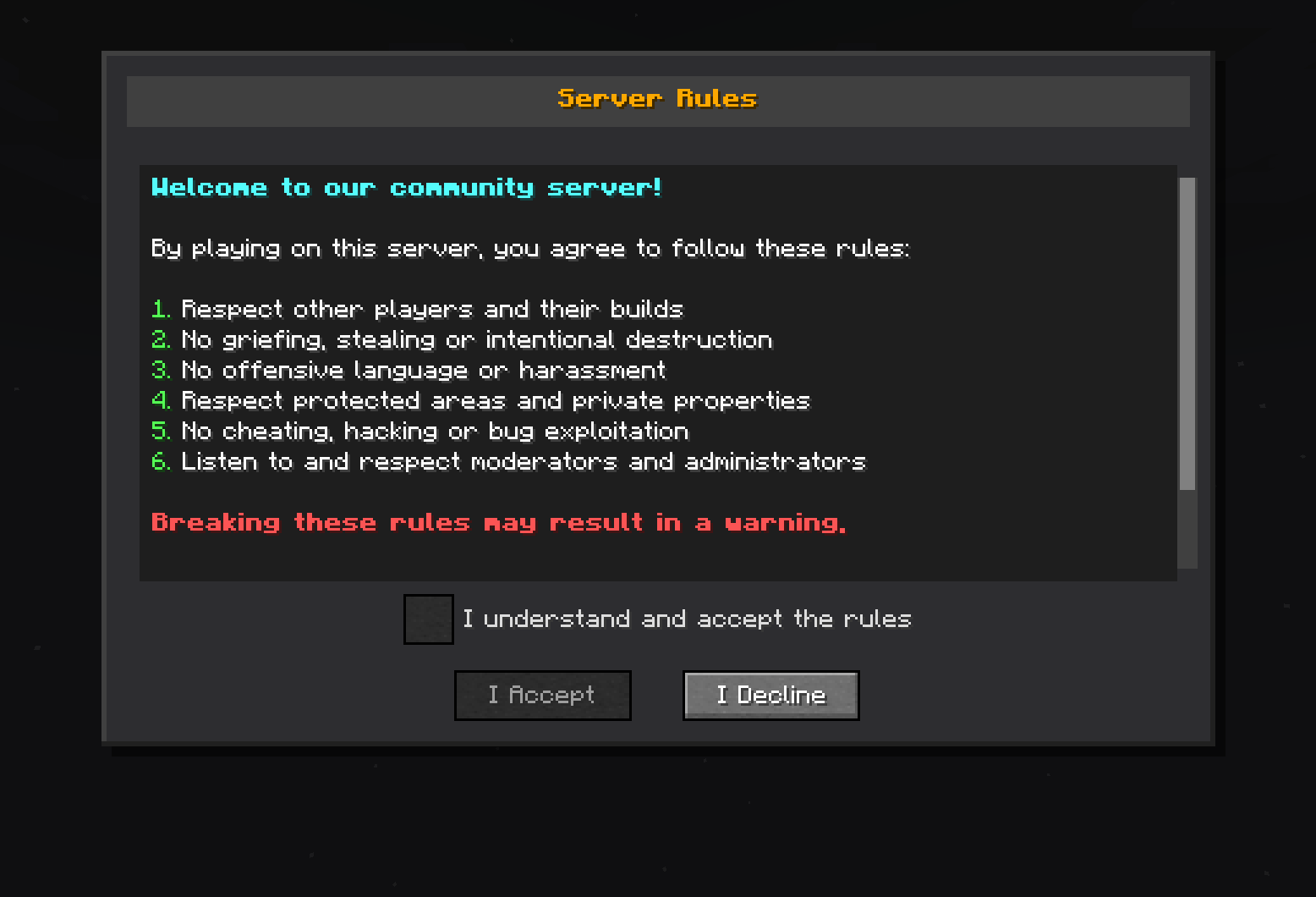
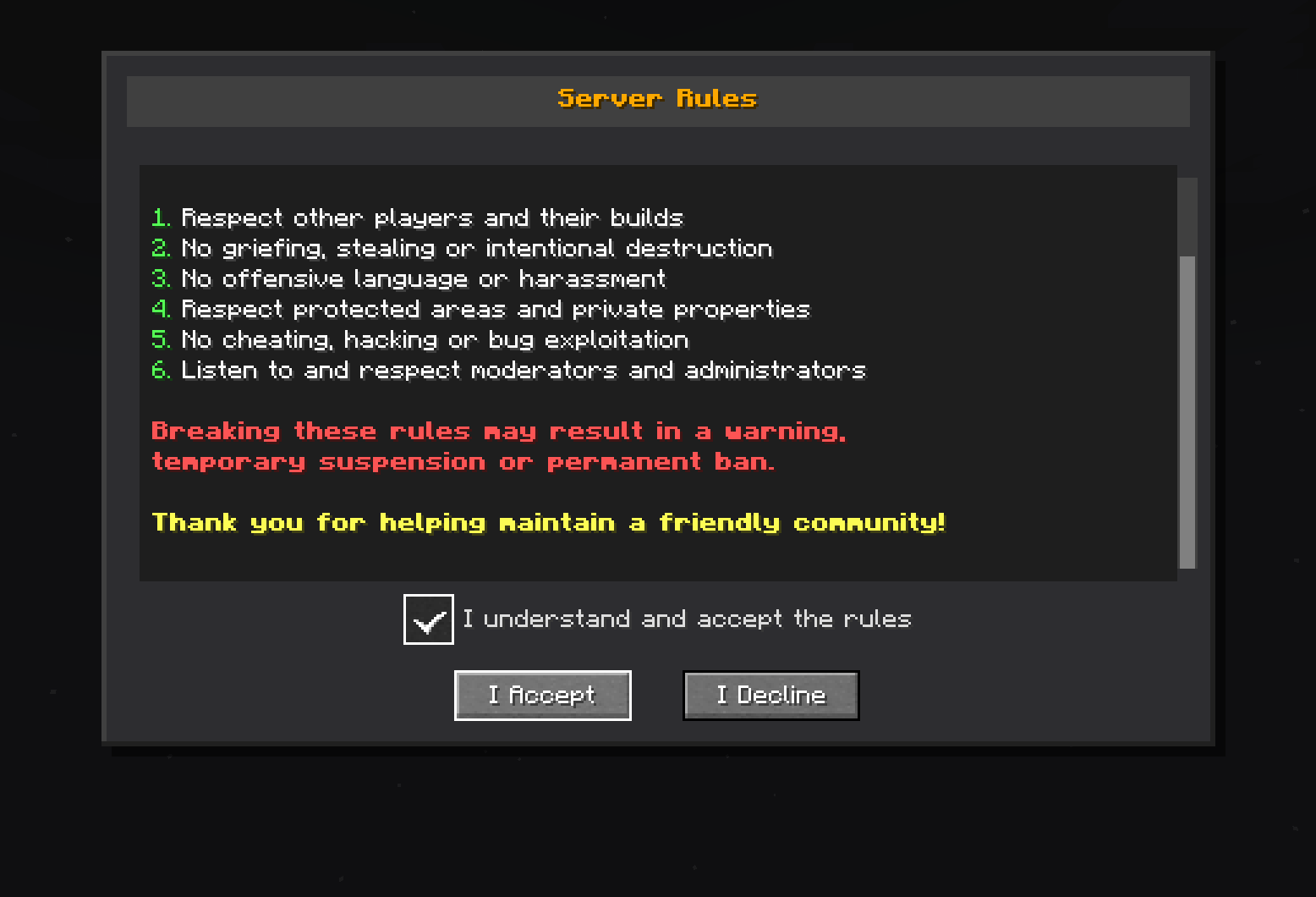
Mod designed to enforce server rules by displaying a mandatory rules screen to new players. Players must read and accept the rules before they can join the game, ensuring a friendly and respectful community environment.
截图
介绍
Server Rules Mod for Minecraft Fabric
Server Rules is a Minecraft Fabric mod designed to enforce server rules by displaying a mandatory rules screen to new players. Players must read and accept the rules before they can join the game, ensuring a friendly and respectful community environment.
Features
Rules System
- Custom rules screen: Automatically displays server rules to new players
- Mandatory validation: Players must accept the rules to play
- Graphical interface: Screen with scrolling, checkbox, and customizable buttons
Requirements
- Minecraft: Version 1.20.1 + Fabric
Installation
- Install the mod:
- Place the
serverrules-1.0-SNAPSHOT.jarfile in themods/folder
- Start the server:
- The mod will configure itself automatically on first startup
- Configuration file will be created at
config/serverrules/config.yml
Configuration
The config/serverrules/config.yml file allows you to customize configuration
rules:
   enabled: true
   title: §6§lServer Rules
   content: |
      §b§lWelcome to our community server!

      §fBy playing on this server, you agree to follow these rules:

      §a1. §fRespect other players and their builds
      §a2. §fNo griefing, stealing or intentional destruction
      §a3. §fNo offensive language or harassment
      §a4. §fRespect protected areas and private properties
      §a5. §fNo cheating, hacking or bug exploitation
      §a6. §fListen to and respect moderators and administrators

      §c§lBreaking these rules may result in a warning,
      §c§ltemporary suspension or permanent ban.

      §e§lThank you for helping maintain a friendly community!
   accept_button: I Accept
   decline_button: I Decline
   checkbox_text: I understand and accept the rules
   declined_message: You must accept the rules to play on this server.
   accepted_message: You have accepted the server rules. Welcome!
   sending_error_message: 'Error sending rules: %error%'
Usage
When a new player connects to the server:
- Automatic display: The rules screen appears automatically
- Mandatory reading: The player must scroll to the bottom
- Validation: A checkbox becomes available after complete reading
- Acceptance: The player must check the box and click “I Accept”
- Memory: Acceptance is saved, no need to re-validate
License
This project is licensed under the AGPL-3.0 License – see the LICENSE file for details.
Author
DrEmixam – Main developer
Support
To report bugs or request features, please create an issue on the project repository.
常见问题
Server Rules 支持哪些 Minecraft 版本?
Server Rules 支持 Minecraft Java 版 1.20.1,可用的加载器:Fabric。下载时注意选择和你游戏版本一致的文件。
Server Rules 怎么安装?
先用 PCL2 或 HMCL 启动器安装对应版本的 Fabric,再把下载的 .jar 文件放进游戏目录的 mods 文件夹,重新启动游戏即可。开启了版本隔离的,mods 文件夹在 versions/版本名 下面。运行环境:客户端和服务端都要装。
DrEmixam 的其他作品
查看全部 →
Cobblemon Pasture Loot
想摆脱狩猎采集的生活,拥抱农夫人生,让牧场里的宝可梦替你干活吗?这个模组就是为你准备的!

Leon Le Robot
Let the french Twitch streamer robot Leon Le Robot land in your Minecraft server.

Community Leaders
A mod designed to help server admins delegate community management to trusted "community leaders". Server admins can grant invitation permissions to streamers, content creators, or community managers…

Create: Transcontinental
Create: Transcontinental generates a performant, deterministic Create railway network during world generation, connecting regions across continents with terrain-adaptive tracks.
评论
登录后评论和评分