
截图
介绍
Server Notify
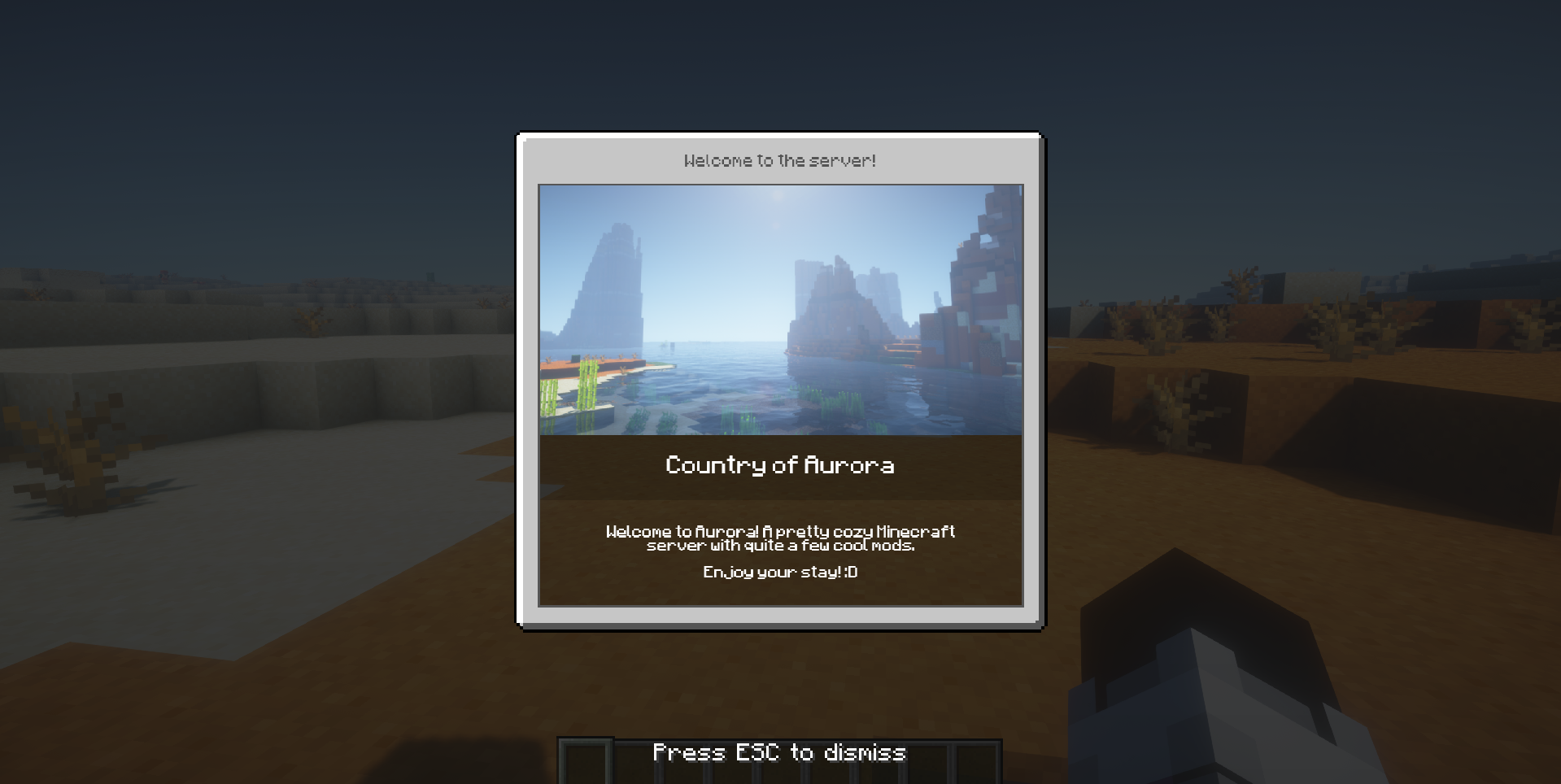
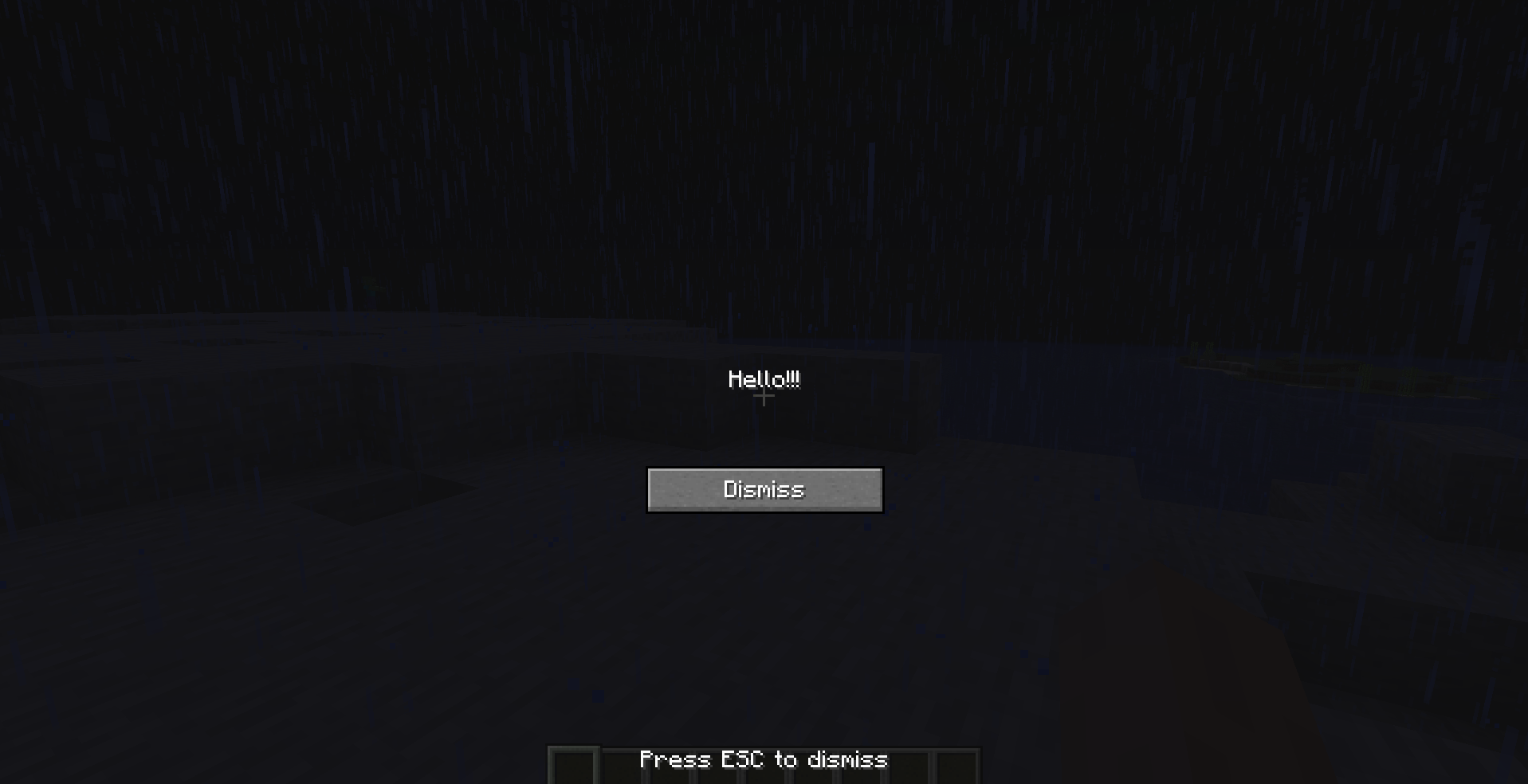
Server Notify is a Minecraft mod that lets you display notifications to players joining your Minecraft server. Easily set up notifications using commands, with options for texture, text, or URL-based notifications.
Required on Client and Server!
Notification Types
- Texture Notifications: Display textures from any loaded resource pack.
- Text-only Notifications: Display simple messages.
- Image from URL: Display images from a specified URL.
Getting Started
- Command-based: All features are accessed via commands in-game.
- Commands: Type
/server-notifyto view available options.
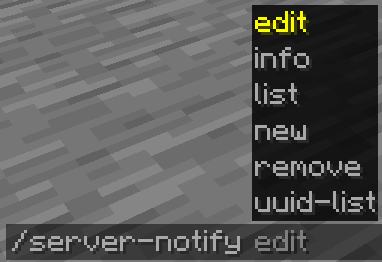
Command Options:
- Edit: Modify a notification’s properties.
- Info: View details of a specific notification.
- List: Display all notifications.
- New: Create a new notification.
- Remove: Delete a notification.
- UUID-List: Show all notifications with their UUIDs.
Creating Notifications
Use the command /server-notify new type "Notification Name" to create a notification, replacing "Notification Name" with your preferred name and type with texture, text, or url.
Notification Types and Commands
Text-only Notification
A text notification lets you display any message as a notification.
An example command would be:
/server-notify new text "Notification Name" <sound_namespace> <sound_path> <message> <dismissButton> <dismissMessage> <alwaysShow>“Notification Name” can be anything, however it must be in quotation marks. It is for you to identify the notification later on.
is the namespace of the sound you’d like to play when the notification is shown.
is the path of the sound you’d like to play when the notification is shown.
is your message in quotation marks.
displays a “Dismiss” button on the screen.
displays a “Press ESC to dismiss” text at the bottom of the screen.
shows the notification to a player when they join even if they have already seen it.
Another Text Notification example would be:
/server-notify new text "Notification Test" minecraft "ambient.cave" "hey, testing" false true trueImage from URL Notification
An image notification lets you display any image from a URL.
An example command would be:
/server-notify new url "Notification Name" <sound_namespace> <sound_path> <url> <width> <height> <dismissMessage> <alwaysShow>“Notification Name” can be anything, however it must be in quotation marks. It is for you to identify the notification later on.
is the namespace of the sound you’d like to play when the notification is shown.
is the path of the sound you’d like to play when the notification is shown.
is your image URL in quotation marks.
is the width of your image (you might have to use a scaled down resolution to accomodate for Minecraft’s GUI scale, for example for an image that’s 1920×1080, scaled down while also keeping the aspect ratio would be 480 by 270).
is the height of your image (you might have to use a scaled down resolution to accomodate for Minecraft’s GUI scale, for example for an image that’s 1920×1080, scaled down while also keeping the aspect ratio would be 480 by 270).
displays a “Press ESC to dismiss” text at the bottom of the screen.
shows the notification to a player when they join even if they have already seen it.
Another Image Notification example would be:
/server-notify new url "Image Test" minecraft "ambient.cave" "https://some_direct_image_url" 480 270 true true常见问题
Server Notify 支持哪些 Minecraft 版本?
Server Notify 支持 Minecraft Java 版 1.19.2–1.21.1,共 4 个版本,可用的加载器:Fabric。下载时注意选择和你游戏版本一致的文件。
Server Notify 怎么安装?
先用 PCL2 或 HMCL 启动器安装对应版本的 Fabric,再把下载的 .jar 文件放进游戏目录的 mods 文件夹,重新启动游戏即可。开启了版本隔离的,mods 文件夹在 versions/版本名 下面。运行环境:客户端和服务端都要装。
Dooji 的其他作品
查看全部 →
Underlay
把任何方块(比如地毯)放进任何东西里!

Omnilib
用于增强界面元素与自定义功能的框架
CraftSense
Autocomplete for the crafting table. It tracks what you craft, suggests recipes, and lets you take the result from the output slot without placing the rest of the ingredients!

PSX-Core Shader
一款PSX光影,具备仿射纹理映射、抖动、顶点吸附等特性!
评论
登录后评论和评分