Server Monitor
server administration and moderation toolkit. Chat monitoring, automated punishment, maintenance mode, custom titles, and essential player utilities for maintaining a safe and organized server environment
截图


介绍
Server Monitor:
A comprehensive serverside only administration and management mod that provides server operators with powerful tools for player management, chat moderation, maintenance mode, teleportation systems, and advanced monitoring capabilities.
Player Management:
- Freeze/unfreeze players with movement restrictions
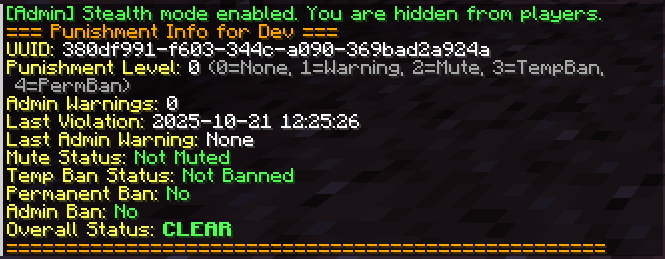
- Stealth mode for invisible staff monitoring
- Advanced punishment system with configurable durations
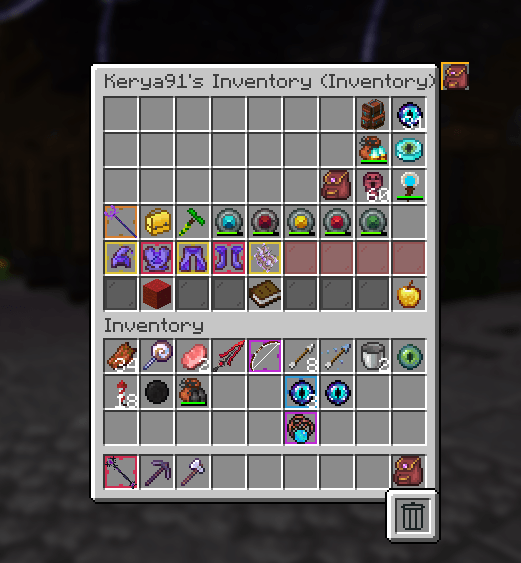
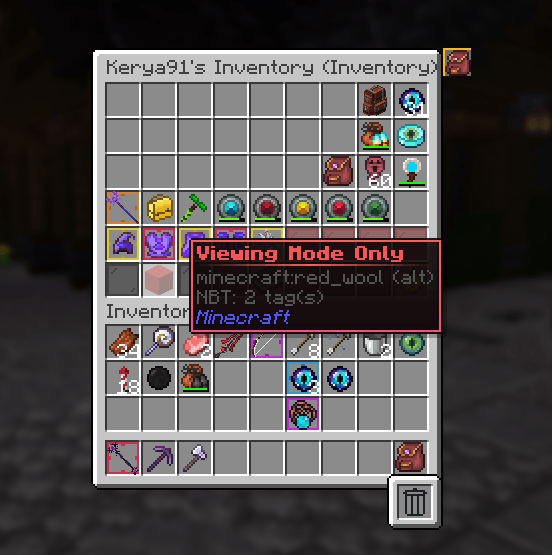
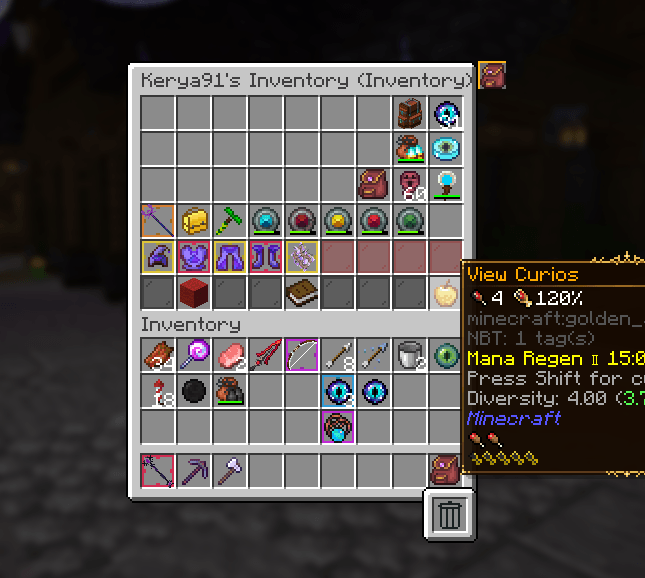
- Player inventory inspection and management
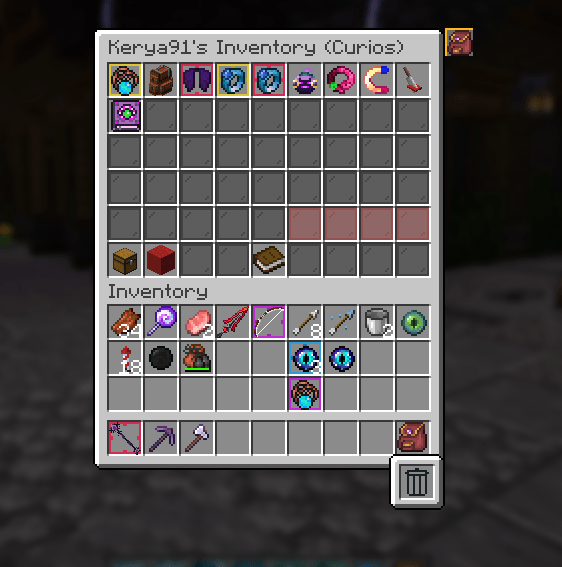
- Curios API integration for trinket slot inspection
Chat Moderation:
- Customizable banned words filter with automatic detection
- Whisper/private message monitoring system
- Chat filter bypass for staff members
- Configurable punishment actions for violations
- Automatic punishment system for banned words dectection
- All chats / whispers are logged
Home System:
- Set multiple home locations (configurable limit)
- Teleport to saved homes instantly
- Delete unwanted home points
- Per-player home management
Teleport Requests:
/tpa– Request to teleport to another player/tpahere– Request another player to teleport to you- Accept/decline system for teleport requests (In chat clickable)
- Configurable cooldowns and timeouts
Utility Teleports:
/spawn– Return to world spawn point/rtp– Random teleportation within configured bounds/back– Return to previous location after death or teleport
Server Maintenance:
- Toggle maintenance mode on/off
- Whitelist specific players during maintenance
- Custom maintenance MOTD and kick messages
- Custom server icon during maintenance
- Kick non-whitelisted players automatically
Banned Items System:
- Prevent specific items from being used/placed
- Configurable banned items list
- Staff bypass permissions with command
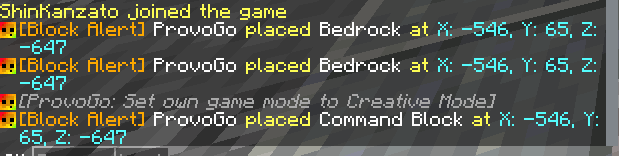
Block Alerts:
- Monitor specific block placements/breaks
- Real-time notifications to staff
- Configurable alert thresholds
- Coordinate tracking for suspicious activity
- Placed blocks are logged
Command Reference:
Admin Commands: /admin [sub-command]
All admin commands require operator level 2 permission.
/admin setjail – Set the jail location at your current position/admin jail <player> – Send a player to jail/admin fly <player> <time> – Allow player to fly for x minutes/admin smite <player> – Strike a player with lightning/admin ride <player> – Force yourself to ride on target player/admin freeze <player> – Toggle freeze status on target player (prevents movement)/admin getuuid <player> – Get the UUID of a player/admin invsee <player> – View and interact with player’s inventory + Curios integration for trinket slot inspection/admin chest – per admin storage container with total of 50 pages/admin nickname <player> <nickname> – Set a custom nickname for a player/admin chatcolor <player> <color> – Set chat color for a player
Server Monitor Commands: /server_monitor [sub-command]
All server_monitor commands require operator level 2 permission.
/server_monitor reload – Reload all mod configurations/server_monitor debug – Toggle debug mode on/off/server_monitor chat_filter add <word> – Add a word to the banned words list/server_monitor chat_filter remove <word> – Remove a word from the banned list/server_monitor chat_filter bypass – Toggle chat filter bypass for yourself/server_monitor banned_items add <modid:itemid>– Add the item you’re holding to banned list/server_monitor banned_items remove <modid:itemid> – Remove the item you’re holding from banned list/server_monitor banned_items list – Display all banned items/server_monitor banned_items bypass – Bypass banned items allowing you to place/use them/server_monitor whispers show_all – Start monitoring all whispers on the server/server_monitor whispers hide_all – Stop monitoring all whispers/server_monitor whispers target <player> – Toggle monitoring for specific player’s whispers/server_monitor whispers stop – Stop all targeted whisper monitoring/server_monitor block_alert toggle_alerts – Toggle block placement alerts/server_monitor block_alert add_block <modid:itemid> – Add the block to monitoring/server_monitor block_alert remove_block <modid:itemid> – Remove the block from monitoring/server_monitor block_alert list – Display all monitored blocks/server_monitor logs clear [archive-name] – delete archive logs/server_monitor logs read [archive-name] – read archive and current active logs/server_monitor punishment warn <player> <reason> – Gives player a admin warning [separate from auto punishment system] (3/3) is perma ban /server_monitor punishment add_punishment <player> – manually increase a player’s punishment level /server_monitor punishment info <player> – view detailed player punishment status and history/server_monitor punishment remove_warning <player> – Remove admin warning from a player/server_monitor punishment remove_punishment <player> – Remove auto punishment from a player/server_monitor punishment mute <player> – Mutes a player, all chat is intercepted before sent and works with discord interaction mods/server_monitor punishment unmute <player> – Unmutes a player/server_monitor stealthmode <on/off> – Toggle stealth mode (vanish from player list + join/leave messages are hidden)/server_monitor stealthmode autotoggle – Toggle auto-stealth on login (saved permanently)
Maintenance Mode Commands:/server_monitor maintenance status – Check current maintenance mode status/server_monitor maintenance toggle – Enable/disable maintenance mode/server_monitor maintenance list – List all players allowed during maintenance/server_monitor maintenance reload – Reload maintenance configuration and icon/server_monitor maintenance backup – Manually create a server backup/server_monitor maintenance doBackups <true|false> – Enable/disable automatic backups/server_monitor maintenance setMessage <message> – Set the kick message for maintenance/server_monitor maintenance setMotd <message> – Set the MOTD shown during maintenance/server_monitor maintenance setIcon <path> – Set custom server icon path for maintenance/server_monitor maintenance addAllowed <player> – Add player to maintenance whitelist/server_monitor maintenance removeAllowed <player> – Remove player from maintenance whitelist
Title System:/server_monitor title custom <players> <title> [subtitle] – Send custom title to players with optional subtitle/server_monitor title presets <preset_name> <players> – Send a saved title preset to players/server_monitor title list – List all available title presets/server_monitor title reload – Reload title configurations/server_monitor title create <name> <title> [subtitle] [fadeIn] [stay] [fadeOut] – Create a new title preset
Player Commands:/home – Teleport to saved home/sethome – Set home location/spawn – Teleport to spawn/tpa – Teleport request/back – Return to previous location/rtp – Random teleport
Configuration and File Structure:
The mod uses JSON-based configuration files stored in config/Server Monitor/:Alert_Block_Placement.json – Block alert configuration listBanned_Items.json – Prohibited items listBanned_Words.json – Chat filter word listPlayer_Commands.json – Player command settingsSettings.json – Main mod configuration
config/Server Monitor/Maintenance Modemaintenance_mode.json – Maintenance mode configuration
config/Server Monitor/Titles[Preset_Titles].json – Custom preset titles
config/Server Monitor/Punished players
all punished player data will be created in this location
logs/Server Monitor/
all chats, whispers and block alerts will be created in this location
Join my Discord server: Here
Terms of use:
 You are welcome to include this mod in any modpack
 You may not re-release this mod as your own
Check Out Extra Mods That Work Together With This Mod:
常见问题
Server Monitor 支持哪些 Minecraft 版本?
Server Monitor 支持 Minecraft Java 版 1.20.1,可用的加载器:Forge。下载时注意选择和你游戏版本一致的文件。
Server Monitor 怎么安装?
先用 PCL2 或 HMCL 启动器安装对应版本的 Forge,再把下载的 .jar 文件放进游戏目录的 mods 文件夹,重新启动游戏即可。开启了版本隔离的,mods 文件夹在 versions/版本名 下面。
AtPoe 的其他作品
查看全部 →
Recreation of Exile – SFX
自定义音效,带来更刺激的体验

Recreation of Exile – Weapons
为 RoE/CTE2 定制的 3D 武器、盾牌及副手物品
FTB Placeholders
为 FTB Quests 添加占位物品

Entity Loot Drops
自定义生物掉落物,支持条件掉落、命令和特殊效果等强大功能。
评论
登录后评论和评分