
Server Data Sync
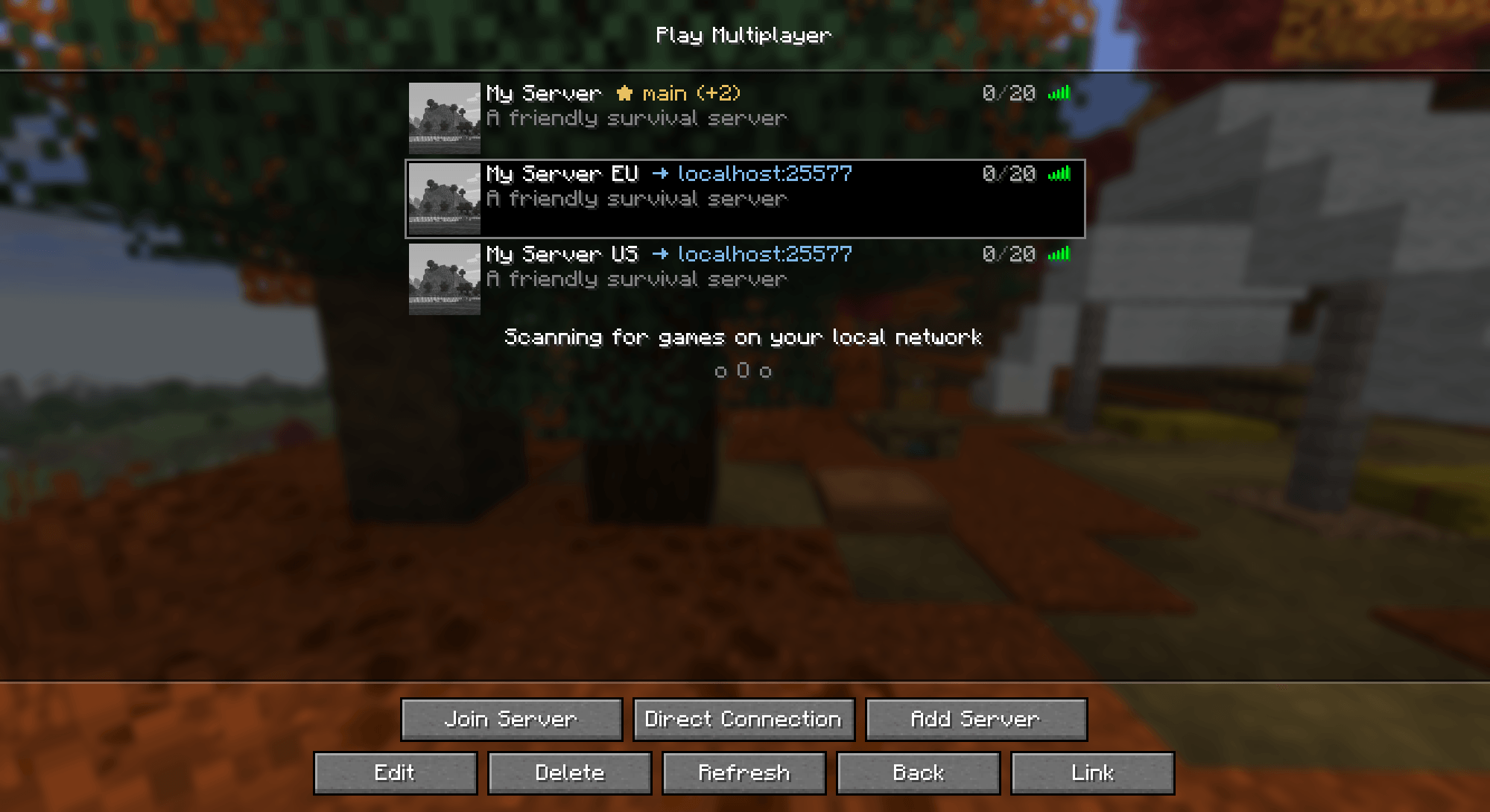
Moves client-side mod data from one IP of a server to another: Bobby cache, Litematica placements and maps follow you whichever address of the server you join through.
截图
介绍
Moves your client-side mod data from one IP of a server to another. Useful for servers that have several IPs or domains, or that moved to a new IP: your maps, Bobby cache and Litematica placements stay with you whichever address you join through.
What it can do
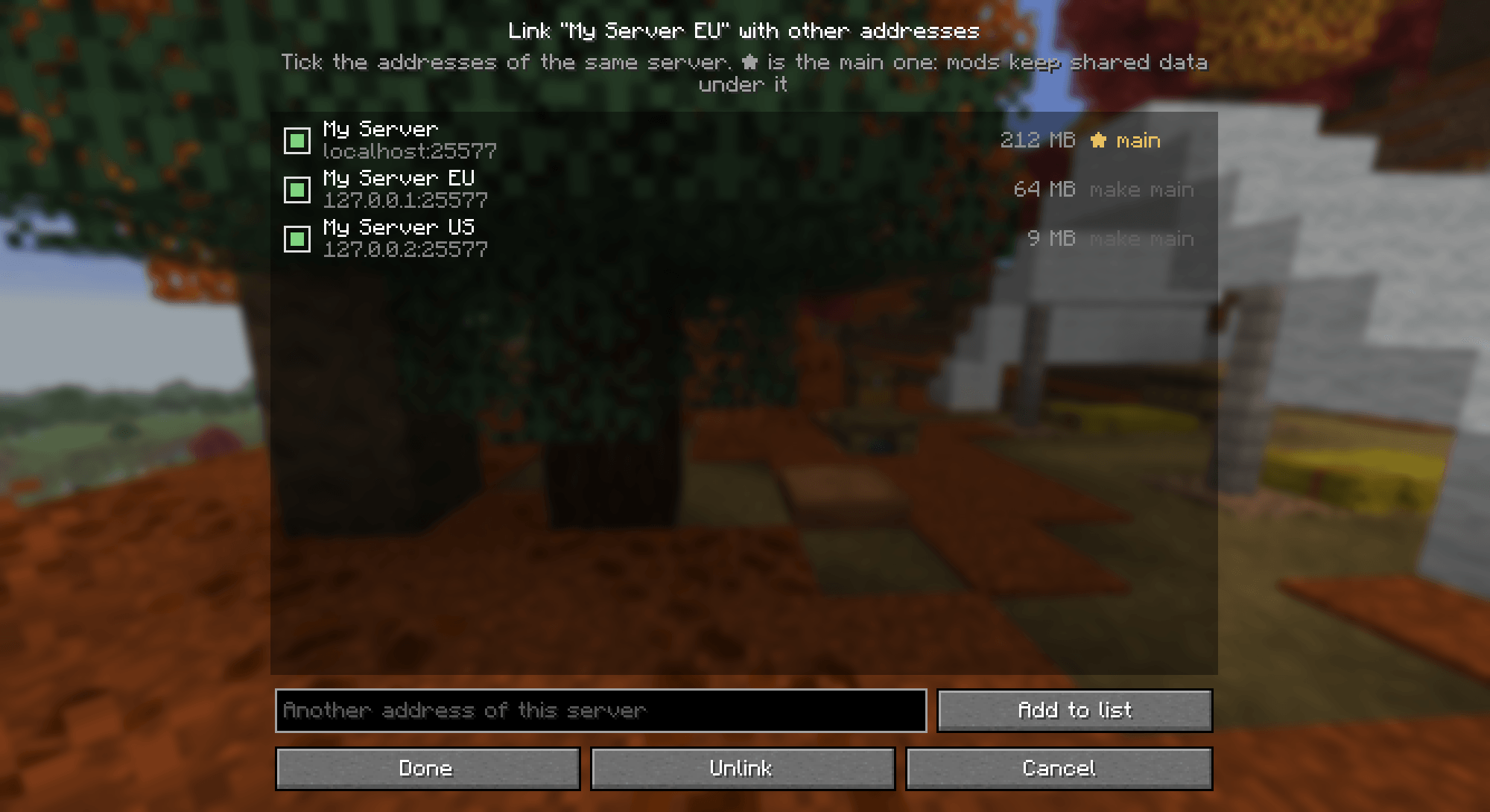
- Link several addresses (IPs or domains) of one server in the Multiplayer screen and pick the main one.
- Litematica placements saved under the other addresses are moved into the main address (a backup is made first).
- Bobby uses the chunk caches of all linked addresses, so terrain you saw under another IP is still shown.
- Xaero’s maps, Voxy and Distant Horizons save and load data under the main address, whichever IP you connect to.
- The real connection address is not changed; nothing is needed on the server.
Note: for Xaero’s maps, Voxy and Distant Horizons the data already collected under other addresses is not merged — from now on they all use the main address’s data.
Requirements: Fabric Loader, Fabric API · Minecraft 26.3 · client-side only. Works with Bobby, Litematica, Voxy, Distant Horizons, Xaero’s Minimap and World Map if installed.
Discord: discord.gg/jTU2yawThv
常见问题
Server Data Sync 支持哪些 Minecraft 版本?
Server Data Sync 支持 Minecraft Java 版 26.3,可用的加载器:Fabric。下载时注意选择和你游戏版本一致的文件。
Server Data Sync 怎么安装?
先用 PCL2 或 HMCL 启动器安装对应版本的 Fabric,再把下载的 .jar 文件放进游戏目录的 mods 文件夹,重新启动游戏即可。开启了版本隔离的,mods 文件夹在 versions/版本名 下面。
AellCom 的其他作品
查看全部 →
VoxyMap Addon for Bobby
World map from the Bobby chunk cache: a 2D map and a 3D view rendered by Voxy.

Xaero Waypoint Shapes
Places Xaero waypoints along shapes (hearts, circles, polygons, stars, arrows, spirals) with set size, rotation, density and color, and removes them with one button.

Aell UI Skin
Dark interface theme: rounded tiles and frosted glass panels for menus, tooltips, containers and the HUD.

Bobby ReplayMOD Fix
Shows Bobby's cached chunks in Replay Mod replays by passing the server address from the replay metadata to Bobby.
评论
登录后评论和评分