截图



介绍
中文介绍正在准备中,下面暂时显示原文。
_RPG stylized hud that changes how health and other player info is displayed._
Requires:
Current Features:
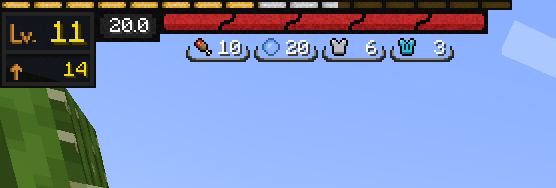
Health Bar
- Always taking same amount of space, showing % of Health
- Animated when depleting
- Changed textures – better clarity when affected by multiple status effects
- Moved to top-left corner
- Added Health Info widget showing current hp value
Exp Bar
- Moved to top-left corenr
- Animated when gaining exp
- Added Exp info widget showing current level and exp needed to for next level
Armor/Food/Air:
- Moved to top-left corner
- Replaced with icon and value
- Also includes armor toughness
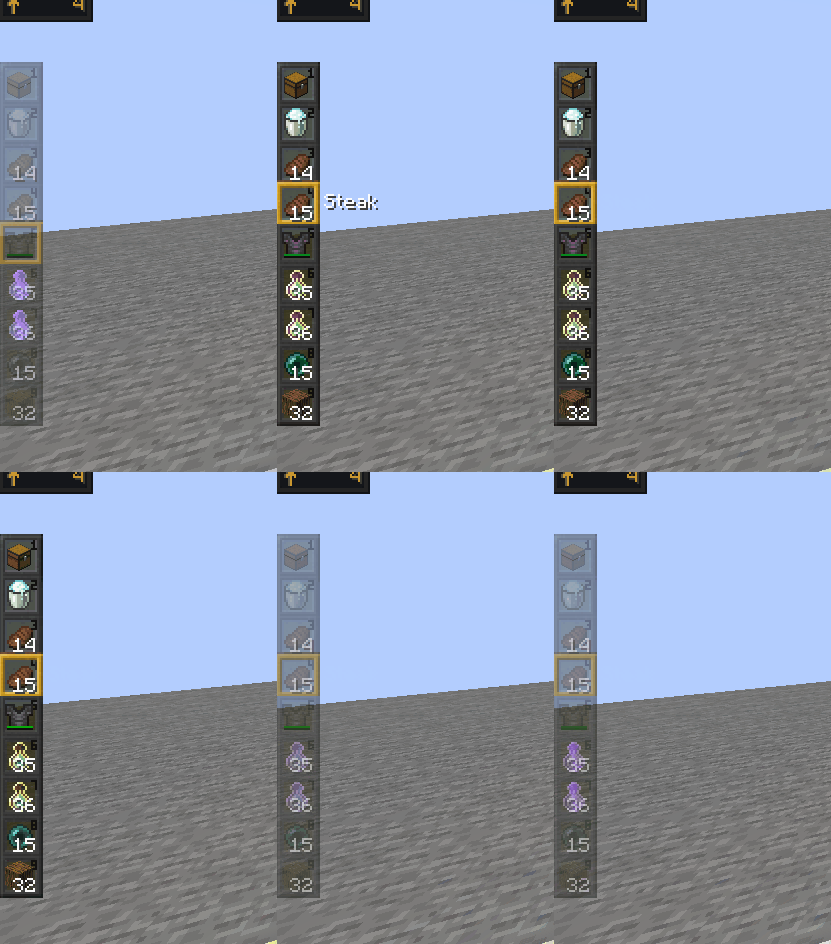
Hot Bar_(can be turned off in config)_:
- Moved to left side of screen
- Retextured
- Fades out after some time passed since selected slot last changed
At the time of uploading this mod is in it’s infancy meaning there is prob a lot of conflicts with other mods.
_Future plans include:_
(SOON TM)
- _Resolving mod conflicts_
- _More configurations_
- _Make design more modular_
- _Custom Status Effects display_
- _Armor Durability display_
- _Attack Indicator that isn’t invisible(?)_
- _Allowing for custom textures for widgets_
- _Customize boss bar_
- _Entity info(Hp bars maybe more)_
- _Terraria like inventory and crafting_
- _Bedrock doll when changing armor_
常见问题
SemperHud 支持哪些 Minecraft 版本?
SemperHud 支持 Minecraft Java 版 1.19–1.19.2,共 3 个版本,可用的加载器:Fabric。下载时注意选择和你游戏版本一致的文件。
SemperHud 怎么安装?
先用 PCL2 或 HMCL 启动器安装对应版本的 Fabric,再把下载的 .jar 文件放进游戏目录的 mods 文件夹,重新启动游戏即可。开启了版本隔离的,mods 文件夹在 versions/版本名 下面。运行环境:仅客户端。

评论
登录后评论和评分