
Selective Mining
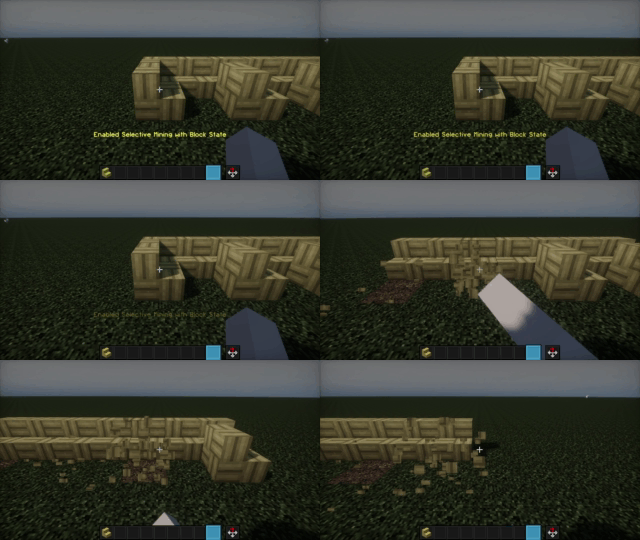
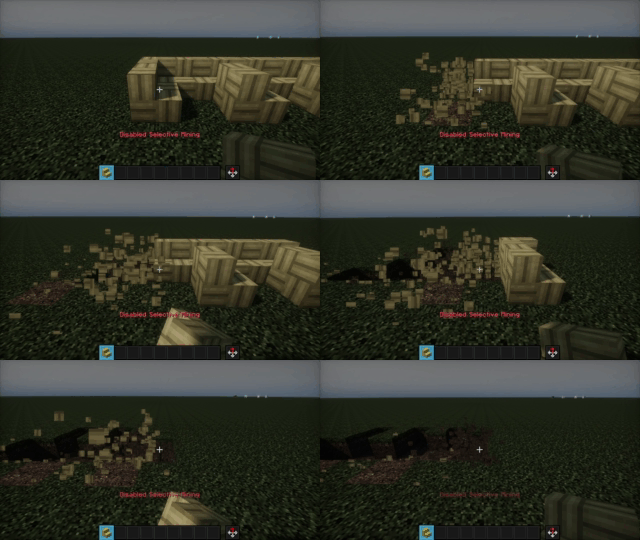
This mod, when enabled, prevents mining blocks other than the initial one you clicked on. Which is pretty useful when you break blocks really fast.
截图
介绍
How to use?
- Setup a keybind to enable/disable this mod.
- Start mining to break a block, now you’ll only mine blocks of that same type or state or position!
- Stop mining for a moment to choose a new block to focus on.
Why would you want this mod?
- To focus on mining valuable resources without wasting time and durability on unwanted blocks.
- To target specific blocks without accidentally mining other blocks. This can be particularly useful when mining in tight spaces or trying to preserve the surrounding environment.
常见问题
Selective Mining 支持哪些 Minecraft 版本?
Selective Mining 支持 Minecraft Java 版 1.16.1–26.3,共 39 个版本,可用的加载器:Fabric / Forge / NeoForge / Quilt。下载时注意选择和你游戏版本一致的文件。
Selective Mining 怎么安装?
先用 PCL2 或 HMCL 启动器安装对应版本的 Fabric / Forge / NeoForge / Quilt,再把下载的 .jar 文件放进游戏目录的 mods 文件夹,重新启动游戏即可。开启了版本隔离的,mods 文件夹在 versions/版本名 下面。
Taleuxss 的其他作品
查看全部 →Selective Mining
This mod, when enabled, prevents breaking blocks other than the initial type you mined. Which is pretty useful when you break blocks really fast.
Block Sort
Gui to sorts blocks (hue, chroma, lightness, and roughness) so you can find one you want to use easier.
Block Sort
Gui to sorts blocks (hue, chroma, lightness, and roughness) so you can find one you want to use easier.
评论
登录后评论和评分