
Selectable Painting
Adds the Selectable Painting, with which the painting to be placed can be selected.
截图

介绍
Version 4.X.X
For older versions of the mod, check the wiki.
Mod adds the Selectable Painting, that can select the painting, that should be placed.
The Mod is need on server and client side.
You need a server to play with friends? You don’t know how to set up one? Just rent an already configured server!

Click on the picture above, select a plan (with recommended at least 6 GB),
use my code agent to get 25% off your first month and enjoy playing with your friends!
Support
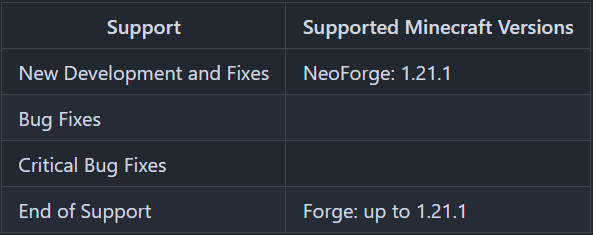
Minecraft versions, for which the mod is not released, are not supported.
You can find a text version here.
How to use the Selectable Painting?
With a right-click on a block, you place the painting.
If you hang the painting down, you get the painting item with the size and painting selected, that you hang up.
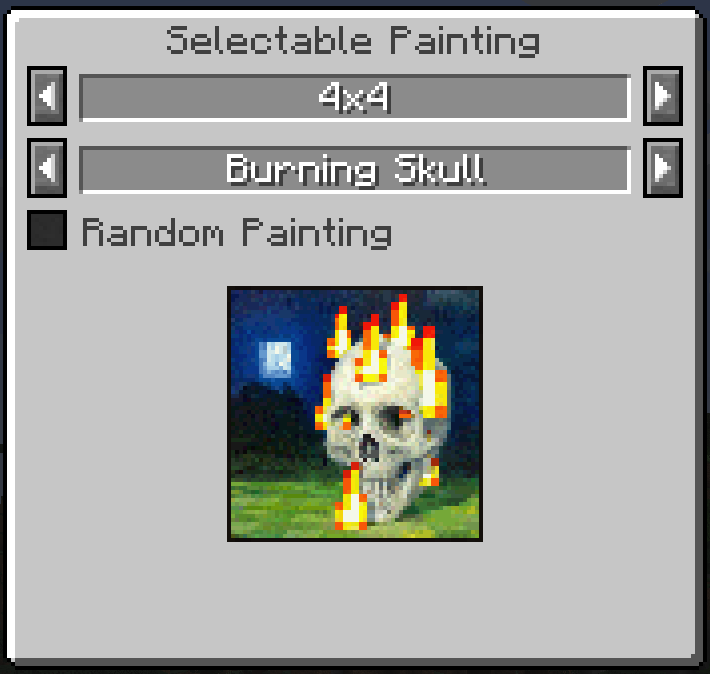
With a right click into the air, you can open a GUI, where you can select the painting size and the painting.
If you tick “Random Painting”, a random painting with the selected size will be placed.
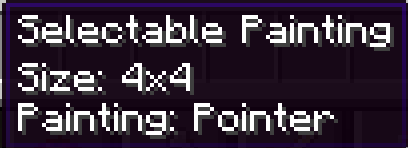
The current size and the selected painting is shown in the tooltip.
If the painting is too big for the place to place on, you get an error message.
Recipes
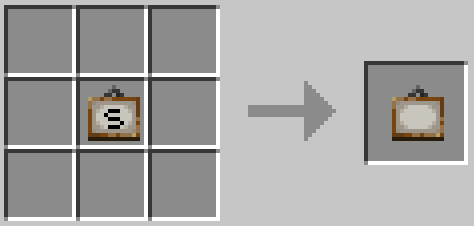
Selectable Painting Recipe
Recipe: Painting in any slot of the crafting table
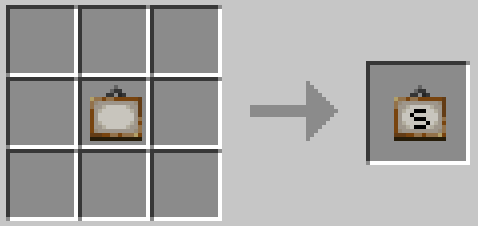
Painting Recipe
Recipe: Selectable Painting in any slot of the crafting table
Thanks for the logo to Muse31.
You can use this mod in non-commercial modpacks without asking.
You can find more mods from me on CurseForge and Modrinth.

常见问题
Selectable Painting 支持哪些 Minecraft 版本?
Selectable Painting 支持 Minecraft Java 版 1.17.1–26.3,共 25 个版本,可用的加载器:Forge / NeoForge。下载时注意选择和你游戏版本一致的文件。
Selectable Painting 怎么安装?
先用 PCL2 或 HMCL 启动器安装对应版本的 Forge / NeoForge,再把下载的 .jar 文件放进游戏目录的 mods 文件夹,重新启动游戏即可。开启了版本隔离的,mods 文件夹在 versions/版本名 下面。运行环境:客户端和服务端都要装。
GeheimagentNr1 的其他作品
查看全部 →
Easier Sleeping
只需一定比例的玩家睡觉即可跳过夜晚。

ManyIdeas Core
包含许多 Many Ideas 模组所需的方块、工具和物品。

Recipes Library
为配方添加实现的前置库。

ManyIdeas Doors
提供超过125种大型多方块和普通尺寸的门。
评论
登录后评论和评分