
SecurityCraft for Fabric
Fabric port of SecurityCraft: keypads, security cameras, mines, reinforced blocks, lasers and much more to protect your base from intruders.
截图
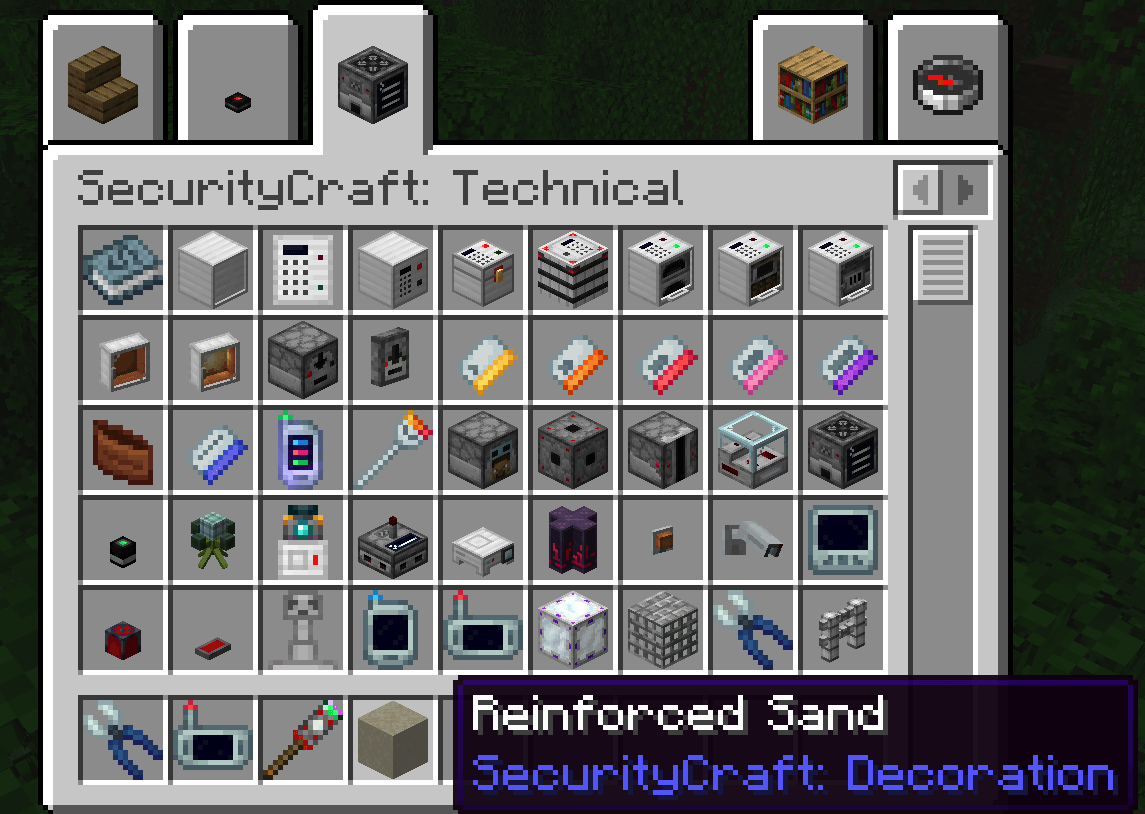
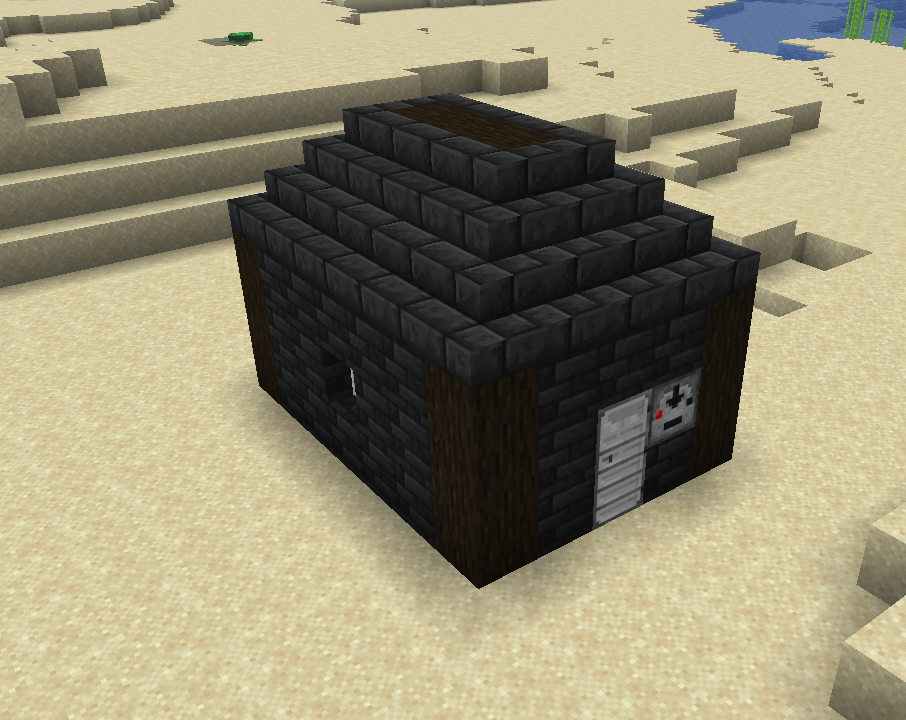
介绍
# SecurityCraft for Fabric
**SecurityCraft for Fabric** is an **unofficial port** of [SecurityCraft](https://www.curseforge.com/minecraft/mc-mods/security-craft) to the **Fabric** mod loader for Minecraft **1.21.11**.
> ⚠️ This is **not** the official SecurityCraft. Please do **not** report bugs of this port to the original developers – use this project’s issue tracker or comments instead.
—
## Features
SecurityCraft adds a huge amount of blocks and items to protect your base and defend yourself against intruders:
– 🔢 **Keypads & passcode-protected blocks** – keypad doors, chests, barrels, furnaces, smokers, blast furnaces, trapdoors and more
– 🪪 **Keycards & keycard readers** – five keycard levels, limited-use keycards and keycard holders
– 📹 **Security cameras** – watch your base through a camera monitor with night vision and zoom, or show live camera feeds on frames
– 💣 **Mines** – block mines disguised as normal blocks, claymores, bouncing betties, track mines, the IMS and remote detonation with the Mine Remote Access Tool
– 🧱 **Reinforced blocks** – unbreakable versions of almost every vanilla block that only their owner can break
– 🔴 **Security devices** – laser blocks, inventory scanners, retinal scanners, username loggers, alarms, panic buttons, portable radars and motion activated lights
– 🎯 **Defense** – sentries, trophy systems, rift stabilizers, sonic security systems, cage traps and floor traps
– 🔍 **Detection** – block change detectors, projectors and secure redstone interfaces
– 🧩 **Modules** – allowlist, denylist, disguise, redstone, smart, storage, harming and more to customize how your blocks behave
– 🚤 **Security Sea Boats** – passcode-protected boats with storage
– 📖 **SecurityCraft Manual** – an in-game guide explaining every block and item
—
## Requirements
– [Fabric Loader](https://fabricmc.net/use/) 0.17 or newer
– [Fabric API](https://www.curseforge.com/minecraft/mc-mods/fabric-api)
– Required on **both client and server**
[Forge Config API Port](https://www.curseforge.com/minecraft/mc-mods/forge-config-api-port) is **bundled**, no extra download needed.
**Config files:**
– Server: `world/serverconfig/securitycraft-server.toml`
– Client: `config/securitycraft-client.toml`
—
## Mod Compatibility
✅ **Supported (optional):**
– JEI – recipes for block reinforcing
– Jade & WTHIT – show owner, modules and disguised blocks
– Sodium – camera rendering support
– Distant Horizons – camera rendering support
– BetterF3 – hides disguised blocks in the debug screen
❌ **Not available in this port** (these mods don’t exist for Fabric 1.21.11):
– Curios – the inventory scanner does not check Curios slots
– FTB Teams – vanilla scoreboard teams still work
– The One Probe
– Embeddium
—
## FAQ
**Can I use this on a server?**
Yes. Install it on the server **and** on every client that wants to join.
**Can I use it in my modpack?**
Yes, the mod is licensed under the MIT License.
**Is this the official SecurityCraft?**
No. This is an unofficial, community-made port. The official mod is available for NeoForge.
—
## Credits & License
SecurityCraft was created by **Geforce, bl4ckscor3, Redstone_Dubstep and ChainmailPickaxe**.
Original code © 2025 The SecurityCraft development team – licensed under the [MIT License](https://github.com/Geforce132/SecurityCraft/blob/master/LICENSE).
Fabric port by **[fyral]**, also licensed under the MIT License.
Bundles [Forge Config API Port](https://www.curseforge.com/minecraft/mc-mods/forge-config-api-port) by Fuzs.
Parts of the security camera code are based on [Immersive Portals](https://github.com/iPortalTeam/ImmersivePortalsMod).
常见问题
SecurityCraft for Fabric 支持哪些 Minecraft 版本?
SecurityCraft for Fabric 支持 Minecraft Java 版 1.21.2–26.1.2,共 13 个版本,可用的加载器:Fabric。下载时注意选择和你游戏版本一致的文件。
SecurityCraft for Fabric 怎么安装?
先用 PCL2 或 HMCL 启动器安装对应版本的 Fabric,再把下载的 .jar 文件放进游戏目录的 mods 文件夹,重新启动游戏即可。开启了版本隔离的,mods 文件夹在 versions/版本名 下面。
评论
登录后评论和评分