
SecureCC
Lock your CC:Tweaked computers, turtles, and Plethora neural interfaces behind owners, friends lists, and PIN codes.
介绍
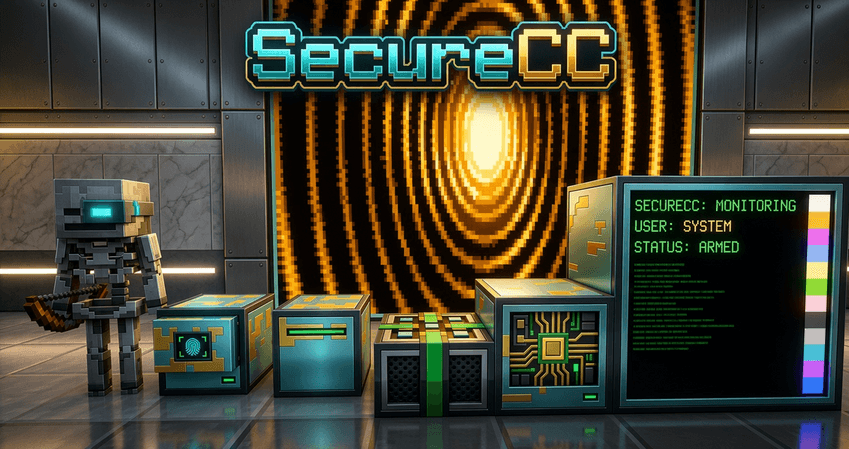
SecureCC adds real access control to CC:Tweaked and Plethora. Place a secure computer, turtle, monitor, or manipulator and it belongs to you — no one else can use it, break it, or snoop its screen unless you say so.
Secure blocks
- Secure Computer, Secure Turtle, Secure Monitor, and Secure Manipulator — drop-in replacements with ownership baked in
- Breaking a secure block keeps its owner data, so it stays yours when you pick it up and replace it
- Optional explosion resistance and configurable hardness
Secure Neural Interface (requires Plethora)
- A secure version of the Plethora neural interface for players and mobs
- Owner, friend, and PIN gating — unauthorized wearers get shut down
- Full peripheral support, renders correctly on mobs
Management
- Shift-right-click a secure block (or use the Security Key item) to open the management GUI
- Friends tab: add or remove players by name — works on offline-mode servers too
- PIN tab: set a PIN with salted hashing, throttling, and lockout
- Policy tab: choose how strict each device is (shutdown, friends-only, PIN, lock, stay running)
Security Key
- A craftable key item that opens management on any of your secure blocks or neural-wearing mobs
- Server owners can disable the shift-right-click shortcut and require the key instead
Config
Everything is tunable: op bypass, PIN attempt limits and lockout timers, default policy, block hardness, and which secure blocks are enabled.
Requirements
- Minecraft 1.12.2, Forge
- CC:Tweaked
- Plethora (for the Secure Neural Interface)
常见问题
SecureCC 支持哪些 Minecraft 版本?
SecureCC 支持 Minecraft Java 版 1.12.2,可用的加载器:Forge。下载时注意选择和你游戏版本一致的文件。
SecureCC 怎么安装?
先用 PCL2 或 HMCL 启动器安装对应版本的 Forge,再把下载的 .jar 文件放进游戏目录的 mods 文件夹,重新启动游戏即可。开启了版本隔离的,mods 文件夹在 versions/版本名 下面。
MaximsPVP 的其他作品
查看全部 →
Market Blocks
A dead-simple server market: two blocks, sane configs, and a working economy in five minutes.

HBM-Extended Missile Lag Fix
Fixes console spam and lag spikes from HBM missile launches

A Hemp Farm
A Hemp Farm is a cultivation and trade mod where players grow diverse hemp strains with unique effects, craft and collect pipes, and sell surplus crops for profit.

Sulfur & Friends
Micro-QoL for the Chaos Cubed drop: geyser eruption warnings, bucket archetype tooltips, cube persistence, and an in-game archetype field guide.
评论
登录后评论和评分