
Secure Plots
Territory protection mod with menus, roles, upgrades, rank-based permissions, ambient effects, and a fully configurable visual border system.
介绍
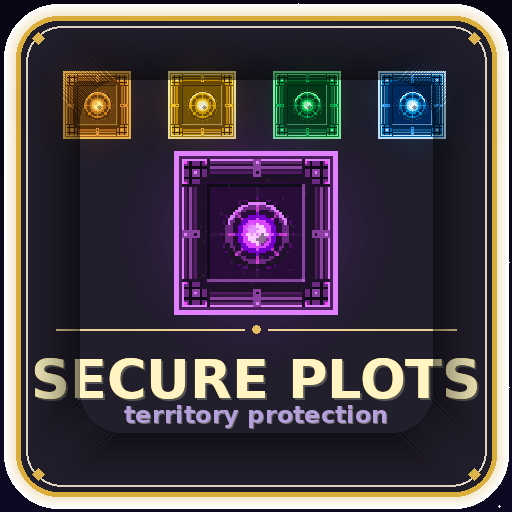
🛡 Secure Plots
Minecraft 1.21.1 — Fabric
Territory protection mod with menus, roles, upgrades, rank-based permissions, ambient effects, and a fully configurable visual border system.

Requirements
- Minecraft 1.21.1
- Fabric Loader ≥ 0.15.0
- Fabric API
- Java 21+
Installation
- Drop the
.jarinto yourmods/folder on both server and client. - Start the server once to generate config files in
config/. - Edit
secure_plots.json(server behaviour) andsecure_plots_client.json(visual settings).
How it works
Place a Plot Block to claim that area. The block’s tier determines how large the protected zone is. Right-click the block or use the Plot Blueprint item to open the management menu.
Plot tiers (all configurable)
| Tier | Name | Default radius |
|——|——|—————-|
| 0 | Bronze | 15 × 15 |
| 1 | Gold | 30 × 30 |
| 2 | Emerald | 50 × 50 |
| 3 | Diamond | 75 × 75 |
| 4 | Netherite | 100 × 100 |
Commands
All commands are available as /sp or /secureplots.
Player commands
| Command | Description |
|———|————-|
| /sp help | Show all commands |
| /sp list | List your plots |
| /sp info [plot] | Show info for the plot you’re in, or a named/numbered plot |
| /sp view | Show the border of your nearest plot |
| /sp rename <name> | Rename the plot you’re standing in |
| /sp add <player> <plot\|all> | Add a member to one or all of your plots |
| /sp remove <player> <plot\|all> | Remove a member from one or all of your plots |
| /sp role <player> <member\|admin> | Change a member’s role in the plot you’re standing in |
| /sp tp [plot] | Teleport to a plot by name or number |
| /sp upgrade | Upgrade the plot you’re standing in (consumes materials) |
| /sp myrank | Show your current rank perks |
| /sp flag | List available global flags |
| /sp flag <flag> <true\|false> [plot] | Set a global flag |
| /sp perm | List available individual permissions |
| /sp perm <player> <perm> <true\|false> [plot] | Set a permission for a member |
| /sp fly [true\|false] [plot] | Toggle fly for the plot you’re standing in |
| /sp group | List permission groups of the current plot |
| /sp group create <name> | Create a permission group |
| /sp group delete <name> | Delete a permission group |
| /sp group addmember <group> <player> | Add a member to a group |
| /sp group removemember <group> <player> | Remove a member from a group |
| /sp group setperm <group> <perm> <true\|false> | Set a permission for a group |
| /sp plot particle <type\|clear> | Set ambient particles on plot entry |
| /sp plot weather <clear\|rain\|thunder\|none> | Override weather inside the plot |
| /sp plot time <day\|noon\|sunset\|night\|midnight\|sunrise\|<ticks>\|reset> | Override time inside the plot |
| /sp plot music <sound_id\|clear> | Play music on plot entry |
| /sp plot enter <message\|clear> | Set the entry title message |
| /sp plot exit <message\|clear> | Set the exit title message |
Plot argument: most commands that accept
[plot]accept a plot name, its number from/sp list, orall.
Admin commands
All /sp admin commands require OP level ≥ adminOpLevel (default: 2).
| Command | Description |
|———|————-|
| /sp admin listall [page] | List every plot on the server, paginated (10 per page) |
| /sp admin search <player> [page] | List all plots owned by a specific player |
| /sp admin nearby [count] [x y z] | Show the N nearest plots to your position or given coordinates |
| /sp admin list <player> | Quick list of a player’s plots |
| /sp admin info <player> <plot> | Show full info for another player’s plot |
| /sp admin tp <player> <plot> | Teleport to another player’s plot |
| /sp admin delete <player> <plot\|all> | Delete one or all plots of a player |
| /sp admin rename <player> <plot> <name> | Rename another player’s plot |
| /sp admin setowner <newowner> | Transfer ownership of the plot you’re standing in |
| /sp admin upgrade <player> <plot> | Force-upgrade a plot (no materials consumed) |
| /sp admin rank <player> <plot> <true\|false> | Toggle rank protection (immune to inactivity expiry) |
| /sp admin particle <player> <plot> <type> | Set particles on any plot |
| /sp admin music <player> <plot> <sound> | Set music on any plot |
| /sp admin weather <player> <plot> <type> | Set weather on any plot |
| /sp admin time <player> <plot> <value> | Set time on any plot |
| /sp admin enter <player> <plot> <message> | Set entry message on any plot |
| /sp admin exit <player> <plot> <message> | Set exit message on any plot |
| /sp admin setrank <player> <tag> | Add a rank tag to a player (shortcut for /tag <player> add <tag>) |
| /sp admin removerank <player> <tag> | Remove a rank tag from a player |
| /sp admin reload | Reload both config files and re-sync all clients (no restart needed) |
Roles & permissions
Roles
| Role | Description |
|——|————-|
| OWNER | Full control — can break the block, upgrade, rename |
| ADMIN | Can manage members, permissions, and flags |
| MEMBER | Default trusted player |
| VISITOR | Anyone not explicitly added |
Global flags (/sp flag)
Global flags affect everyone inside the plot, including visitors.
| Flag | Default | Description |
|——|———|————-|
| ALLOW_VISITOR_BUILD | off | Anyone can place and break blocks |
| ALLOW_VISITOR_INTERACT | off | Anyone can use doors, levers, buttons |
| ALLOW_VISITOR_CONTAINERS | off | Anyone can open chests |
| ALLOW_PVP | off | PvP enabled for all players |
| ALLOW_FLY | off | Everyone can fly |
| ALLOW_TP | on | Anyone can /sp tp to this plot |
| GREETINGS | on | Show enter/exit title messages |
Individual permissions (/sp perm)
Assignable per member or per permission group.
Construction: BUILD BREAK PLACE
Interaction: INTERACT CONTAINERS USE_BEDS USE_CRAFTING USE_ENCHANTING USE_ANVIL USE_FURNACE USE_BREWING
Entities: ATTACK_MOBS ATTACK_ANIMALS PVP RIDE_ENTITIES INTERACT_MOBS LEASH_MOBS SHEAR_MOBS MILK_MOBS
Nature: CROP_TRAMPLING PICKUP_ITEMS DROP_ITEMS BREAK_CROPS PLANT_SEEDS USE_BONEMEAL BREAK_DECOR
Explosives: DETONATE_TNT GRIEFING
Misc: TP FLY ENTER CHAT COMMAND_USE
Management: MANAGE_MEMBERS MANAGE_PERMS MANAGE_FLAGS MANAGE_GROUPS
Rank-based permissions
Ranks let you give different players different plot feature limits — without touching individual permissions per player. Ranks use vanilla command tags, assigned with /tag <player> add <tag>.
How it works
- Define ranks in
secure_plots.jsonunderrankPerks. - Assign tags to players with
/tag <player> add <tag>or the shortcut/sp admin setrank <player> <tag>. - Players with no rank tag use the global defaults.
- If a player has multiple rank tags, the most permissive value of each field wins.
- The
adminTagalways bypasses all rank restrictions.
Rank fields
| Field | Default | Description |
|——-|———|————-|
| tag | — | The command tag to match |
| maxPlots | 0 | Max plots this rank can own (0 = use global maxPlotsPerPlayer) |
| maxTier | 4 | Highest plot tier (0–4) this rank can place |
| canRename | true | Can rename their plot |
| canSetMusic | true | Can set plot music |
| canSetParticles | true | Can set plot particles |
| canSetWeather | true | Can set a weather override |
| canSetTime | true | Can set a time override |
| canSetEnterExit | true | Can set enter/exit messages |
| canTp | true | Can use /sp tp to their own plot |
| canFly | true | Can enable fly on their plot |
| canUpgrade | true | Can upgrade their plot tier |
| canGroups | true | Can create permission groups |
| hasRankProtection | false | Plot is immune to inactivity expiry |
Example rank config
"rankPerks": [
  {
    "tag": "basic",
    "maxPlots": 1,
    "maxTier": 0,
    "canSetMusic": false,
    "canSetParticles": false,
    "canSetWeather": false,
    "canSetTime": false,
    "canFly": false,
    "canUpgrade": false,
    "canGroups": false
  },
  {
    "tag": "vip",
    "maxPlots": 5,
    "maxTier": 3,
    "canSetMusic": true,
    "canSetParticles": true,
    "canFly": true,
    "canUpgrade": true
  },
  {
    "tag": "mvp",
    "maxPlots": 10,
    "maxTier": 4,
    "hasRankProtection": true
  }
]
Server config — secure_plots.json
Feature toggles
| Field | Default | Description |
|——-|———|————-|
| enableProtection | true | Master switch for all block/interact protection |
| enableFlyInPlots | true | Allow fly grants via the FLY permission |
| enableEnterHud | true | Show plot name in action bar on entry |
| enableGreetingMessages | true | Show enter/exit title messages |
| enablePlotParticles | true | Ambient particles on plot entry |
| enablePlotMusic | true | Music playback on plot entry |
| enablePlotWeather | true | Per-plot weather override |
| enablePlotTime | true | Per-plot time override |
| enablePlotTeleport | true | Allow /sp tp |
| enableHologram | true | Floating info display above plot blocks |
| enablePvpControl | true | Block PvP in plots without ALLOW_PVP flag |
| enableUpgrades | true | Allow tier upgrades |
| enablePermissionGroups | true | Allow creating permission groups |
| plotBlocksUnbreakable | true | Non-owners cannot break plot blocks |
| allowNestedPlots | false | Allow placing plots inside other plots |
General
| Field | Default | Description |
|——-|———|————-|
| maxPlotsPerPlayer | 3 | Default max plots per player (0 = unlimited; overridden by rankPerks) |
| plotBuffer | 15 | Minimum block gap between plots |
| adminOpLevel | 2 | OP level required for /sp admin commands (0–4) |
| adminTag | "plot_admin" | Command tag granting full admin override |
| blockedStructurePrefixes | ["legendarymonuments:"] | Structure ID prefixes that block plot placement |
Ambient settings
| Field | Default | Description |
|——-|———|————-|
| particleCount | 3 | Burst particle count on plot entry (1–5) |
| ambientParticleCount | 2 | Continuous particles per interval (1–5) |
| ambientInterval | 20 | Ticks between ambient particle spawns |
| checkInterval | 10 | Ticks between enter/exit detection checks |
| musicVolume | 4.0 | Music volume (0.1–4.0) |
Inactivity expiry
"inactivityExpiry": {
  "enabled": false,
  "baseDays": 45,
  "daysPerTier": 5
}
When enabled, a plot expires if the owner hasn’t logged in for baseDays + (tier × daysPerTier) days. Plots with hasRankProtection are immune.
Tier configuration
"tiers": [
  { "tier": 0, "displayName": "Bronze",    "radius": 15,  "luminance": 4, "hardness": 50, "blastResistance": 1200 },
  { "tier": 1, "displayName": "Gold",      "radius": 30,  "luminance": 5, "hardness": 50, "blastResistance": 1200 },
  { "tier": 2, "displayName": "Emerald",   "radius": 50,  "luminance": 6, "hardness": 50, "blastResistance": 1200 },
  { "tier": 3, "displayName": "Diamond",   "radius": 75,  "luminance": 7, "hardness": 50, "blastResistance": 1200 },
  { "tier": 4, "displayName": "Netherite", "radius": 100, "luminance": 8, "hardness": 50, "blastResistance": 1200 }
]
Upgrade costs
Each upgrade can require any number of items from any mod.
"upgradeCosts": [
  { "fromTier": 0, "toTier": 1, "items": [{ "itemId": "minecraft:gold_block", "amount": 15 }] },
  { "fromTier": 1, "toTier": 2, "items": [{ "itemId": "minecraft:emerald_block", "amount": 10 }] },
  { "fromTier": 2, "toTier": 3, "items": [{ "itemId": "minecraft:diamond", "amount": 64 }] },
  { "fromTier": 3, "toTier": 4, "items": [{ "itemId": "minecraft:netherite_block", "amount": 1 }] }
]
Default role permissions
Permissions automatically granted when a member is added by role.
"roleDefaults": {
  "admin":   ["BUILD", "INTERACT", "CONTAINERS", "PVP", "MANAGE_MEMBERS", "MANAGE_PERMS", "TP", "ENTER"],
  "member":  ["BUILD", "INTERACT", "CONTAINERS", "TP", "ENTER"],
  "visitor": ["INTERACT", "ENTER"]
}
Default flags for new plots
"defaultFlags": ["ALLOW_TP", "GREETINGS"]Crafting recipes
Recipes for plot blocks and the blueprint item. Each can be disabled individually ("disabled": true) so the item is only obtainable in creative mode or via /sp admin.
"craftingRecipes": [
  {
    "result": "secure-plots:bronze_plot_block",
    "pattern": ["CBC", "BHB", "CBC"],
    "key": {
      "C": "minecraft:copper_block",
      "B": "minecraft:redstone_block",
      "H": "minecraft:heart_of_the_sea"
    }
  },
  {
    "result": "secure-plots:plot_blueprint",
    "pattern": ["SPS", "PCP", "SPS"],
    "key": {
      "S": "minecraft:amethyst_shard",
      "P": "minecraft:paper",
      "C": "minecraft:compass"
    }
  }
]
Client visual config — secure_plots_client.json
This file lives on the server and is automatically synced to every client on join. Edit it server-side — changes propagate instantly on the next /sp admin reload.
Plot border — thickness
| Field | Default | Description |
|——-|———|————-|
| edgeThickness | 0.06 | Core edge line width |
| glowThickness | 0.13 | Outer glow halo width |
| scanlineThickness | 0.025 | Vertical scanline width |
| scanlineSpacing | 1.5 | Blocks between scanlines |
| borderHeight | 25.0 | Height of the border wall in blocks |
Plot border — animation
| Field | Default | Description |
|——-|———|————-|
| pulseCycleMs | 2000 | Duration of one brightness pulse cycle (ms) |
| pulseMin | 0.6 | Minimum brightness (0.0–1.0) |
| pulseRange | 0.4 | Brightness variation range (pulseMin + pulseRange ≤ 1.0) |
| boltFlickerMs | 120 | How often corner lightning bolts regenerate (ms) |
Plot border — tier colors
Each tier has 9 color channels (values 0.0–1.0):
"tierColors": [
  {
    "tier": 0,
    "coreR": 1.0, "coreG": 0.55, "coreB": 0.05,
    "glowR": 0.7, "glowG": 0.28, "glowB": 0.0,
    "whiteR": 1.0, "whiteG": 0.88, "whiteB": 0.55
  }
]
| Channel group | Effect |
|—————|——–|
| coreR/G/B | Main edge color |
| glowR/G/B | Outer halo color |
| whiteR/G/B | Inner bright core |
Hologram
The floating info panel displayed above plot blocks.
| Field | Default | Description |
|——-|———|————-|
| hologramEnabled | true | Show/hide the hologram |
| hologramHeight | 3.0 | Blocks above the plot block |
| hologramMaxDistance | 24.0 | Max render distance in blocks |
| hologramScale | 0.025 | Text scale |
| hologramBackgroundOpacity | 0.75 | Panel background opacity (0.0–1.0) |
| hologramPaddingX | 8 | Horizontal padding in font pixels |
| hologramPaddingY | 6 | Vertical padding in font pixels |
| hologramLineSpacing | 1 | Extra pixels between lines |
| hologramFadeInMs | 400 | Fade-in duration (ms) |
| hologramFadeOutMs | 600 | Fade-out duration before expiry (ms) |
| hologramFloat | true | Enable floating up/down animation |
| hologramFloatAmplitude | 0.1 | Float range in blocks |
| hologramFloatCycleMs | 3000 | Duration of one float cycle (ms) |
Hologram text labels (all customizable)
| Field | Default |
|——-|———|
| hologramDefaultName | "PROTECTED PLOT" |
| hologramLabelOwner | "Owner: " |
| hologramLabelTier | "Tier: " |
| hologramLabelSize | "Size: " |
| hologramLabelMembers | "Members: " |
| hologramLabelNext | "Next: " |
| hologramLabelMaxLevel | "§6§l★ Max Level ★" |
Plot management screen
| Field | Default | Description |
|——-|———|————-|
| screenPanelWidth | 320 | Panel width in pixels |
| screenPanelHeight | 240 | Panel height in pixels |
| screenRowSpacing | 16 | Pixels between info rows |
| screenMaxNameLength | 32 | Maximum plot name length |
Screen panel colors (ARGB hex)
| Field | Default |
|——-|———|
| screenColorBorderOuter | 0xFF373737 |
| screenColorBackground | 0xFFC6C6C6 |
| screenColorTitleBar | 0xFF555555 |
| screenColorTitleBarTop | 0xFF666666 |
| screenColorShadowDark | 0xFF8B8B8B |
| screenColorShadowLight | 0xFFFFFFFF |
Localisation
Two languages are bundled: en_us (English) and es_es (Rioplatense Spanish). All 260+ translation keys cover commands, UI, tooltips, HUD messages, permission names, and every player-facing string.
To add another language, create assets/secure-plots/lang/<locale>.json in a resource pack using the existing files as a template.
Server admin quick reference
| Task | Command |
|——|———|
| Grant admin override | /tag <player> add plot_admin |
| Assign a rank | /sp admin setrank <player> <tag> or /tag <player> add <tag> |
| Remove a rank | /sp admin removerank <player> <tag> |
| See all server plots | /sp admin listall |
| Find plots by player | /sp admin search <player> |
| Find nearby plots | /sp admin nearby 10 or /sp admin nearby 10 100 64 -200 |
| Delete a player’s plots | /sp admin delete <player> all |
| Transfer plot ownership | Stand in the plot, /sp admin setowner <newowner> |
| Reload config in-game | /sp admin reload |
| Give Creative plot block | Stand in plot menu → Creative tab (OPs only) |
Support
If Secure Plots is useful for your server, consider supporting development:
| Method | Link |
|——–|——|
| ☕ Ko-fi | ko-fi.com/zhilius |
| 💙 Mercado Pago | link.mercadopago.com.ar/zhilius |
| 🅿️ PayPal | paypal.com/ncp/payment/TWGPKWLKEJNCG |
License
GPL-3.0 — Copyright (C) 2025 TupacGodoy
常见问题
Secure Plots 支持哪些 Minecraft 版本?
Secure Plots 支持 Minecraft Java 版 1.21.1–1.21.11,共 11 个版本,可用的加载器:Fabric。下载时注意选择和你游戏版本一致的文件。
Secure Plots 怎么安装?
先用 PCL2 或 HMCL 启动器安装对应版本的 Fabric,再把下载的 .jar 文件放进游戏目录的 mods 文件夹,重新启动游戏即可。开启了版本隔离的,mods 文件夹在 versions/版本名 下面。运行环境:客户端和服务端都要装。
评论
登录后评论和评分