截图
介绍
SecondBrain
A Fabric mod that brings intelligent NPCs to your minecraft world. Create player-like characters controlled by LLMs that respond to your chat messages and perform basic player actions.
This mod works fully serverside. It must also be installed on a client for setup.
Requirements
- Minecraft Version: 1.20.1/1.21.1
- Running Ollama server OR Player2 App OR an OpenAi Key
Mod Installation
- Download the Mod:
- Get the latest version of the
SecondBrainmod from the Modrinth page.
- Install the Mod:
- Place
secondbrain.jarin yourmodsfolder on your minecraft fabric server and client.
- Launch Minecraft:
- Start the Minecraft client and the server, and you’re ready!
Usage with Ollama/OpenAi
Note: Player must be an operator to execute the following commands
GUI
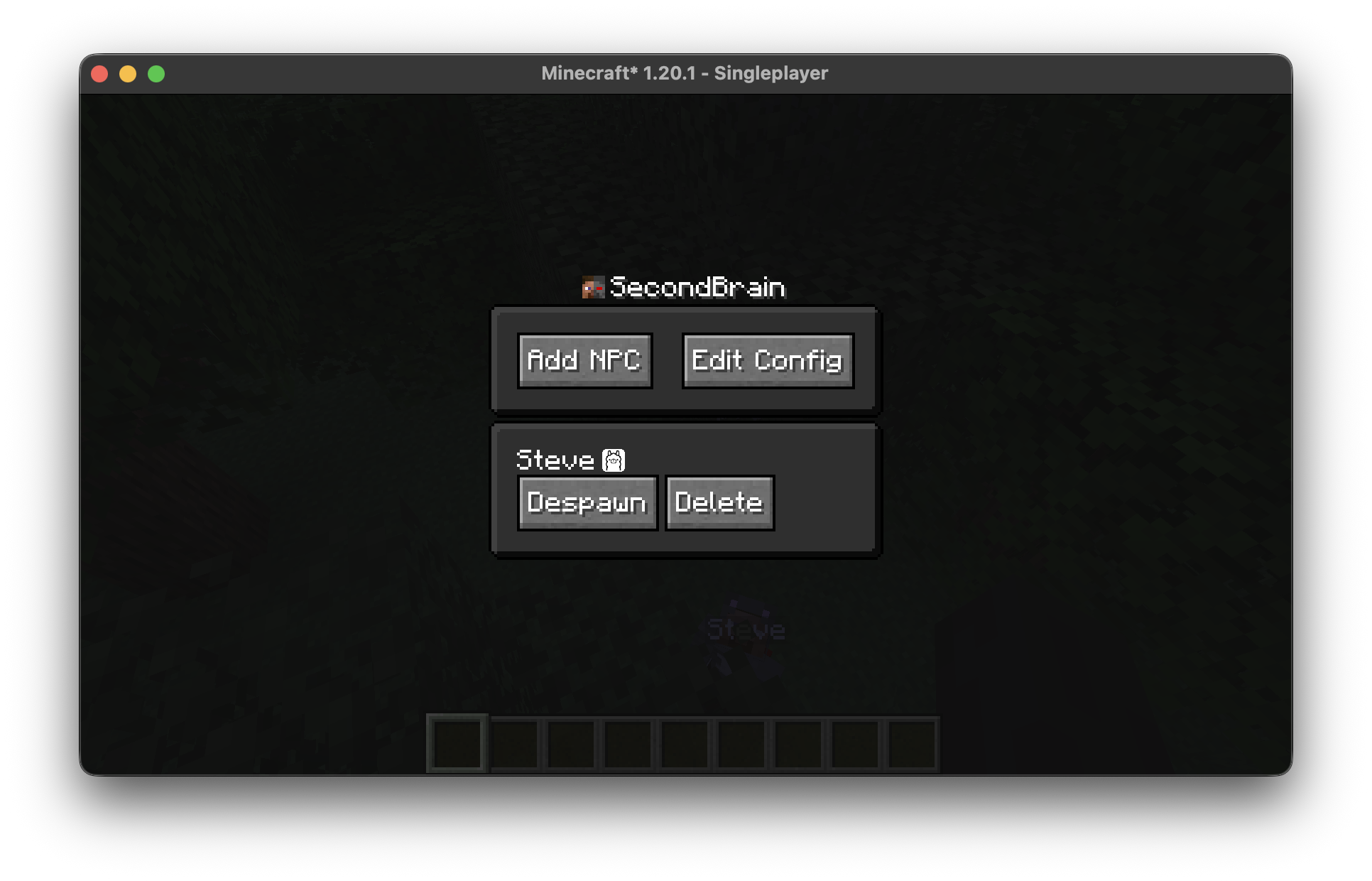
- Open the gui with the
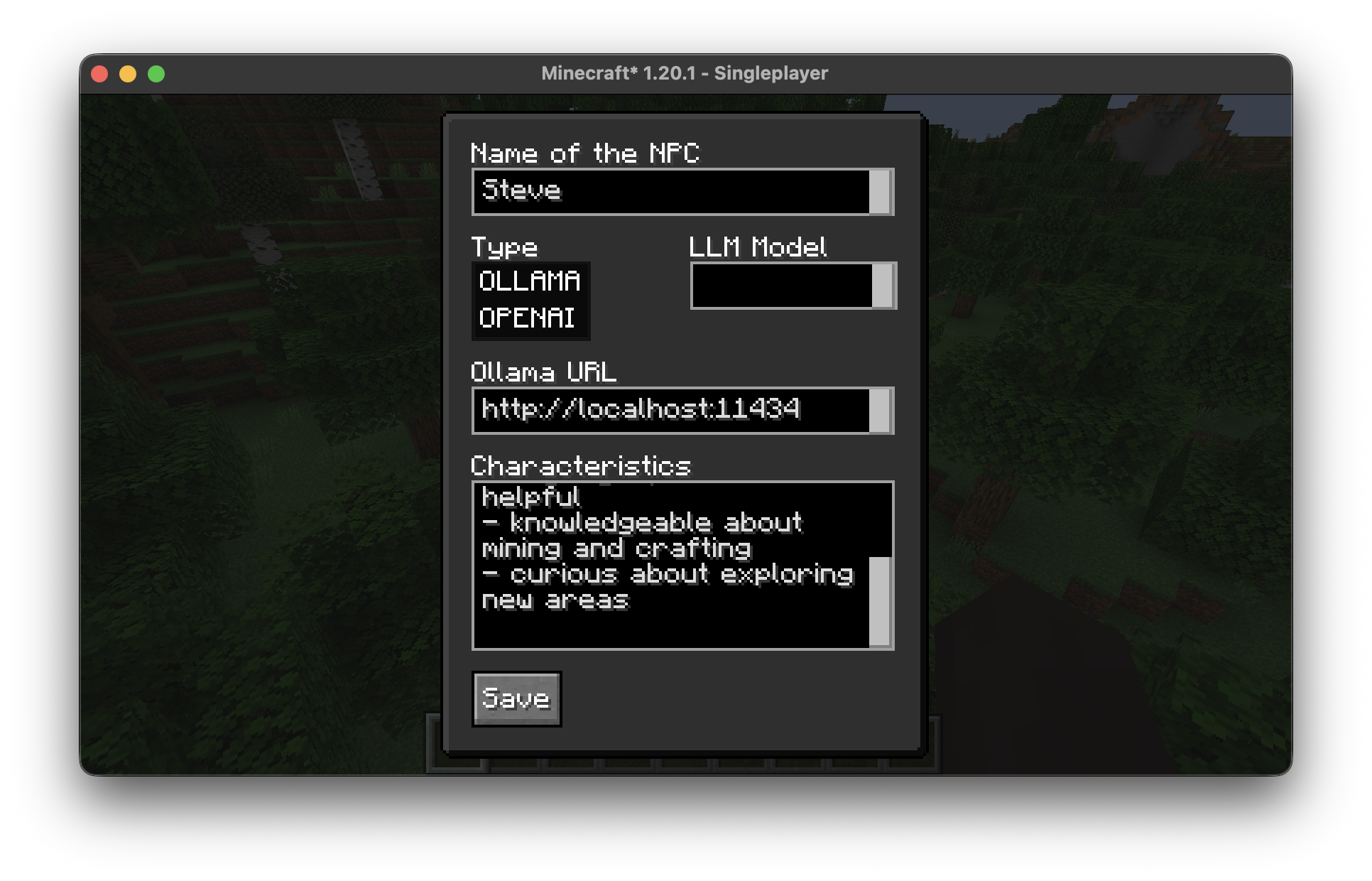
/secondbraincommand and create/spawn, despawn/delete or edit the NPCs there. - Also edit the base configuration there.
Commands (Deprecated)
Warning: This command uses default ollama/openai settings!
Spawn NPCs:
Use the/secondbrain add <npcname> <openai|ollama>(currently only ollama is supported) command to create an NPC. (Example: `/secondbrain add sailex428 OLLAMA)
Remove NPCs:
Use the/secondbrain remove <npcname>command to remove an NPC from the game world.
Interact with NPCs:
- Just write in the chat to interact with the NPC.
Setup Ollama
Ollama (Local LLM)
- Download Ollama:
- Visit Ollamas Website and download the installer for your operating system.
- Install and Run Ollama:
- Follow the setup instructions to install.
- Start Ollama and ensure it’s running in the background.
- Connect to the Mod:
- Use the gui to create/edit an NPC and put in the address to your ollama server (complete url with http://…; if you’re running your ollama on your local pc then you can just use the one that’s already typed in)
Setup OpenAi (Paid)
- Create API Key
- Visit OpenAi’s website, sign up/log in and create a API key
- Copy the created key
- Use the Key in the mod
- Open the GUI and create an NPC with the LLM Type
OPENAIand paste key into the Key field. (The key wont be ever shared with any other clients that has access to the GUI, also not your client. It will be saved in a secondbrain config file on the server)
Usage with Player2 App
The mod will automatically sync the selected Characters from the player2 App to NPCs in your singleplayer world.
If you updated a description/name in the player2 App you can sync these changes with the command /secondbrain player2 SYNC
It’s not possible to change any configs from the Character with this mod.
Interact with NPCs
- Write messages in the chat or directly to a specific NPC
- Press and hold alt (win) or opt (macOS) key to talk directly to the LLM/AI
- Activate Text-To-Speech for any NPC in the config gui to hear the LLM/AI output
Setup Player2 (Free, Limited)
- Download Player2 App
- Visit player2’s website and download the App for your operating system.
- Start the App and select Characters
- Start the downloaded App and select the Characters you wanna use as NPCs
License
This project is licensed under the LGPL-3.0
Disclaimer
Credits
This project utilizes components from the following projects:
Thank you to the developers of these projects for their amazing work!
常见问题
SecondBrain 支持哪些 Minecraft 版本?
SecondBrain 支持 Minecraft Java 版 1.20.1–1.21.11,共 8 个版本,可用的加载器:Fabric。下载时注意选择和你游戏版本一致的文件。
SecondBrain 怎么安装?
先用 PCL2 或 HMCL 启动器安装对应版本的 Fabric,再把下载的 .jar 文件放进游戏目录的 mods 文件夹,重新启动游戏即可。开启了版本隔离的,mods 文件夹在 versions/版本名 下面。运行环境:客户端 / 服务端。


评论
登录后评论和评分