
Searching GUI
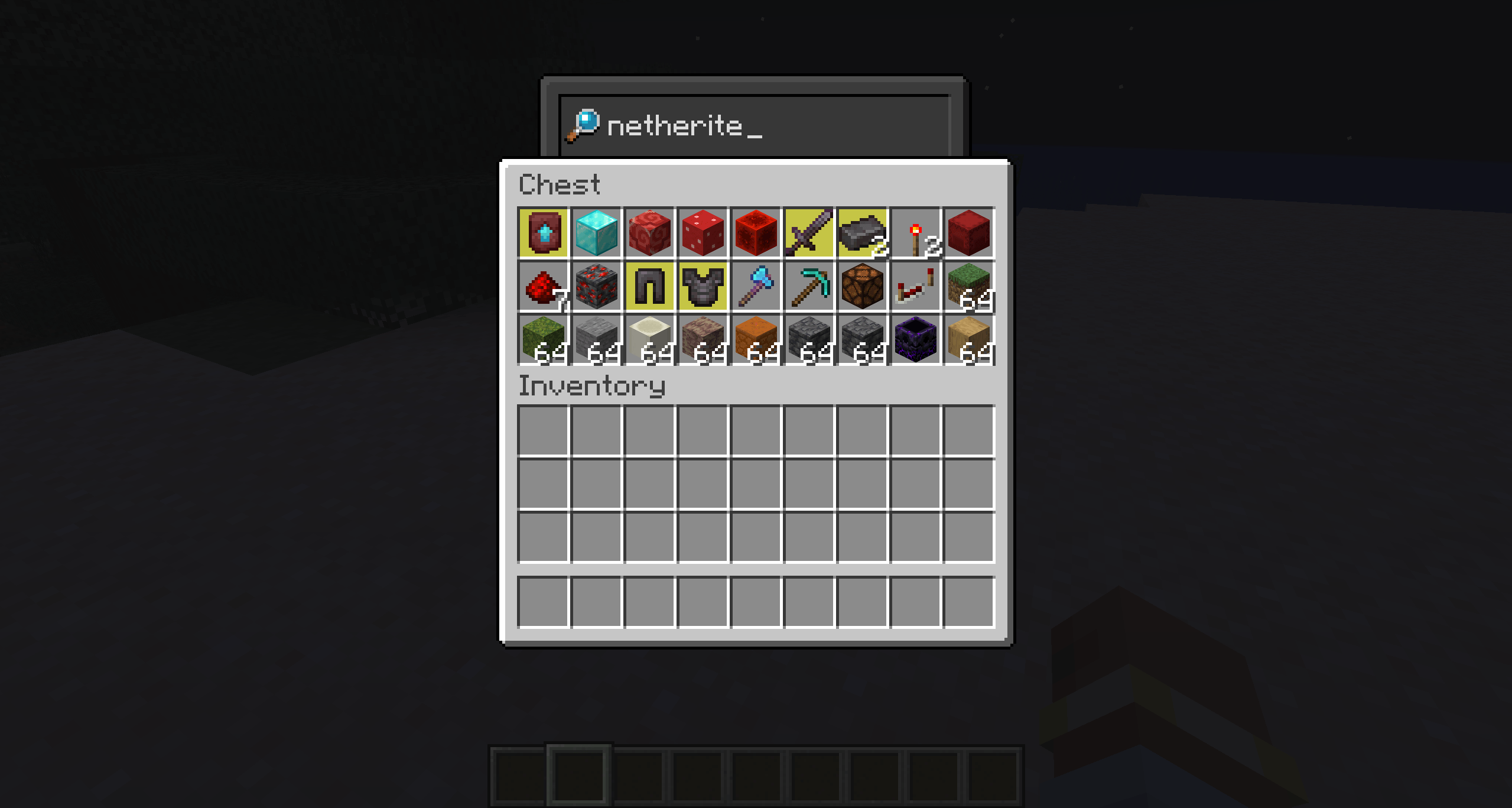
Add a searchbar (with custom texture) to all GUIs (configurable) | Client side mod
截图
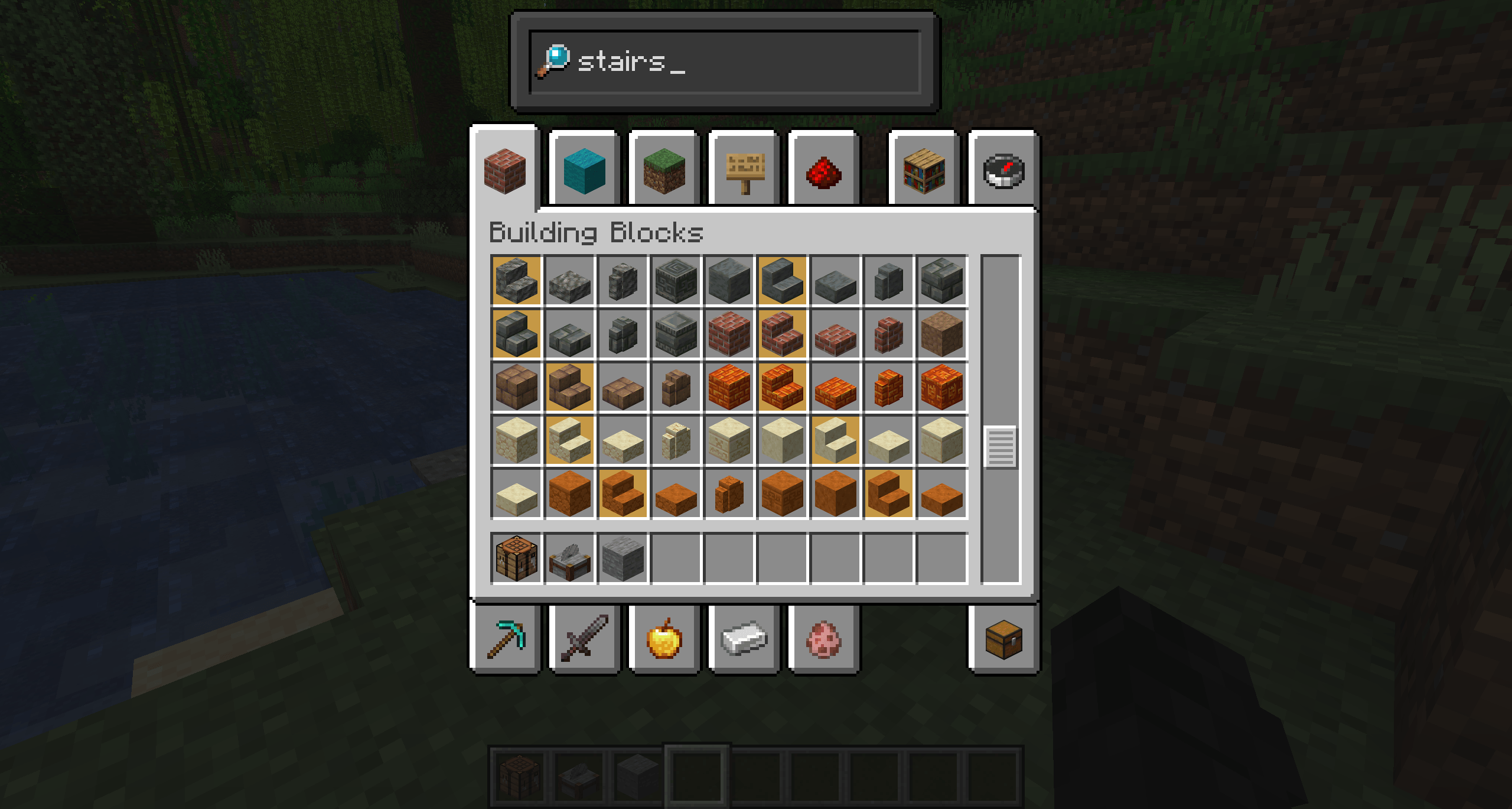
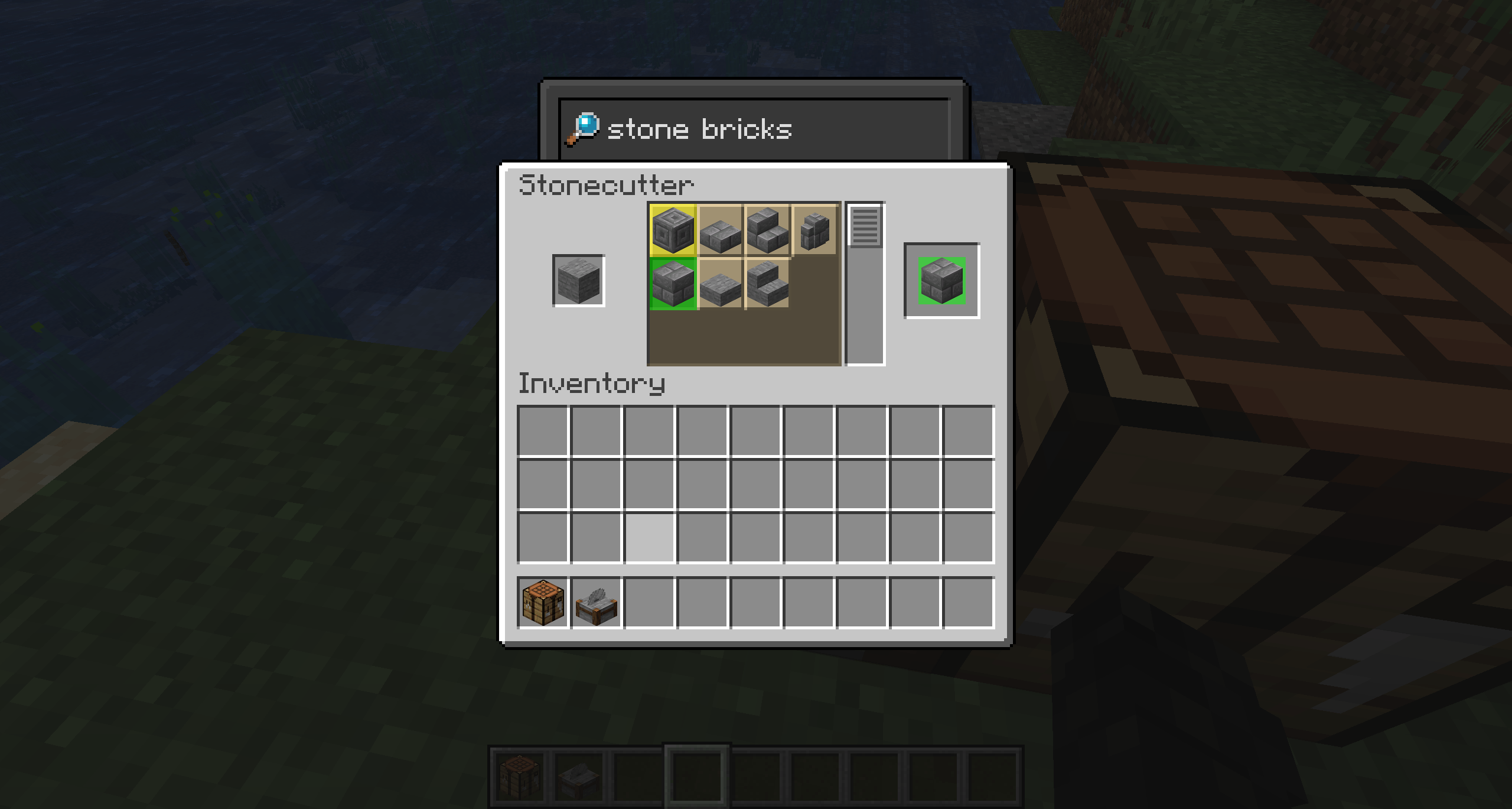
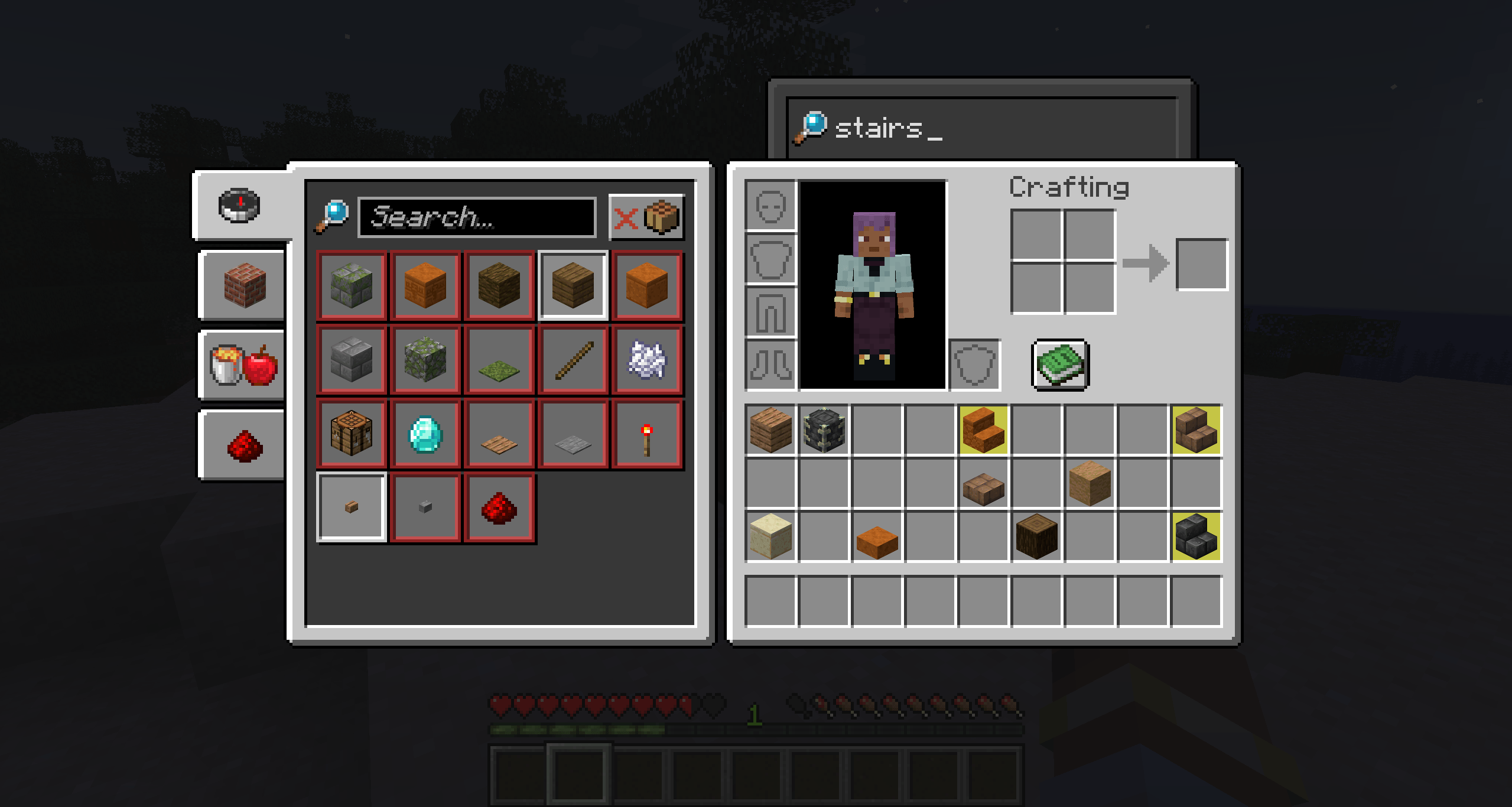
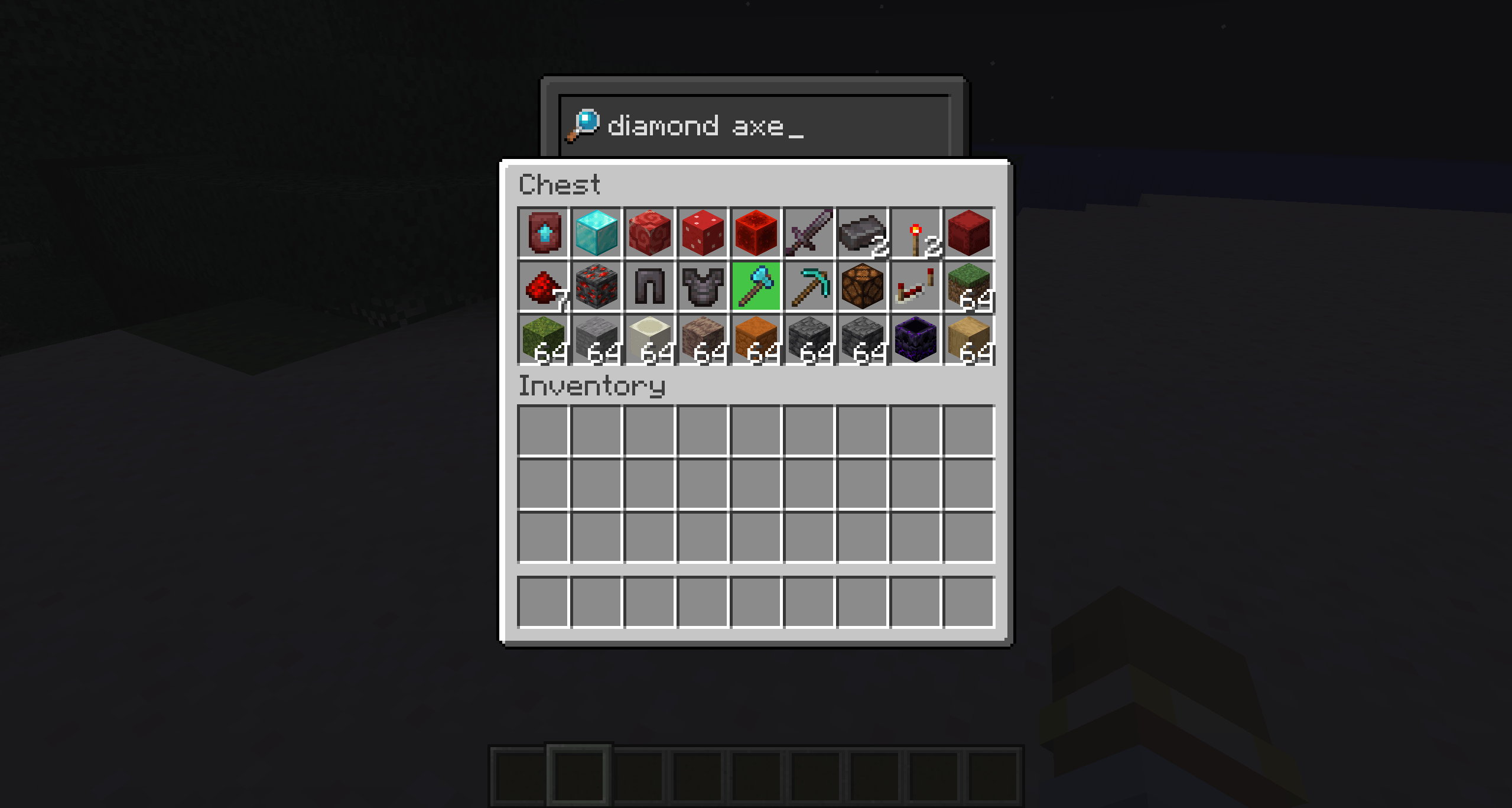
介绍


This is a client mod that adds a search bar to all GUIs.
The search bars have a custom texture.
You can control the position of the bar and the texture used for each GUIs in config file.
You can use this mod in your modpacks without crediting me!
A search bar is automatically added to all GUIs (even those from other mods). You can disable the search bar individually, change the texture, or change the position of the search bar for each GUI.
There are maybe some bugs or conflicts with other mods.
Works with JEI, REI and EMI.
undefinedEach GUI is added to the config file once it has been opened in-game.undefined
Configs Tutorial :
Hey! This is a quick guide on how to use the config system of the SearchingGUI mod.
Where’s the config?
You’ll find the config file here:
Modpack/config/searchinggui/config.json
Each GUI you open while using the mod gets automatically added in the config file.
What can you change?
For each GUI, you can tweak:
offsetX and offsetY: moves the search bar around (also move the texture)
textureOffsetX and textureOffsetY: moves the background texture (can be useful with custom textures)
texture: choose “default”, “default_detached”, or a custom texture file like “mytexture.png”, the custom texture has to be in Modpack/config/searchinggui/textures/gui/mytexture.png
With custom texture you have to put the .png extension.
enable: true or false to toggle the search bar for this GUI
Search bar in Creative Inventory is always disabled. (You can’t enable it)
It works properly in Creative Inventory since 1.0
Example
“example_gui_id”: {
“offsetX”: 0,
“offsetY”: -20,
“textureOffsetX”: 0,
“textureOffsetY”: 0,
“texture”: “default_detached”,
“enable”: true
}
This shows the bar 20 pixels above its normal spot with a different background.
That’s it!
You don’t need to reload resource packs or restart the game to apply modifications.
常见问题
Searching GUI 支持哪些 Minecraft 版本?
Searching GUI 支持 Minecraft Java 版 1.20.1–1.21.5,共 6 个版本,可用的加载器:Forge / NeoForge。下载时注意选择和你游戏版本一致的文件。
Searching GUI 怎么安装?
先用 PCL2 或 HMCL 启动器安装对应版本的 Forge / NeoForge,再把下载的 .jar 文件放进游戏目录的 mods 文件夹,重新启动游戏即可。开启了版本隔离的,mods 文件夹在 versions/版本名 下面。
OesphyGG 的其他作品
查看全部 →
PyFish (python)
Allows to execute python 3.12 scripts, add content, etc. in minecraft and also to make minecraft mod using GraalPy so no python installation is needed to play

SearchingGUI
Add a searchbar (with custom texture) to all GUIs (configurable) | Client side mod
评论
登录后评论和评分