
Nearby Chest Crafting
Craft using ingredients in nearby chests and inventories, with searchable item counts, storage highlights and safe ingredient returns.
截图


介绍
AI disclosure: This mod was made with the help of AI. AI also assisted development, testing, release preparation and this project page.
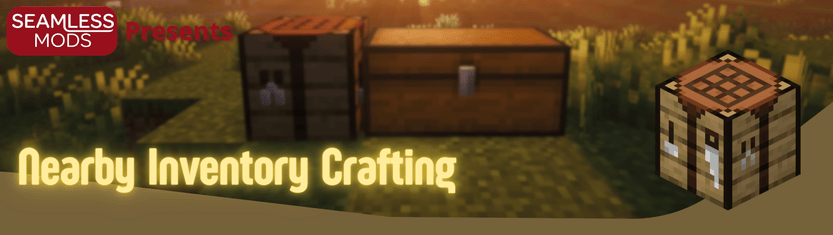


About
Nearby Chest Crafting lets you craft with ingredients stored in nearby chests and other inventories, without moving everything into your inventory first.
Features
- Nearby ingredients count toward recipe-book crafting.
- Searchable item panel with counts and storage highlights.
- Optional distance labels and trails to help you find chests.
- Cancel to return nearby-sourced ingredients to storage.
- Press Space to fill one set of the selected recipe.
Getting started
Open a crafting table or your inventory recipe book to use nearby storage. With Mod Menu installed, you can adjust the scan radius, refresh interval, panel defaults, and highlight effects.
Check out my other mods



Installation
Choose the file for your exact Minecraft version and loader. Install the matching SeamlessLib 2.x on both client and server. Fabric also requires Fabric API; Mod Menu is optional for Fabric settings. Do not mix loader jars or Minecraft-version binaries.
常见问题
Nearby Chest Crafting 支持哪些 Minecraft 版本?
Nearby Chest Crafting 支持 Minecraft Java 版 1.20.1–26.3,共 4 个版本,可用的加载器:Fabric / Forge / NeoForge。下载时注意选择和你游戏版本一致的文件。
Nearby Chest Crafting 怎么安装?
先用 PCL2 或 HMCL 启动器安装对应版本的 Fabric / Forge / NeoForge,再把下载的 .jar 文件放进游戏目录的 mods 文件夹,重新启动游戏即可。开启了版本隔离的,mods 文件夹在 versions/版本名 下面。运行环境:客户端和服务端都要装。
SeamlessMods 的其他作品
查看全部 →
SeamlessLib
Shared APIs and visual utilities for Seamless mods and addons, including salvage, meteor showers, food buffs and thrown-item effects.
SeamlessLib
Shared APIs and visual utilities for Seamless mods and addons, including salvage, meteor showers, food buffs and thrown-item effects.

Salvage Workbench
Recover materials and enchantments from crafted items using an in-world workbench, with durability-scaled returns and hopper automation.
评论
登录后评论和评分