
Screenshot with Coords
Capture local player's screen with position, rotation and more detailed informations repeatedly.
介绍
Abstract
This mod was originally designed to generate data for training interactive image generation models. When a player enters a world (whether it is a single-player archive or a multiplayer server), the mod will start to capture the local player’s screen, coordinate position, head rotation and other detailed information at regular intervals and store it in the game directory, which will stop after the player leaves the world.
Directory
Screenshots will be saved at screenshot_with_coords/screenshots folder, and detailed information will be appended into screenshot_with_coords/coords.jsonl.
Configuration
CAPTURE_INTERVAL: The interval (in millisecond, for example, 500 is half a second) between two captures. The default value is 500.
JSONL_SAVE_AFTER: How many captures is needed before detailed coords informations will be saved into jsonl file. Notice that after player leaves the level, cached informations will still be saved. The default value is 50.
常见问题
Screenshot with Coords 支持哪些 Minecraft 版本?
Screenshot with Coords 支持 Minecraft Java 版 1.21–1.21.4,共 5 个版本,可用的加载器:NeoForge。下载时注意选择和你游戏版本一致的文件。
Screenshot with Coords 怎么安装?
先用 PCL2 或 HMCL 启动器安装对应版本的 NeoForge,再把下载的 .jar 文件放进游戏目录的 mods 文件夹,重新启动游戏即可。开启了版本隔离的,mods 文件夹在 versions/版本名 下面。运行环境:仅客户端。
Viola-Siemens 的其他作品
查看全部 →
Sweeper Maid
一个轻量级模组,可收集所有掉落物和多余实体以优化性能。
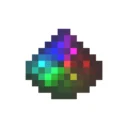
Dyeable Redstone Signal
色彩缤纷的红石线,让你的红石电路更加复杂!

Teleport Master
这个模组添加了一些传送指令。

Tetrachord Lib
一个轻量级的前置库模组,提供 KD 树、线段树等多种数据结构,以及其他实用功能。
评论
登录后评论和评分