
Screenshot Path
Redirects Minecraft ingame screenshots (F2) to your specified location.
截图

介绍
Screenshot Path
Tired of losing screenshots when accidentally deleting an instance, or never being able to find them? This mod redirects Minecraft’s F2 screenshots to a folder of your choice, outside of your instance. Requires Fabric API.
Configuration
On first launch, a config file is created at .minecraft/config/screenshot-path.json.
Set your preferred path in the config, or use the in-game command: /screenshotpath <path>
Examples: /screenshotpath C:\Users\karlsson\Pictures\Minecraft,
/screenshotpath /home/karlsson/Pictures/Minecraft
//screenshot-path.json
{
  "screenshot_path": "C:\\Users\\karlsson\\Pictures\\Minecraft"
}
By default, screenshots are saved to ~/Pictures/Minecraft/screenshots/.
常见问题
Screenshot Path 支持哪些 Minecraft 版本?
Screenshot Path 支持 Minecraft Java 版 1.21.6–26.2,共 10 个版本,可用的加载器:Fabric。下载时注意选择和你游戏版本一致的文件。
Screenshot Path 怎么安装?
先用 PCL2 或 HMCL 启动器安装对应版本的 Fabric,再把下载的 .jar 文件放进游戏目录的 mods 文件夹,重新启动游戏即可。开启了版本隔离的,mods 文件夹在 versions/版本名 下面。运行环境:仅客户端。
karlsson1000 的其他作品
查看全部 →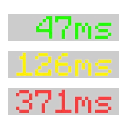
Ping View
在 Tab 列表中显示你和其他玩家的延迟。

Ping View
Displays your and other players ping in the tab list.

Durability Ping
Get alerted when your tools and armor are about to break!

FogFree
Removes fog from the game.
评论
登录后评论和评分