
截图

介绍
Note that the beta versions can crash Minecraft.
See the Bugs / Issues / Crashes section for more info on how to send feedback.
Screenshot Manager
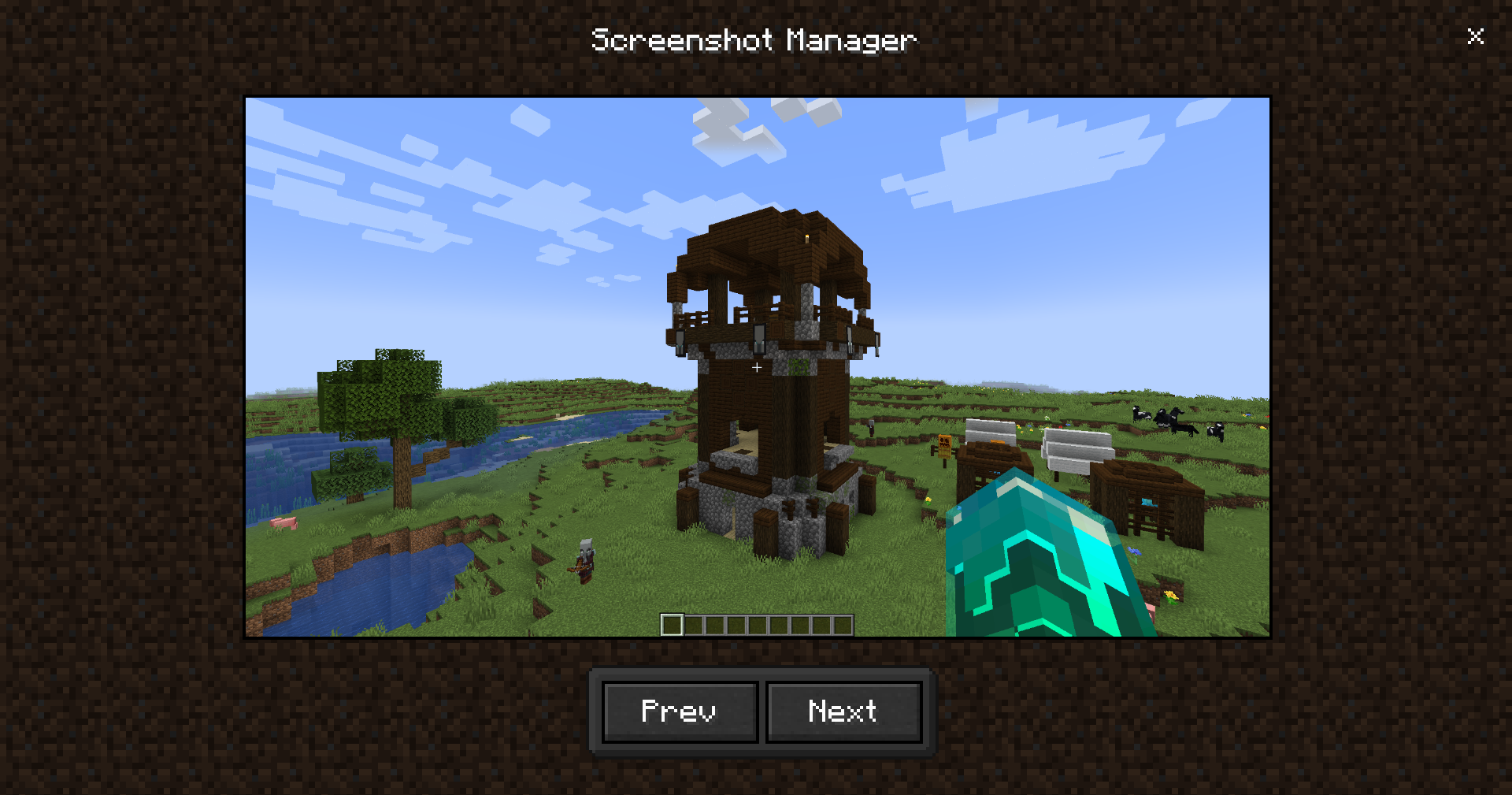
Adds a menu for showing screenshots you’ve taken.
Features
Full screen menu, with a toolbar at the bottom, to close it there’s a close button at top right.
Adds a button in the title screen to access the screenshots menu.
Source code
It’s on GitHub: Ultreon/screenshot-manager (github.com)
Links
Qboi123 – (Youtube, GitHub)
Ultreon Team – (Youtube, GitHub, Website)
Bugs / Issues / Crashes
In Alpha / Beta releases stuff might change or break, it’s recommended to use them for testing purposes only.
If there’s a problem with the mod: don’t post the crash report in the comments, but post it on the issue tracker here: Screenshot Manager Issues at GitHub.
If there’s no crash report but it still crashes, post the debug.log file in your .minecraft/logs folder to the issue tracker.
If there’s no crash report and there’s no crash in the debug.log, then there’s probably a problem with the Java installation or a windows driver (what I have sometimes).
Feature requests
If you want to request a feature you can do it on GitHub.
常见问题
Screenshot Manager 支持哪些 Minecraft 版本?
Screenshot Manager 支持 Minecraft Java 版 1.18.2–1.20.1,共 3 个版本,可用的加载器:Fabric / Forge。下载时注意选择和你游戏版本一致的文件。
Screenshot Manager 怎么安装?
先用 PCL2 或 HMCL 启动器安装对应版本的 Fabric / Forge,再把下载的 .jar 文件放进游戏目录的 mods 文件夹,重新启动游戏即可。开启了版本隔离的,mods 文件夹在 versions/版本名 下面。运行环境:仅客户端。
Omnixerio 的其他作品
查看全部 →
Omnixerio Modding Library
Omnixerio Mods 的模组前置库
ERROR422
将 creepypasta 版本 ERROR422 非官方移植为适用于现代版本的模组。

Exit Confirmation
经常不小心关掉 Minecraft?这个模组也许能帮上忙。

ControllerX
又一款手柄模组!但真的是吗?它专注于打造最佳的工作体验。
评论
登录后评论和评分