
Screenshot Layers
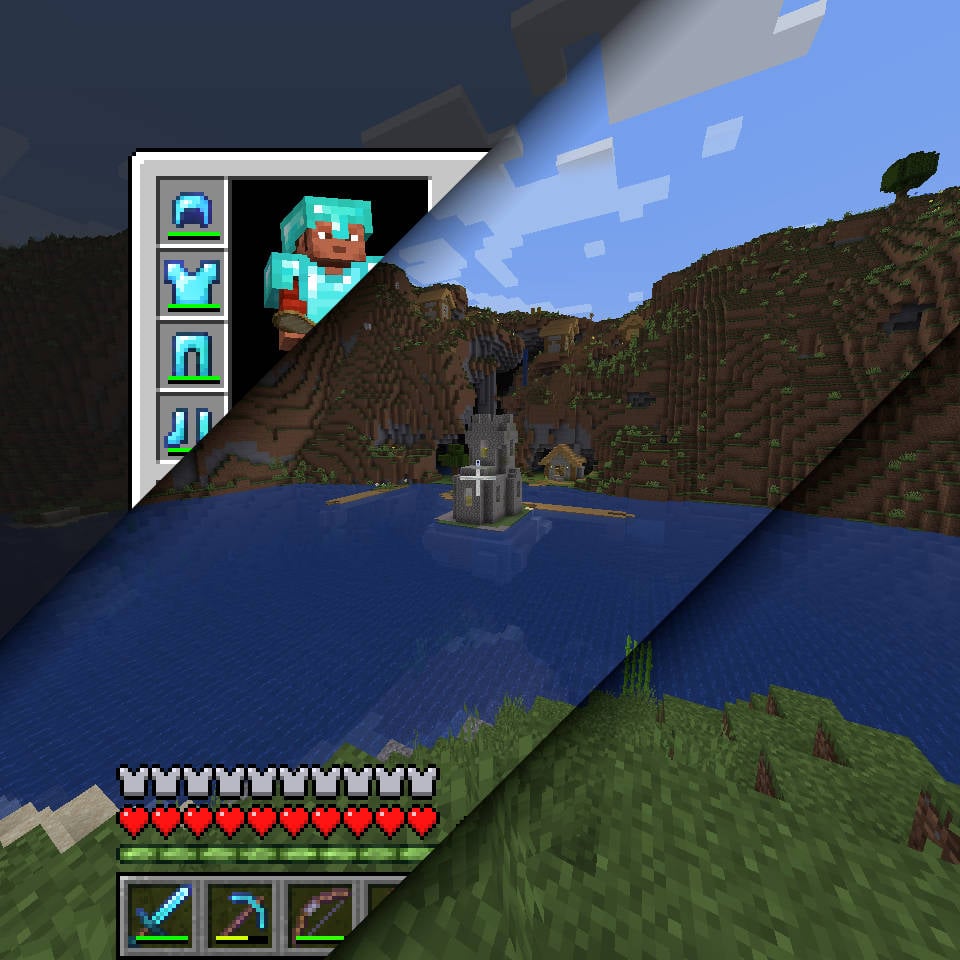
Splits screenshots into multiple layers so you can retroactively hide the GUI or hot bar in your screenshots.
截图
介绍
Screenshot Layers 

Requires: Fabric API
A Minecraft mod that splits screenshots into multiple layers so you can retroactively hide the GUI or hot bar from view in your screenshots
Usage
Once installed, a new keybind will be added to the list.
You may want to unbind the default take screenshot key and bind F2 to Screenshot Layer’s capture binding.
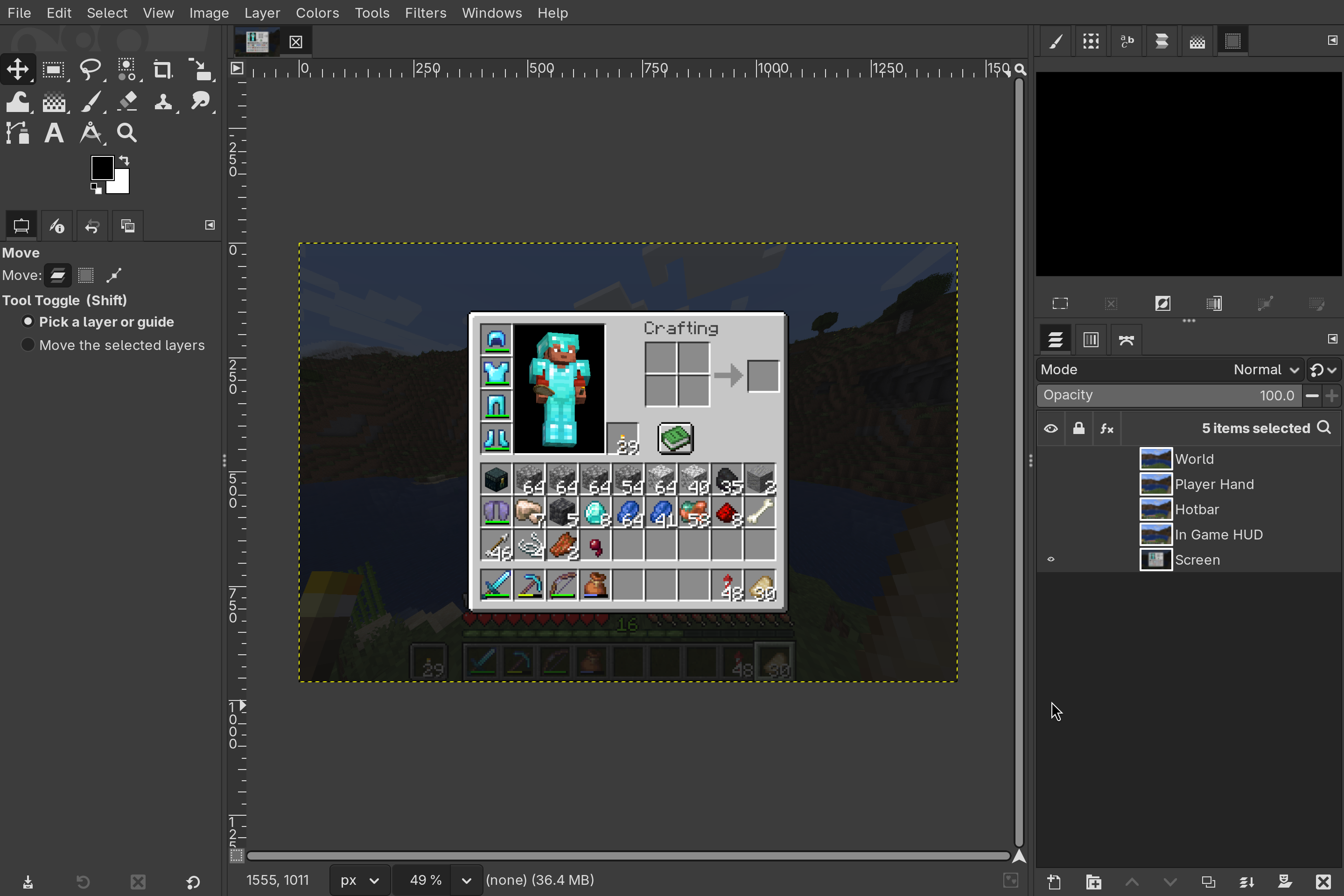
Screenshot Layers outputs .tiff files, as it’s one of the few mainstream image formats that supports multiple layers.
If you open one of these files in PhotoPea, GIMP, or another image editor, you can view and modify the individual layers separately.
Layers
Not every layer will be added to every screenshot, only the ones that are diffrent from the others.
For example the overlay layer will only show if the player has some overlay from a carved pumpkin, power snow, or a potion.
Optional layers are denoted with an asterisk.
|World|Player Hand*|Overlays*|
|:-|:-|:-|
||
|
|
|Hotbar|In Game HUD|Screen*|
||
|
|
常见问题
Screenshot Layers 支持哪些 Minecraft 版本?
Screenshot Layers 支持 Minecraft Java 版 1.21.4–1.21.11,共 8 个版本,可用的加载器:Fabric。下载时注意选择和你游戏版本一致的文件。
Screenshot Layers 怎么安装?
先用 PCL2 或 HMCL 启动器安装对应版本的 Fabric,再把下载的 .jar 文件放进游戏目录的 mods 文件夹,重新启动游戏即可。开启了版本隔离的,mods 文件夹在 versions/版本名 下面。运行环境:仅客户端。
connorslade 的其他作品
查看全部 →
Auto Reauth
Automatically re-authenticates your session when it expires, so you don't need to restart your game.

FastDoll
By default, the player model in the inventory is rendered at only 20FPS, this mod renders it at full speed.
FastDoll
By default, the player model in the inventory is rendered at only 20FPS, this mod renders it at full speed.
评论
登录后评论和评分